
Process Flowcharts for Azure Synapse Analytics
Home > Diagrams > Process Flowcharts
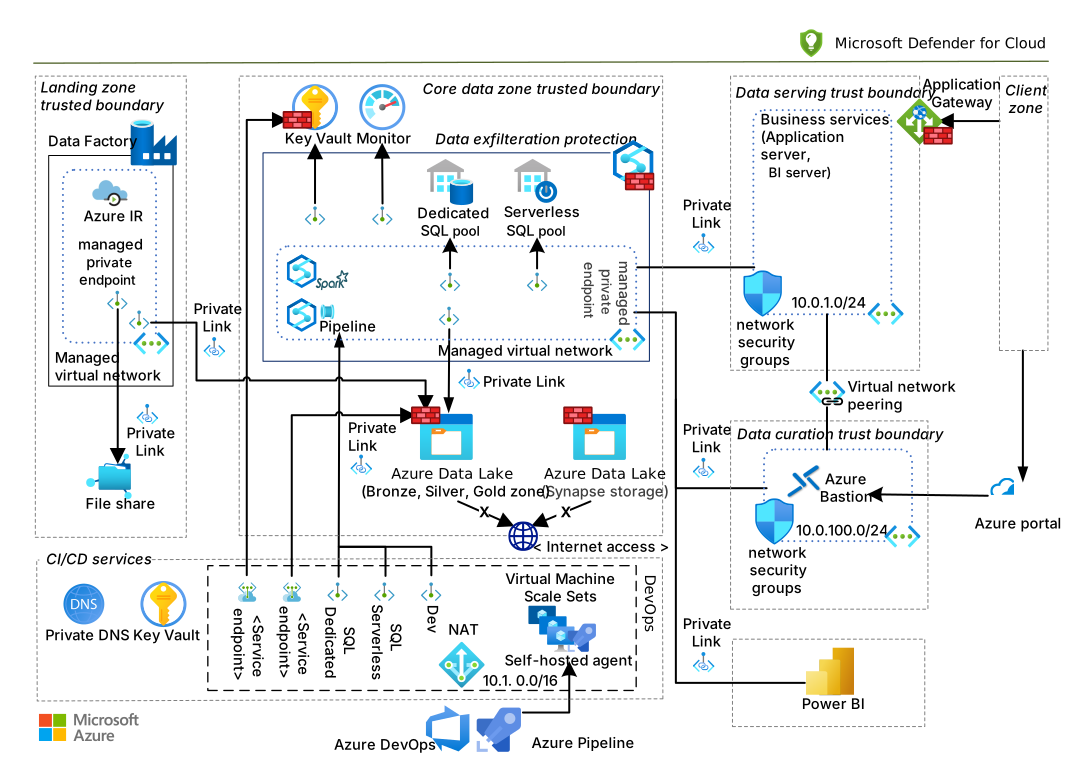
This section provides flowcharts for common processes related to Azure Synapse Analytics, including troubleshooting, optimization, and implementation workflows.
Delta Lake Optimization Decision Tree
This flowchart helps you decide which Delta Lake optimization techniques to apply based on your workload characteristics.
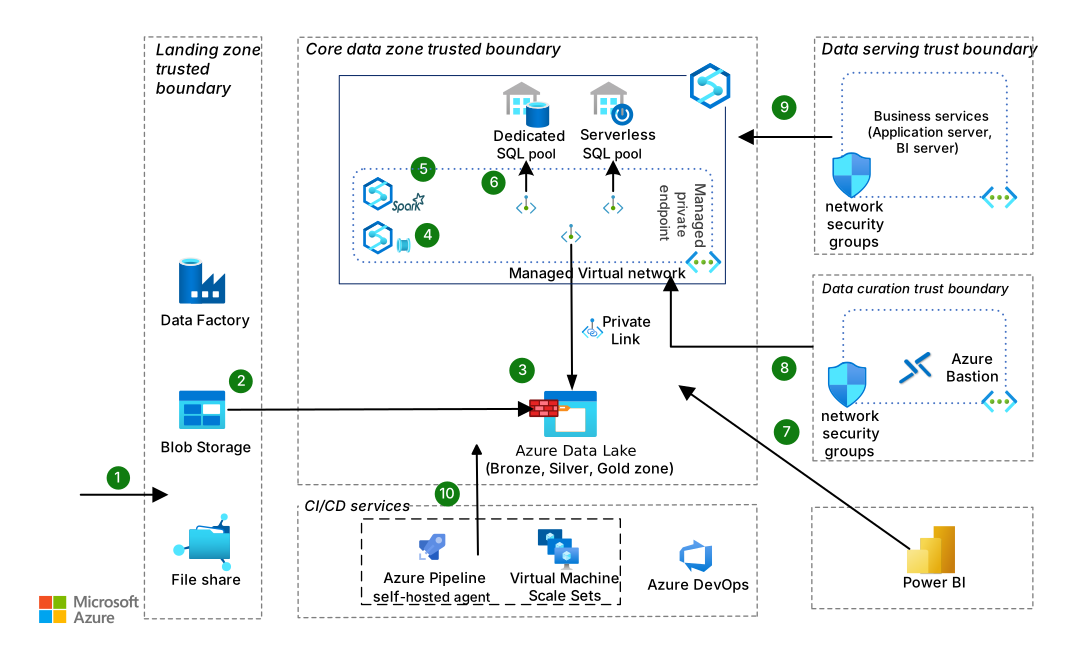
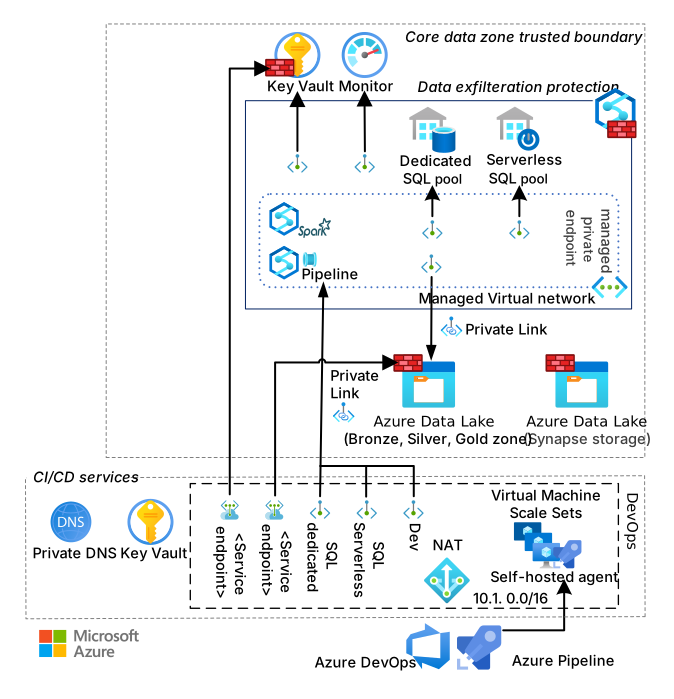
Serverless SQL Query Troubleshooting Flowchart
This flowchart provides a systematic approach to troubleshooting performance issues with Serverless SQL queries.

End-to-End Data Pipeline Implementation Flowchart
This flowchart outlines the implementation process for an end-to-end data pipeline in Azure Synapse Analytics.

Performance Optimization Process
This flowchart outlines the process for optimizing the performance of Azure Synapse Analytics workloads.
Data Governance Implementation Decision Tree
This flowchart helps you decide which data governance features to implement based on your requirements.
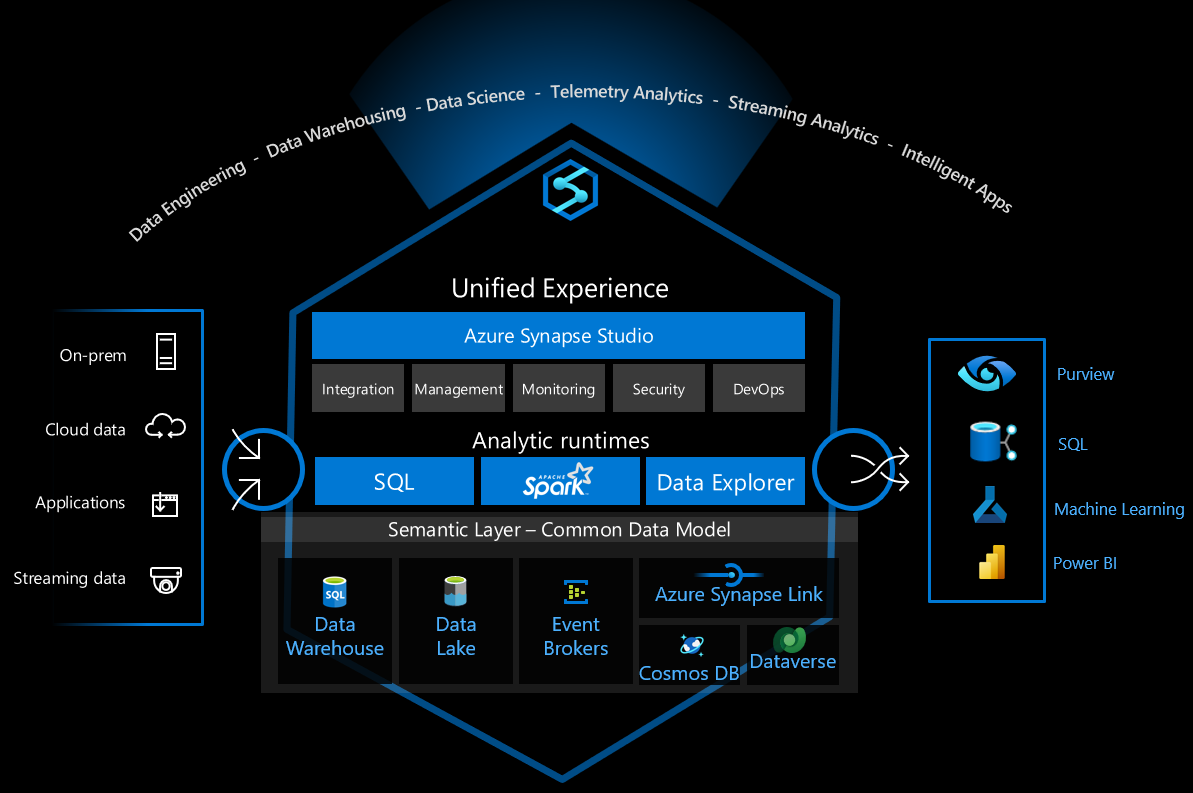
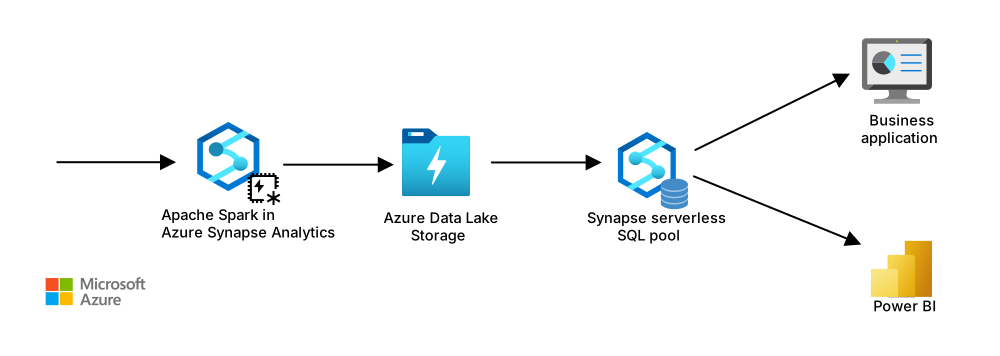
Incident Response Process for Azure Synapse
This flowchart outlines the incident response process for Azure Synapse Analytics-related issues.
Best Practices for Using Process Flowcharts
-
Customize for Your Environment: Adapt these flowcharts to your specific Azure Synapse implementation and requirements.
-
Incorporate into Documentation: Include these flowcharts in your operational documentation and runbooks.
-
Use for Training: Utilize these flowcharts to train new team members on standard processes and troubleshooting approaches.
-
Iterate and Improve: Regularly review and update the flowcharts based on new features, lessons learned, and evolving best practices.
-
Automate Where Possible: Consider implementing automated versions of these processes where applicable.
-
Include in Incident Response: Make these flowcharts accessible during incident response situations to guide resolution efforts.