
Tutorial: Prompt flow editor
CSA Loom
prompt-floweditor — verified working against a live console by the UAT harness on 2026-07-01.
Open the editor
- Sign in to your CSA Loom Console (for example
https://<your-console-host>). - Open or create a workspace from the Workspaces page.
- Click + New item and choose Prompt flow from the catalog.
- The editor opens at
/items/prompt-flow/<id>:
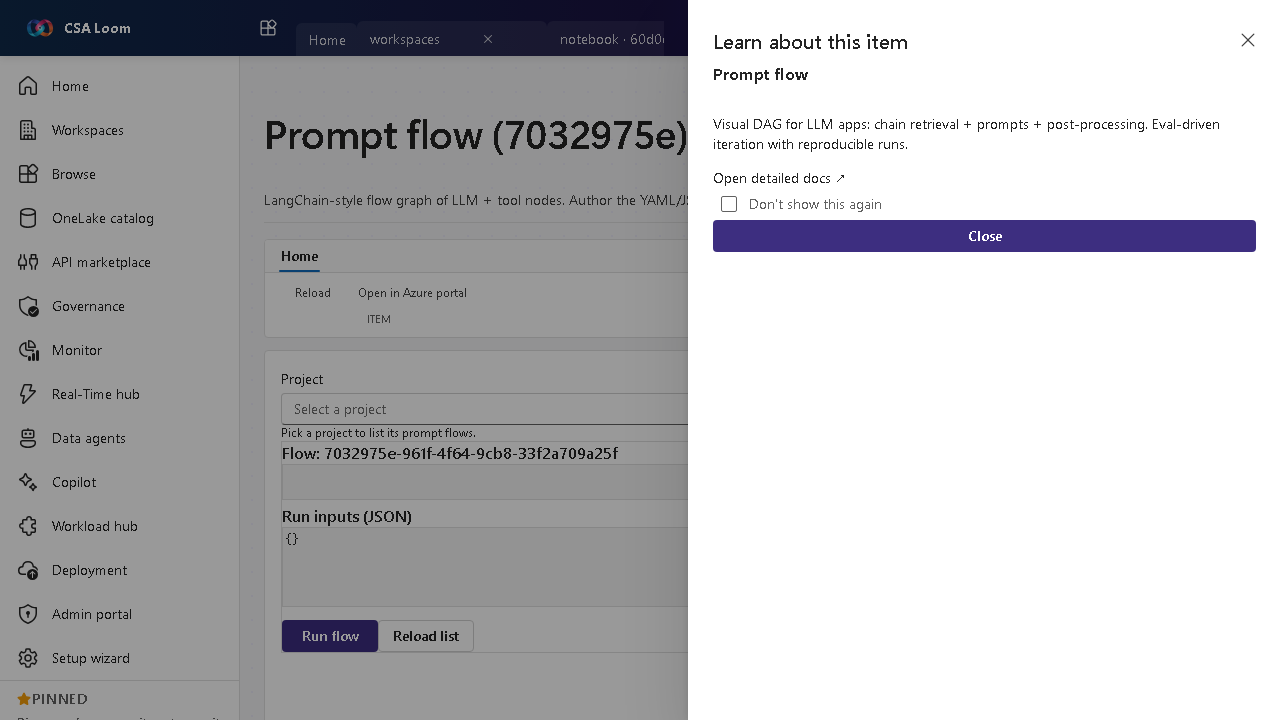
What this editor does
A Prompt flow is a LangChain-style graph of LLM and tool nodes. In Loom you author the YAML/JSON definition, run it with inputs, and view run history via the Foundry BFF route.
Getting started
- Author the flow — Define the node graph (retrieval, LLM, post-processing) in YAML/JSON.
- Run with inputs — Provide sample inputs and run to see node outputs end-to-end.
- View run history — Inspect prior runs for reproducibility and debugging.
- Evaluate — Pair with a Foundry evaluation to score the flow before promoting it.
Learn more
- Microsoft Learn reference: https://learn.microsoft.com/azure/ai-studio/how-to/prompt-flow
Verified by the UAT harness
- Tested at:
2026-05-26T13:54:26.294Z - Verdict: A (renders cleanly, real backend responded)
- Test source:
apps/fiab-console/e2e/editors.uat.ts