Home > Docs > Multi-Region Deployment
Multi-Region Deployment Guide¶
Note
Quick Summary: Active-active multi-region deployment for CSA-in-a-Box — service capability matrix (native replication vs stamp-per-region), data replication patterns (RA-GZRS, Cosmos multi-master, Event Hubs Geo-DR), failover procedures, RPO/RTO targets, step-by-step deployment, chaos testing, monitoring, and cost implications (+40-80% overhead).
This guide covers deploying CSA-in-a-Box in an active-active multi-region configuration for high availability and disaster recovery. It extends the standard deployment in GETTING_STARTED.md and pairs with the DR runbook in DR.md which documents the operational failover procedures.
Important
Scope: the CSA-in-a-Box Data Landing Zone (DLZ) and its dependent services. The Management and Connectivity landing zones have their own multi-region considerations (Azure Policy replication, hub VNet per region) that are out of scope here.
📑 Table of Contents¶
- 🏗️ 1. Architecture Overview
- 📊 2. Service Capability Matrix
- 🔄 3. Data Replication Patterns
- 🚀 4. Failover Procedures
- 📋 5. RPO / RTO Targets by Service Tier
- 📦 6. Deployment Process
- 🧪 7. Chaos Testing
- 📈 8. Monitoring Multi-Region Health
- 💰 9. Cost Implications of Multi-Region
- 🏢 10. Combining Multi-Region with Multi-Tenant
- 📋 11. Quick Reference
📦 Starter parameter file¶
A starter parameter template lives at deploy/bicep/DLZ/params.multi-region.json — deploy it to the primary region, then create a paired secondary file with location set to the failover region. Snippet (truncated):
{
  "$schema": "https://schema.management.azure.com/schemas/2019-04-01/deploymentParameters.json#",
  "contentVersion": "1.0.0.0",
  "parameters": {
    "location":    { "value": "East US 2" },
    "environment": { "value": "prod" },
    "prefix":      { "value": "dlz" },
    "parCosmosDB": {
      "value": {
        "enableMultipleWriteLocations": "Enabled",
        "secondaryLocation":            "westus2",
        "_comment_multiRegion": "Active-active multi-master Cosmos DB."
      }
    },
    "parStorage": {
      "value": {
        "sku": "Standard_RAGZRS",
        "_comment_sku": "Read-access geo-zone-redundant storage; secondary region is readable at all times."
      }
    }
  }
}
See the file for the full set of services (Synapse, Databricks, Data Factory, Event Hubs Geo-DR alias, Azure ML, Data Explorer, Functions, Stream Analytics, App Insights) including the manual az eventhubs georecovery-alias setup commands embedded in the _comment_geoDR block.
🏗️ 1. Architecture Overview¶
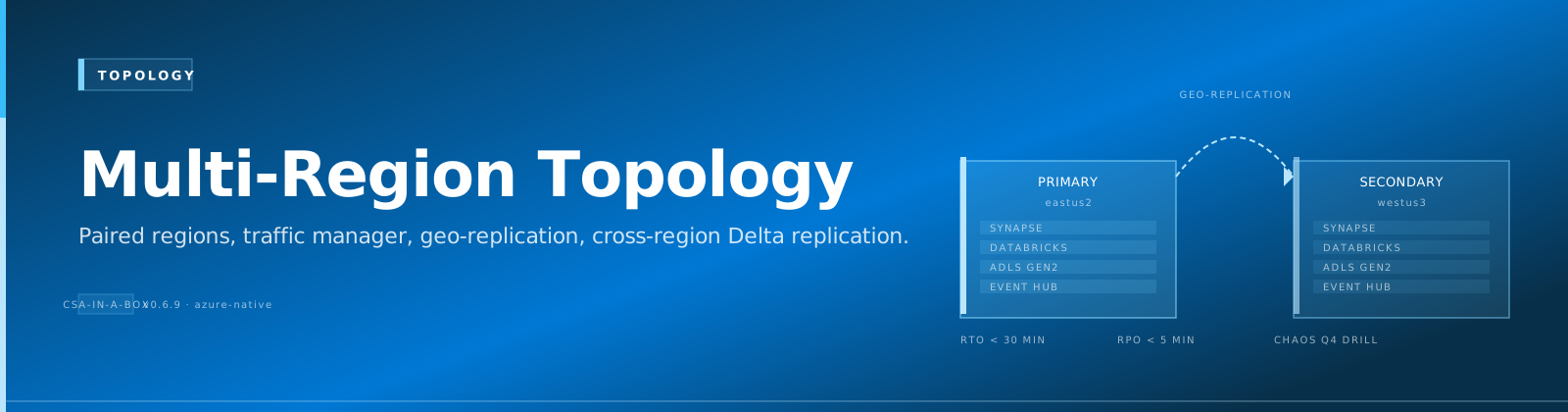
CSA-in-a-Box multi-region uses an active-active topology where both regions serve traffic simultaneously. Services that support native multi-region replication (Cosmos DB, Storage) are configured for automatic data synchronization. Services without built-in multi-region support (Databricks, Data Factory, Synapse) are deployed as independent stamps in each region.
graph TB
    TM["Azure Traffic Manager<br/>/ Azure Front Door"] --> E["East US 2<br/>(Primary)"]
    TM --> W["West US 2<br/>(Secondary)"]

    subgraph E["East US 2 (Primary)"]
        EC["Cosmos DB"]
        ES["Storage (RA-GZRS)"]
        EK["Key Vault"]
        EH["Event Hubs"]
        ED["Databricks"]
        EA["Data Factory"]
    end

    subgraph W["West US 2 (Secondary)"]
        WC["Cosmos DB"]
        WS["Storage (RA-GZRS)"]
        WK["Key Vault"]
        WH["Event Hubs"]
        WD["Databricks"]
        WA["Data Factory"]
    end

    EC <-->|"Multi-region writes"| WC
    ES <-->|"RA-GZRS replication"| WS
    EK <-->|"Azure-managed"| WK
    EH <-->|"Geo-DR pairing"| WH
The primary region handles all writes for stamp-based services. The secondary region is a warm standby for compute services and an active read replica for data services. During a regional failure, the secondary region can be promoted to primary with the failover procedures in DR.md.
📊 2. Service Capability Matrix¶
Not all Azure services support multi-region the same way. This matrix documents the strategy for each service deployed by CSA-in-a-Box.
| Service | Multi-Region Support | Strategy | RPO | RTO |
|---|---|---|---|---|
| Cosmos DB | Native multi-region writes | Active-active | < 15 min | < 30 min |
| Storage (Silver/Gold) | RA-GZRS | Built-in geo-replication | < 1 h | < 1 h |
| Storage (Bronze/raw) | ZRS | Zone-redundant, single region | < 4 h | < 4 h |
| Key Vault | Azure-managed geo-replication | Built-in | N/A | < 15 min |
| Event Hubs | Geo-DR namespace pairing | Manual config post-deploy | < 5 min | < 15 min |
| Databricks | No native support | Stamp per region | < 4 h | < 4 h |
| Data Factory | No native support | Stamp per region | < 4 h | < 8 h |
| Synapse | No native support | Stamp per region | < 1 h | < 2 h |
| Azure ML | No native support | Stamp per region | < 4 h | < 4 h |
| Data Explorer | Follower databases | Read replicas in secondary | < 30 min | < 1 h |
| App Insights | Per-region instance | Stamp per region | N/A | N/A |
| Stream Analytics | No native support | Stamp per region | < 4 h | < 4 h |
| Purview | No native support | Accept 24h RPO | < 24 h | < 24 h |
Legend
- Native: The service replicates data automatically across regions.
- Geo-DR pairing: The service supports a disaster-recovery namespace/alias that can be failed over.
- Stamp per region: Deploy the service independently in each region. No automatic data sync — the service is stateless or re-populated from replicated data sources.
- Follower databases: ADX-specific — a secondary cluster attaches read-only copies of databases from the primary cluster.
🔄 3. Data Replication Patterns¶
3.1 Storage: RA-GZRS Automatic Replication¶
When sku is set to Standard_RAGZRS, Azure Storage replicates data synchronously across three availability zones in the primary region and asynchronously to the paired secondary region. The secondary region provides read-only access at all times.
Key points:
- RPO is typically < 15 minutes but Azure does not guarantee a specific RPO for asynchronous replication. Plan for up to 1 hour.
- After a customer-initiated failover, the account's replication drops to LRS. Re-enable geo-replication after the primary region recovers (see DR.md §5).
- The secondary endpoint is at
{account}-secondary.blob.core.windows.net. Configure read clients to use this endpoint for cross-region reads.
Configuration in params.multi-region.json:
3.2 Cosmos DB: Multi-Master Writes¶
With enableMultipleWriteLocations=true and secondaryLocation set, Cosmos DB accepts writes in both regions simultaneously. Conflict resolution uses Last-Writer-Wins (LWW) by default, based on the _ts (timestamp) property.
Key points:
- Session consistency is maintained per-region. Cross-region reads may show slight staleness (typically < 10ms for multi-master).
- Automatic failover is enabled — if the primary region goes down, Cosmos automatically promotes the secondary.
- Conflict resolution policy is configurable per container. For last-writer-wins, no application changes are needed.
- Continuous backup (30-day PITR) works across both regions.
Configuration in params.multi-region.json:
"parCosmosDB": {
    "value": {
        "enableMultipleWriteLocations": "Enabled",
        "secondaryLocation": "westus2",
        "enableAutomaticFailover": "Enabled"
    }
}
3.3 dbt Models: Idempotent, Deploy to Both Regions¶
dbt models are inherently idempotent — they read from source data and produce output tables. In a multi-region deployment, run dbt against both regions' Databricks workspaces to populate the medallion layers from the region-local storage replicas.
# Run dbt against the primary region
dbt run --target prod_eastus2

# Run dbt against the secondary region
dbt run --target prod_westus2
Note
Since the source data (Storage RA-GZRS) is eventually consistent across regions, model outputs may differ slightly during replication lag. For critical aggregations, run dbt in the primary region first and let replication propagate the source data before running in the secondary.
3.4 Event Hubs: Geo-DR Namespace Pairing¶
Event Hubs Geo-DR replicates namespace metadata (event hub definitions, consumer groups, access policies) but not message data. During normal operation, producers send to the primary namespace. After failover, the alias DNS record points to the secondary namespace and producers seamlessly reconnect.
# Create the Geo-DR alias (one-time setup after both namespaces are deployed)
az eventhubs georecovery-alias create \
  --resource-group rg-dlz-prod-eventhubs-eastus2 \
  --namespace-name dlz-prod-ehns-eastus2 \
  --alias dlz-prod-ehns-geo \
  --partner-namespace "/subscriptions/<SUB_ID>/resourceGroups/rg-dlz-prod-eventhubs-westus2/providers/Microsoft.EventHub/namespaces/dlz-prod-ehns-westus2"
!!! warning - Messages in-flight during failover may be lost. Design consumers for at-least-once processing with idempotent writes. - After failover, the secondary becomes the new primary. The old primary must be re-paired as the secondary. - Consumer offsets are not replicated — consumers restart from the latest checkpoint or the beginning of the retention window.
🚀 4. Failover Procedures¶
The detailed step-by-step failover procedure is in DR.md §3. This section summarizes the decision framework.
4.1 Automatic Failover (No operator action required)¶
| Service | Trigger | Behavior |
|---|---|---|
| Cosmos DB | Regional outage detected by Azure | Secondary promoted to primary automatically. Multi-master writes continue in the surviving region. |
| Storage (RA-GZRS) | No automatic failover | Read traffic can use the secondary endpoint immediately. Write failover requires operator action. |
| Key Vault | Azure-managed | Automatic within Azure's SLA. |
4.2 Manual Failover (Operator action required)¶
| Service | Command | Time to Complete |
|---|---|---|
| Storage | az storage account failover --name <name> --yes | 10–60 minutes |
| Event Hubs | az eventhubs georecovery-alias fail-over --alias <alias> | < 5 minutes |
| Databricks | Activate secondary workspace, update linked services | 1–2 hours |
| Data Factory | Redeploy pipelines to secondary factory | 1–4 hours |
| ADX | Promote follower databases to primary | 30–60 minutes |
4.3 DNS / Traffic Manager Configuration¶
For clients to seamlessly fail over, deploy Azure Traffic Manager (or Azure Front Door) with priority-based routing:
# Create Traffic Manager profile
az network traffic-manager profile create \
  --name "csa-dlz-tm" \
  --resource-group "rg-global-traffic" \
  --routing-method Priority \
  --unique-dns-name "csa-dlz"

# Add primary endpoint
az network traffic-manager endpoint create \
  --name "eastus2-primary" \
  --profile-name "csa-dlz-tm" \
  --resource-group "rg-global-traffic" \
  --type azureEndpoints \
  --target-resource-id "<PRIMARY_RESOURCE_ID>" \
  --priority 1

# Add secondary endpoint
az network traffic-manager endpoint create \
  --name "westus2-secondary" \
  --profile-name "csa-dlz-tm" \
  --resource-group "rg-global-traffic" \
  --type azureEndpoints \
  --target-resource-id "<SECONDARY_RESOURCE_ID>" \
  --priority 2
📋 5. RPO / RTO Targets by Service Tier¶
Services are classified into tiers that drive the SKU, replication mode, and expected recovery behavior. See DR.md §1 for the authoritative table.
Tier: Critical (RPO < 1h, RTO < 1h)¶
| Service | Configuration | Recovery |
|---|---|---|
| Cosmos DB | Multi-master, automatic failover | Automatic — no data loss in surviving region |
| Storage (Silver/Gold) | RA-GZRS | Manual failover; read traffic uses secondary immediately |
| Key Vault | Azure-managed geo-replication | Automatic |
| Event Hubs | Geo-DR pairing | Manual failover; in-flight messages may be lost |
Tier: Standard (RPO < 4h, RTO < 8h)¶
| Service | Configuration | Recovery |
|---|---|---|
| Databricks | Passive workspace in secondary | Activate workspace, rehydrate Unity Catalog |
| Data Factory | Paired factory in secondary | Redeploy pipelines, update linked services |
| Synapse | Per-region workspace | Reattach serverless endpoints to failover storage |
| Azure ML | Per-region workspace | Retarget compute to secondary region |
| Data Explorer | Follower databases | Promote followers to writable databases |
Tier: Best-Effort (RPO < 24h, RTO < 24h)¶
| Service | Configuration | Recovery |
|---|---|---|
| Purview | No geo-replication | Re-scan from source after region recovery |
| Stream Analytics | Per-region job | Redeploy job definition |
📦 6. Deployment Process¶
6.1 Prerequisites¶
Before deploying multi-region:
- Two Azure subscriptions (or a single subscription with region-specific resource groups)
- Spoke VNets deployed in both regions, peered to respective hubs
- Private DNS zones linked to both spoke VNets
- Key Vault provisioned in both regions (or relying on Azure-managed geo-replication of a single vault)
- Log Analytics workspace accessible from both regions
6.2 Step 1 — Deploy the Primary Region¶
az account set --subscription <DLZ_SUBSCRIPTION_ID>

az deployment sub create \
  --location eastus2 \
  --template-file deploy/bicep/DLZ/main.bicep \
  --parameters deploy/bicep/DLZ/params.multi-region.json
6.3 Step 2 — Deploy Stamp-Based Services in the Secondary Region¶
Create a secondary parameter file for services that need separate stamps:
Edit the secondary file:
- Change
locationto"West US 2" - Update resource names to include
westus2suffix - Update VNet/subnet references to the secondary region's network
- Disable services that are already multi-region (Cosmos DB, Storage)
- Keep stamp-based services enabled (Databricks, Data Factory, etc.)
az deployment sub create \
  --location westus2 \
  --template-file deploy/bicep/DLZ/main.bicep \
  --parameters deploy/bicep/DLZ/params.multi-region-westus2.json
6.4 Step 3 — Configure Geo-DR Pairing¶
After both namespaces are deployed, pair Event Hubs:
az eventhubs georecovery-alias create \
  --resource-group rg-dlz-prod-eventhubs-eastus2 \
  --namespace-name dlz-prod-ehns-eastus2 \
  --alias dlz-prod-ehns-geo \
  --partner-namespace "<SECONDARY_NAMESPACE_RESOURCE_ID>"
6.5 Step 4 — Configure ADX Follower Databases¶
az kusto attached-database-configuration create \
  --cluster-name dlzprodadxwestus2 \
  --resource-group rg-dlz-prod-adx-westus2 \
  --attached-database-configuration-name "analytics-follower" \
  --cluster-resource-id "/subscriptions/<SUB_ID>/resourceGroups/rg-dlz-prod-adx-eastus2/providers/Microsoft.Kusto/Clusters/dlzprodadxeastus2" \
  --database-name "analytics" \
  --default-principals-modification-kind "Union"
6.6 Step 5 — Configure Traffic Manager¶
Set up global routing as described in §4.3 above.
6.7 Step 6 — Verify¶
# Cosmos DB — verify both regions
az cosmosdb show \
  --name <COSMOS_ACCOUNT> \
  --resource-group <RG> \
  --query "locations[].{Name:locationName, Priority:failoverPriority, Status:provisioningState}" \
  -o table

# Storage — verify RAGZRS
az storage account show \
  --name <STORAGE_ACCOUNT> \
  --resource-group <RG> \
  --query "{Primary:primaryLocation, Secondary:secondaryLocation, SKU:sku.name}" \
  -o table

# Event Hubs — verify Geo-DR
az eventhubs georecovery-alias show \
  --resource-group <RG> \
  --namespace-name <PRIMARY_NAMESPACE> \
  --alias <ALIAS>
🧪 7. Chaos Testing¶
Use Azure Chaos Studio to validate failover behavior before a real outage occurs.
7.1 Experiment: Storage Failover¶
{
    "name": "storage-failover-test",
    "identity": { "type": "SystemAssigned" },
    "properties": {
        "steps": [
            {
                "name": "Step1-StorageFailover",
                "branches": [
                    {
                        "name": "Branch1",
                        "actions": [
                            {
                                "type": "continuous",
                                "name": "urn:csci:microsoft:storageAccount:failover/1.0",
                                "duration": "PT10M",
                                "parameters": [],
                                "selectorId": "storageSelector"
                            }
                        ]
                    }
                ]
            }
        ],
        "selectors": [
            {
                "type": "List",
                "id": "storageSelector",
                "targets": [
                    {
                        "type": "ChaosTarget",
                        "id": "/subscriptions/<SUB_ID>/resourceGroups/<RG>/providers/Microsoft.Storage/storageAccounts/<ACCOUNT>/providers/Microsoft.Chaos/targets/Microsoft-StorageAccount"
                    }
                ]
            }
        ]
    }
}
7.2 Experiment: Cosmos DB Region Outage¶
Simulate a region outage by temporarily removing the primary region from the Cosmos account's location list:
# Force failover to secondary (non-destructive, reversible)
az cosmosdb failover-priority-change \
  --name <COSMOS_ACCOUNT> \
  --resource-group <RG> \
  --failover-policies westus2=0 eastus2=1
Verify that applications continue to operate using the secondary region, then reverse:
az cosmosdb failover-priority-change \
  --name <COSMOS_ACCOUNT> \
  --resource-group <RG> \
  --failover-policies eastus2=0 westus2=1
7.3 Quarterly Drill Schedule¶
| Quarter | Service | Environment | Focus |
|---|---|---|---|
| Q1 | Cosmos DB | Dev | Automatic failover verification |
| Q2 | Storage | Dev | Customer-initiated failover timing |
| Q3 | Event Hubs | Dev | Geo-DR alias failover + consumer restart |
| Q4 | Full stack | Staging | End-to-end failover drill |
📈 8. Monitoring Multi-Region Health¶
8.1 Cross-Region Dashboard¶
Create an Azure Monitor workbook that displays health across both regions side by side:
Cosmos DB replication lag:
AzureDiagnostics
| where ResourceProvider == "MICROSOFT.DOCUMENTDB"
| where Category == "DataPlaneRequests"
| summarize AvgLatencyMs=avg(duration_s * 1000),
            P99LatencyMs=percentile(duration_s * 1000, 99)
  by Region=location_s, bin(TimeGenerated, 5m)
| render timechart
Storage geo-replication status:
az storage account show \
  --name <ACCOUNT> \
  --query "geoReplicationStats.{Status:status, LastSync:lastSyncTime}" \
  -o table
Event Hubs Geo-DR health:
AzureDiagnostics
| where ResourceProvider == "MICROSOFT.EVENTHUB"
| where OperationName == "GeoReplication"
| project TimeGenerated, Status=status_s, Alias=resource_s
| order by TimeGenerated desc
| take 10
8.2 Alerts¶
| Alert | Metric | Threshold | Action |
|---|---|---|---|
| Cosmos replication lag | ReplicationLatency | > 5,000 ms for 10 min | Page on-call |
| Storage geo-replication unhealthy | GeoReplicationStatus | != Live for 15 min | Page on-call |
| Event Hubs Geo-DR broken | Manual check | Alias not resolving | Page on-call |
| ADX follower lag | FollowerLatency | > 60,000 ms for 15 min | Notify platform team |
8.3 Azure Resource Graph: Multi-Region Inventory¶
Resources
| where tags['MultiRegion'] != '' or tags['PrimaryRegion'] != ''
| summarize ResourceCount=count() by location, type
| order by location, type
💰 9. Cost Implications of Multi-Region¶
Multi-region deployments increase cost. Understanding the cost drivers helps right-size the secondary region.
9.1 Cost Multipliers by Service¶
| Service | Multi-Region Cost Impact | Notes |
|---|---|---|
| Cosmos DB | 2× RU cost | Each region charges for provisioned/consumed RUs |
| Storage (RA-GZRS) | ~1.5× vs LRS | Geo-replication adds ~50% to storage cost |
| Event Hubs | 2× namespace cost | Two full namespaces (primary + secondary) |
| Databricks | 1×–2× | Secondary workspace can be cold standby (1×) or active (2×) |
| Data Factory | ~1.5× | Secondary factory but potentially fewer pipeline runs |
| Data Explorer | 1.5×–2× | Follower databases consume compute in secondary cluster |
| Key Vault | Negligible | Geo-replication included in Standard/Premium tier |
| Azure ML | 1×–2× | Depends on compute utilization in secondary |
9.2 Cost Optimization Strategies¶
- Cold standby for stamp-based services: Deploy Databricks and ADF in the secondary region but keep clusters stopped and pipelines disabled. Reduces 2× cost to ~1.1×.
- Right-size the secondary ADX cluster: Use a smaller SKU for the follower cluster since it only handles read traffic.
- Selective multi-region: Use
Standard_ZRSfor Bronze/raw data and reserve RA-GZRS for Silver/Gold layers. - Reserved instances: Commit to 1-year or 3-year reservations for Cosmos DB RUs and Databricks DBUs in both regions.
- Monitor and tune: Use Azure Cost Management with the
MultiRegionandPrimaryRegiontags.
9.3 Estimated Monthly Cost Overhead¶
| Category | Single-Region | Multi-Region | Delta |
|---|---|---|---|
| Data (Cosmos + Storage) | Baseline | +60–80% | RA-GZRS + multi-master |
| Compute (Databricks + ADF) | Baseline | +10–100% | Cold standby to active |
| Networking (VNet peering, PE) | Baseline | +50–80% | Second set of endpoints |
| Monitoring (Log Analytics) | Baseline | +30–50% | Second workspace or cross-region shipping |
| Total estimate | Baseline | +40–80% | Depends on active vs cold standby |
🏢 10. Combining Multi-Region with Multi-Tenant¶
For deployments that require both multi-tenant isolation and multi-region availability, deploy each tenant stamp in both regions:
Tenant A: params.tenant-contoso-eastus2.json → eastus2
           params.tenant-contoso-westus2.json → westus2

Tenant B: params.tenant-fabrikam-eastus2.json → eastus2
           params.tenant-fabrikam-westus2.json → westus2
Each tenant's Cosmos DB account and storage account get their own multi-region replication. Stamp-based services (Databricks, ADF) are deployed per-tenant per-region.
See MULTI_TENANT.md for the tenant isolation model and naming conventions.
📋 11. Quick Reference¶
| Scenario | Guide |
|---|---|
| Deploy multi-region from scratch | §6 above |
| Understand which services support multi-region | §2 Service Capability Matrix |
| Configure Cosmos DB multi-master | §3.2 |
| Configure Storage RA-GZRS | §3.1 |
| Set up Event Hubs Geo-DR | §3.4 |
| Failover the whole platform | DR.md §3 |
| Fail back after recovery | DR.md §5 |
| Run a chaos experiment | §7 |
| Monitor cross-region health | §8 |
| Understand cost impact | §9 |
| Multi-region + multi-tenant | §10 |
| Quarterly DR drill | §7.3 / DR.md §4 |
See also:
- ← Previous: Platform Services
- → Next: Multi-Tenant
- ⌂ Index: Documentation home