CSA Loom Learning Hub
The Learning Hub is the single landing page for everything you can learn about CSA Loom. It mirrors the in-product Learn portal (/learn in the Console), which groups every topic into five sections: Tutorials, Use cases, Editor guides, Service guides, and Reference.
Every link below is a per-topic deep link to its own walkthrough — not a shared index. Where a real, installable content-bundle app backs a use case, the in-product card also surfaces an Install live example button that runs the real POST /api/apps/{appId}/install → provision → seed flow and an Install app link to the in-Console /apps/<appId> route. The Install live example cells below name that app id; open it from the Console at /apps/<appId>.
Azure-native, never Fabric
Loom achieves Fabric-equivalent outcomes on Azure-native + OSS backends — there is no hard dependency on a real Microsoft Fabric capacity or workspace. The streaming use cases below, for example, map to Azure Event Hubs → Azure Data Explorer (ADX) → Azure Logic Apps / Azure Monitor alerts — the Azure-native equivalent of Fabric Real-Time Intelligence + Activator. See No hard dependency on real Fabric.
How to use this hub
| If you want to… | Start here |
|---|---|
| Go from an empty workspace to a working scenario | Tutorials |
| Find a real-world reference scenario for your domain | Use cases |
| Learn one editor / item type in depth | Editor guides |
| Understand how a Loom engine works under the hood | Service guides |
| Read the architecture / parity / orientation docs | Reference |
Prefer the interactive experience? Open /learn in the Console to search, filter, and sort every topic, and to install the live examples in one click.
Tutorials
End-to-end walkthroughs that take you from an empty workspace to a working scenario.
- Your first workspace
- First Lakehouse + Delta tables
- Direct Lake parity
- Activator rules over an IoT stream
- Data Agent over a Lakehouse
- Mirror Cosmos DB to a Lakehouse
- Publish a marketplace data product
- Forward-migrate a Lakehouse to Fabric
Use cases
Real-world reference scenarios — every one is a deep link to its own step-by-step walkthrough doc with architecture visuals, built on CSA Loom (Azure-native). The Install live example column names the matching one-click content-bundle app where one exists; otherwise the walkthrough is the built guide.
Government & federal-agency analytics
| Use case | Walkthrough | Install live example |
|---|---|---|
| DOJ Antitrust Analytics | Open | — |
| Government Data Analytics | Open | — |
| DOT Transportation Analytics | Open | — |
| FAA Aviation Analytics | Open | — |
| EPA Environmental Analytics | Open | — |
| NOAA Climate & Ocean Analytics | Open | — |
| NASA Earth Science Analytics | Open | — |
| Interior Natural Resources | Open | — |
| USDA Agricultural Analytics | Open | — |
| USPS Postal Operations | Open | — |
| Commerce Economic Analytics | Open | — |
| Federal Cybersecurity & Threat Analytics | Open | — |
| Antitrust Market Analytics | Open | — |
Healthcare, gaming & real-time
| Use case | Walkthrough | Install live example |
|---|---|---|
| IHS & Tribal Health Analytics | Open | app-healthcare-popmgt |
| Real-Time Anomaly Detection | Open | app-iot-realtime |
| Casino & Gaming Analytics | Open | app-casino-analytics |
Platform, multi-cloud & API-first
| Use case | Walkthrough | Install live example |
|---|---|---|
| Unified Analytics | Open | — |
| Data Virtualization | Open | — |
| API-First Multi-Model AI Ecosystem | Open | — |
| Dataverse API Integration | Open | — |
| Enterprise Asset Management via APIM | Open | — |
| Cross-Platform Integration | Open | — |
| AI Document Analytics & eDiscovery | Open | — |
Sovereign / Gov-cloud
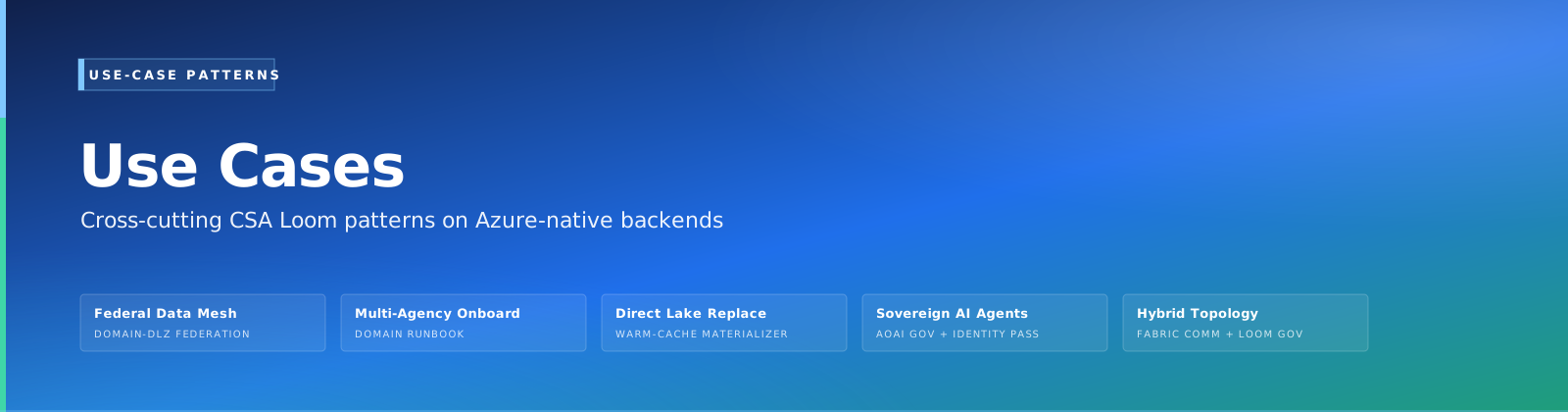
Air-gapped scenarios — these walkthroughs cite only sovereign-region Azure-native services (ADX, Event Hubs, Logic Apps, AI Foundry), never Fabric. In a sovereign deployment, set NEXT_PUBLIC_LOOM_DOCS_BASE to the internal docs mirror so these deep links stay inside the boundary.
| Use case | Walkthrough | Install live example |
|---|---|---|
| Federal Data Mesh | Open | app-federal-data-mesh |
| Multi-Agency Onboarding | Open | app-multi-agency-onboarding |
| Direct Lake Replacement | Open | app-direct-lake-replacement |
| Sovereign AI Agents | Open | app-sovereign-ai-agents |
| Hybrid Topology | Open | app-hybrid-topology |
Solution accelerators
| Use case | Walkthrough | Install live example |
|---|---|---|
| Azure Real-Time Analytics Accelerator | Open | app-azure-realtime-analytics |
| Change Feed Processor | Open | app-change-feed-processor |
| Data Governance & Lineage | Open | app-data-governance |
| Logic Apps Integration | Open | app-logic-apps-integration |
| ML Pipeline Accelerator | Open | app-ml-pipeline |
| Real-Time Dashboards | Open | app-real-time-dashboards |
Industry blueprints
| Use case | Walkthrough | Install live example |
|---|---|---|
| Financial Services Blueprint | Open | — |
| Manufacturing Blueprint | Open | — |
| Retail & CPG Blueprint | Open | — |
| Energy & Utilities Blueprint | Open | — |
| Telecommunications Blueprint | Open | — |
| Life Sciences & Genomics Blueprint | Open | — |
42 use-case walkthroughs in total. Each renders as its own card in the Console's
/learnUse cases section, with a Walkthrough deep link and — where a registered content bundle exists — an Install live example / Install app action.
Editor guides
One guide per item type — every Azure / Fabric editor Loom builds, with full feature parity on the Azure-native backend. Browse them all in the Learn index or in the Console's /learn Editor guides section.
Service guides
How the Loom engines work under the hood — the Azure-native replacements for Fabric Reflex, Mirroring, and Direct Lake.
- Activator engine — evaluates Activator rules and dispatches actions via Azure Monitor / Logic Apps (no Fabric Reflex).
- Mirroring engine — the change-feed replicator that keeps OneLake-equivalent ADLS mirrors in sync with their source.
- Direct-Lake shim — the warm-cache materializer that gives Power BI sub-second Direct Lake-equivalent reads.
Reference
Architecture, parity, and orientation docs for the platform as a whole.
See also
- Learn portal (in-product) — the interactive, searchable version of this hub.
- Apps catalog (in-product) — every installable content-bundle app, at the Console
/appsroute. - Getting Started (30-min tour)