Source:
examples/dot/README.md— this page is rendered live from that file.
DOT Transportation Analytics Platform
Examples > DOT
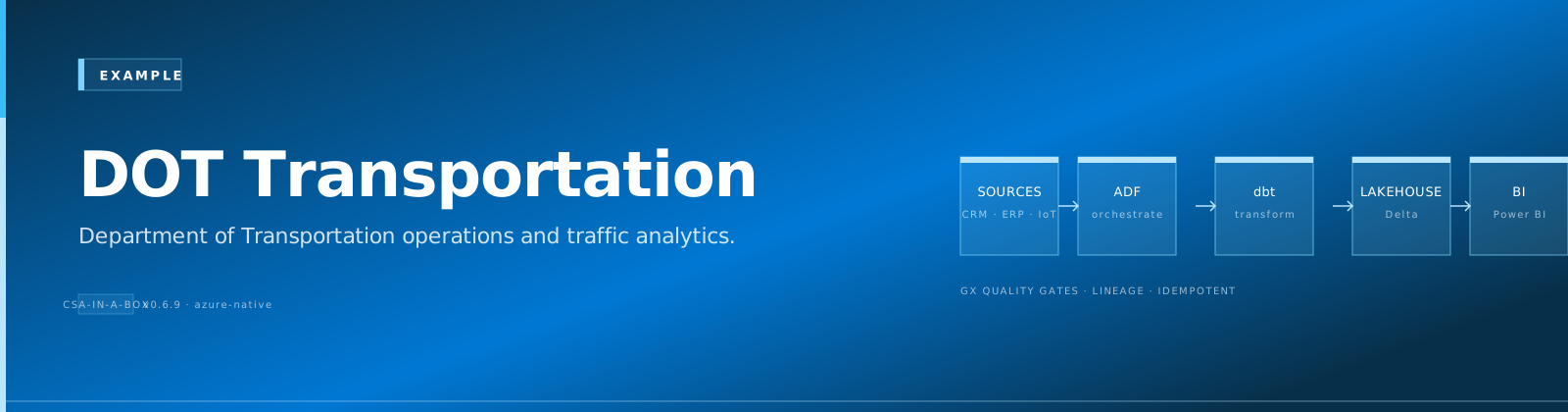
[!TIP] TL;DR — Transportation analytics covering highway safety (FARS crash data), infrastructure condition (620K+ bridges from NBI), and transit performance (900+ agencies from NTD). Includes geospatial hotspot analysis and bridge priority scoring.
📋 Table of Contents
- Overview
- Key Features
- Data Sources
- Architecture Overview
- Prerequisites
- Azure Resources
- Tools Required
- API Access
- Quick Start
- 1. Environment Setup
- 2. Configure API Keys
- 3. Generate Sample Data
- 4. Deploy Infrastructure
- 5. Run dbt Models
- Sample Analytics Scenarios
- 1. Highway Safety Hotspot Analysis
- 2. Infrastructure Maintenance Prioritization
- 3. Transit Ridership Trend Analysis
- Data Products
- Crash Hotspots
- Bridge Priority Index
- Transit Ridership Trends
- Configuration
- dbt Profiles
- Environment Variables
- Azure Government Notes
- Monitoring & Alerts
- Troubleshooting
- Common Issues
- Contributing
- License
- Acknowledgments
A comprehensive transportation analytics platform built on Azure Cloud Scale Analytics (CSA), providing insights into highway safety, infrastructure conditions, transit performance, and aviation operations using official Department of Transportation data sources.
📋 Overview
The U.S. Department of Transportation oversees one of the most data-rich domains in the federal government — from 6.4 million reported crashes annually to real-time transit feeds from 900+ agencies. This platform ingests, processes, and analyzes data from NHTSA, FHWA, FAA, and FTA to enable evidence-based transportation policy, safety interventions, and infrastructure investment decisions.
✨ Key Features
- Highway Safety Analytics: FARS fatality analysis with geospatial hotspot detection
- Infrastructure Health Scoring: Bridge and pavement condition prioritization using NBI data
- Transit Performance Monitoring: NTD ridership trends with on-time performance analysis
- Aviation Operations: FAA airport capacity and delay pattern analysis
- Predictive Models: Crash risk scoring and infrastructure deterioration forecasting
- Interactive Dashboards: Multi-modal transportation KPIs with drill-down by state and corridor
🗄️ Data Sources
| Source | Agency | Description | URL |
|---|---|---|---|
| FARS | NHTSA | Fatality Analysis Reporting System — all fatal motor vehicle crashes | https://www.nhtsa.gov/research-data/fatality-analysis-reporting-system-fars |
| NBI | FHWA | National Bridge Inventory — condition ratings for 620K+ bridges | https://www.fhwa.dot.gov/bridge/nbi.cfm |
| HPMS | FHWA | Highway Performance Monitoring System — road condition and traffic | https://www.fhwa.dot.gov/policyinformation/hpms.cfm |
| NTD | FTA | National Transit Database — ridership, financials, safety for all transit | https://www.transit.dot.gov/ntd |
| ATADS | FAA | Air Traffic Activity Data System — airport operations counts | https://aspm.faa.gov/opsnet/sys/Airport.asp |
| BTS | OST | Bureau of Transportation Statistics — cross-modal data | https://www.bts.gov/browse-statistical-products-and-data |
🏗️ Architecture Overview
graph TD
    subgraph "Data Sources"
        A1[NHTSA FARS API<br/>Fatal Crash Records]
        A2[FHWA NBI<br/>Bridge Inventory]
        A3[FTA NTD<br/>Transit Ridership]
        A4[FAA ATADS<br/>Airport Operations]
        A5[BTS APIs<br/>Cross-Modal Stats]
        A6[data.transportation.gov<br/>Open Data Portal]
    end

    subgraph "Ingestion Layer"
        I1[ADF Pipeline<br/>Batch Ingestion]
        I2[REST Connectors<br/>API Polling]
    end

    subgraph "Bronze Layer — Raw"
        B1[brz_fars_accidents]
        B2[brz_fars_vehicles]
        B3[brz_fars_persons]
        B4[brz_nbi_bridges]
        B5[brz_ntd_ridership]
        B6[brz_faa_operations]
    end

    subgraph "Silver Layer — Cleansed"
        S1[slv_crash_events]
        S2[slv_bridge_conditions]
        S3[slv_transit_performance]
        S4[slv_airport_operations]
    end

    subgraph "Gold Layer — Analytics"
        G1[gld_crash_hotspots]
        G2[gld_bridge_priority_index]
        G3[gld_transit_ridership_trends]
        G4[gld_airport_delay_patterns]
        G5[gld_transportation_dashboard]
    end

    subgraph "Consumption"
        C1[Safety Dashboard]
        C2[Infrastructure Reports]
        C3[Transit Scorecards]
        C4[Policy Analysis APIs]
    end

    A1 --> I1
    A2 --> I1
    A3 --> I2
    A4 --> I2
    A5 --> I2
    A6 --> I1

    I1 --> B1
    I1 --> B2
    I1 --> B3
    I1 --> B4
    I2 --> B5
    I2 --> B6

    B1 --> S1
    B2 --> S1
    B3 --> S1
    B4 --> S2
    B5 --> S3
    B6 --> S4

    S1 --> G1
    S2 --> G2
    S3 --> G3
    S4 --> G4
    S1 --> G5
    S2 --> G5
    S3 --> G5
    S4 --> G5

    G1 --> C1
    G2 --> C2
    G3 --> C3
    G5 --> C4
📎 Prerequisites
Azure Resources
- Azure subscription with contributor access
- Azure Data Factory or Synapse Analytics
- Azure Data Lake Storage Gen2
- Azure SQL Database or Synapse SQL Pool
- Azure Key Vault for API credentials
Tools Required
- Azure CLI (2.55.0 or later)
- dbt CLI (1.7.0 or later)
- Python 3.9+
- Git
API Access
- NHTSA FARS API (no key required — open access at https://crashviewer.nhtsa.dot.gov/CrashAPI)
- data.transportation.gov Socrata API (app token recommended: https://data.transportation.gov)
- BTS API key (free registration at https://www.bts.gov/developer)
🚀 Quick Start
1. Environment Setup
# Clone the repository
git clone <repository-url>
cd csa-inabox/examples/dot

# Install Python dependencies
pip install -r requirements.txt

# Install dbt packages
cd domains/dbt
dbt deps
2. Configure API Keys
# Add to Azure Key Vault or local environment
export BTS_API_KEY="your-bts-api-key"
export SOCRATA_APP_TOKEN="your-socrata-app-token"  # Optional, raises rate limits
3. Generate Sample Data
# Generate synthetic data (fallback if APIs unavailable)
python data/generators/generate_dot_data.py --output-dir domains/dbt/seeds

# Or fetch real data from APIs
python data/open-data/fetch_fars.py --years "2020,2021,2022" --states "TX,CA,FL"
python data/open-data/fetch_nbi.py --states "TX,CA,FL"
python data/open-data/fetch_ntd.py --report-year 2022
4. Deploy Infrastructure
# Configure parameters
cp deploy/params.dev.json deploy/params.local.json
# Edit params.local.json with your values

# Deploy using Azure CLI
az deployment group create \
  --resource-group rg-dot-analytics \
  --template-file ../../deploy/bicep/DLZ/main.bicep \
  --parameters @deploy/params.local.json
5. Run dbt Models
cd domains/dbt

# Test connections
dbt debug

# Load seed data
dbt seed

# Run models
dbt run

# Run tests
dbt test

# Generate documentation
dbt docs generate
dbt docs serve
💡 Sample Analytics Scenarios
1. Highway Safety Hotspot Analysis
Identify road segments with statistically significant crash clustering using FARS data, enabling targeted safety interventions.
-- Top crash corridors by severity-weighted score
SELECT
    state_name,
    county_name,
    route_id,
    total_fatalities,
    total_crashes,
    severity_weighted_score,
    drunk_driving_pct,
    pedestrian_involved_pct,
    speed_related_pct,
    LAG(severity_weighted_score) OVER (
        PARTITION BY state_name ORDER BY severity_weighted_score DESC
    ) AS prev_corridor_score
FROM gold.gld_crash_hotspots
WHERE year = 2022
    AND total_crashes >= 10
ORDER BY severity_weighted_score DESC
LIMIT 25;
2. Infrastructure Maintenance Prioritization
Score and rank 620,000+ bridges using NBI condition ratings, traffic volume, and deterioration velocity to optimize limited maintenance budgets.
-- Bridges requiring urgent attention
SELECT
    structure_number,
    facility_carried,
    state_name,
    county_name,
    year_built,
    deck_condition,
    superstructure_condition,
    substructure_condition,
    average_daily_traffic,
    sufficiency_rating,
    priority_index,
    estimated_repair_cost_usd
FROM gold.gld_bridge_priority_index
WHERE priority_index >= 80
    AND sufficiency_rating < 50
ORDER BY priority_index DESC, average_daily_traffic DESC
LIMIT 50;
3. Transit Ridership Trend Analysis
Track ridership recovery patterns post-pandemic across transit modes and metropolitan areas using NTD data.
-- Ridership recovery by mode and metro area
SELECT
    metropolitan_area,
    transit_mode,
    ridership_2019_baseline,
    ridership_current,
    recovery_pct,
    revenue_per_trip,
    cost_per_trip,
    farebox_recovery_ratio
FROM gold.gld_transit_ridership_trends
WHERE report_year = 2023
ORDER BY recovery_pct DESC;
✨ Data Products
Crash Hotspots (crash-hotspots)
- Description: Geospatially clustered fatal crash data with severity scoring
- Freshness: Annual (FARS final release) with monthly preliminary data
- Coverage: 2001–present, all 50 states + DC + territories
- API:
/api/v1/crash-hotspots
Bridge Priority Index (bridge-priority)
- Description: NBI bridge condition data with computed maintenance priority scores
- Freshness: Annual updates (NBI submission cycle)
- Coverage: All federally inspected bridges (~620,000 structures)
- API:
/api/v1/bridge-priority
Transit Ridership Trends (transit-ridership)
- Description: NTD ridership, financials, and performance metrics by agency and mode
- Freshness: Monthly (preliminary) / Annual (final)
- Coverage: 900+ transit agencies, all modes
- API:
/api/v1/transit-ridership
⚙️ Configuration
⚙️ dbt Profiles
Add to your ~/.dbt/profiles.yml:
dot_analytics:
  target: dev
  outputs:
    dev:
      type: databricks
      host: "{{ env_var('DBT_HOST') }}"
      http_path: "{{ env_var('DBT_HTTP_PATH') }}"
      token: "{{ env_var('DBT_TOKEN') }}"
      schema: dot_dev
      catalog: dev
    prod:
      type: databricks
      host: "{{ env_var('DBT_HOST_PROD') }}"
      http_path: "{{ env_var('DBT_HTTP_PATH_PROD') }}"
      token: "{{ env_var('DBT_TOKEN_PROD') }}"
      schema: dot
      catalog: prod
⚙️ Environment Variables
# Required for data fetching
BTS_API_KEY=your-bts-api-key
SOCRATA_APP_TOKEN=your-socrata-app-token

# Required for dbt
DBT_HOST=your-databricks-host
DBT_HTTP_PATH=your-sql-warehouse-path
DBT_TOKEN=your-access-token

# Optional
DOT_LOG_LEVEL=INFO
DOT_BATCH_SIZE=5000
🔒 Azure Government Notes
This example is compatible with Azure Government (US) regions. When deploying to Azure Government:
- Use
usgovvirginiaorusgovarizonaas your Azure region - Update ARM/Bicep endpoint references to
.usgovcloudapi.net - FARS and NBI data are publicly accessible from both commercial and government networks
- Ensure data residency requirements are met for any PII in crash records (person-level FARS data)
📊 Monitoring & Alerts
- Data Freshness: Alerts when FARS annual release or NTD monthly data is overdue
- Data Quality: Automated dbt tests on all models with notification hooks
- Pipeline Health: ADF pipeline run monitoring with failure alerts
- Cost Management: Daily compute spend tracking with anomaly detection
🔧 Troubleshooting
🔧 Common Issues
- FARS API Pagination: The CrashAPI returns max 5,000 records per call. Use the
--paginateflag in fetch scripts. - NBI File Format Changes: FHWA occasionally updates field layouts. Check
data/schemas/nbi_layout.jsonfor the current mapping. - NTD Data Lag: Final NTD data lags 12–18 months. Use the monthly module for preliminary figures.
- Large HPMS Downloads: HPMS shapefiles can exceed 10 GB. Use the
--state-filterparameter.
🔗 Contributing
- Fork the repository
- Create a feature branch (
git checkout -b feature/new-data-source) - Make changes and add tests
- Run quality checks (
make lint test) - Submit a pull request
🔗 License
This project is licensed under the MIT License. See LICENSE file for details.
🔗 Acknowledgments
- NHTSA, FHWA, FTA, and FAA for maintaining comprehensive public transportation data
- Azure Cloud Scale Analytics team for the foundational platform
- Contributors and the open-source community
🔗 Related Documentation
- DOT Architecture — Detailed platform architecture and design decisions
- Examples Index — Overview of all CSA-in-a-Box example verticals
- Platform Architecture — Core CSA platform architecture
- Getting Started Guide — Platform setup and onboarding
- Interior Natural Resources — Related federal infrastructure vertical
- USPS Postal Operations — Related federal logistics vertical
Prerequisites / Cost / Teardown
[!IMPORTANT] Cost-safety: this vertical deploys real Azure resources. Always run
teardown.shwhen you are done. A forgotten workshop environment can run $120-200/day.
Prerequisites
- Azure CLI 2.50+ logged in (
az login), subscription selected (az account set --subscription <id>) jqinstalled (used by teardown enumeration)- Bicep CLI 0.25+ (
az bicep version) - Contributor + User Access Administrator on target subscription (or a pre-created RG with equivalent RBAC)
bash scripts/deploy/validate-prerequisites.shpasses
Cost estimate (rough, East US 2)
- While running: ~$$120-200/day (services: Synapse, Databricks, ADF, ADX, Storage, Key Vault)
- Idle overnight: roughly half if you stop compute (Databricks autostop + Synapse pause)
- Storage + Key Vault residual: <$5/month if you skip teardown
Numbers are indicative for a small demo dataset; production workloads vary significantly. Use az consumption usage list or Cost Management for live numbers.
Runtime
- Deploy: ~30-45 minutes (first run; cold Bicep)
- Teardown: ~10-15 minutes (async RG delete completes in the background)
Teardown
When finished, run the per-example teardown script. It enforces a typed DESTROY-dot confirmation, logs every step to reports/teardown/dot-<timestamp>.log, and deletes the resource group rg-dot-analytics along with any matching subscription-scope deployments.
# Interactive (recommended)
bash examples/dot/deploy/teardown.sh

# Dry run (enumerate only)
bash examples/dot/deploy/teardown.sh --dry-run

# From the repo root via Makefile
make teardown-example VERTICAL=dot
make teardown-example VERTICAL=dot DRYRUN=1

# CI automation (no prompt — only for ephemeral environments)
bash examples/dot/deploy/teardown.sh --yes
See docs/QUICKSTART.md#teardown for the platform-wide teardown flow.
Directory Structure
dot/
├── contracts/                # Data product contracts (schemas, SLOs, owners)
│   ├── crash-analytics.yaml
│   ├── highway-conditions.yaml
│   └── transit-performance.yaml
├── data/                     # Sample data + synthetic generators
│   ├── generators/
│   └── open-data/
├── deploy/                   # Deployment parameters / Bicep templates
│   ├── params.dev.json
│   ├── params.gov.json
│   └── teardown.sh
├── domains/                  # dbt models (bronze / silver / gold) and seeds
│   └── dbt/
├── notebooks/                # Synapse / Fabric / Databricks notebooks
│   ├── crash_severity_analysis.py
│   └── highway_safety_prediction.py
├── reports/                  # Power BI report templates and pbix sources
├── ARCHITECTURE.md           # Mermaid + prose architecture diagrams
└── README.md                 # This file
Expected Results
After running the medallion pipeline against the bundled seed data, the Gold layer should populate the following tables. Row counts vary with the seed-data generator parameters; the figures below are the approximate scale you should see on a default run.
| Gold Table | Approximate Rows | Notes |
|---|---|---|
gld_infrastructure_priority | TODO: capture after first run | Populated from Silver via dbt --select tag:gold |
gld_safety_hotspots | TODO: capture after first run | Populated from Silver via dbt --select tag:gold |
gld_transit_dashboard | TODO: capture after first run | Populated from Silver via dbt --select tag:gold |
TODO: capture exact counts after the next end-to-end seed run. These are bounded by the seed-data generator parameters in
data/generators/.