
Tutorial: dbt job editor
CSA Loom
dbt-jobeditor — verified working against a live console by the UAT harness on 2026-07-01.
Open the editor
- Sign in to your CSA Loom Console (for example
https://<your-console-host>). - Open or create a workspace from the Workspaces page.
- Click + New item and choose dbt job from the catalog.
- The editor opens at
/items/dbt-job/<id>:
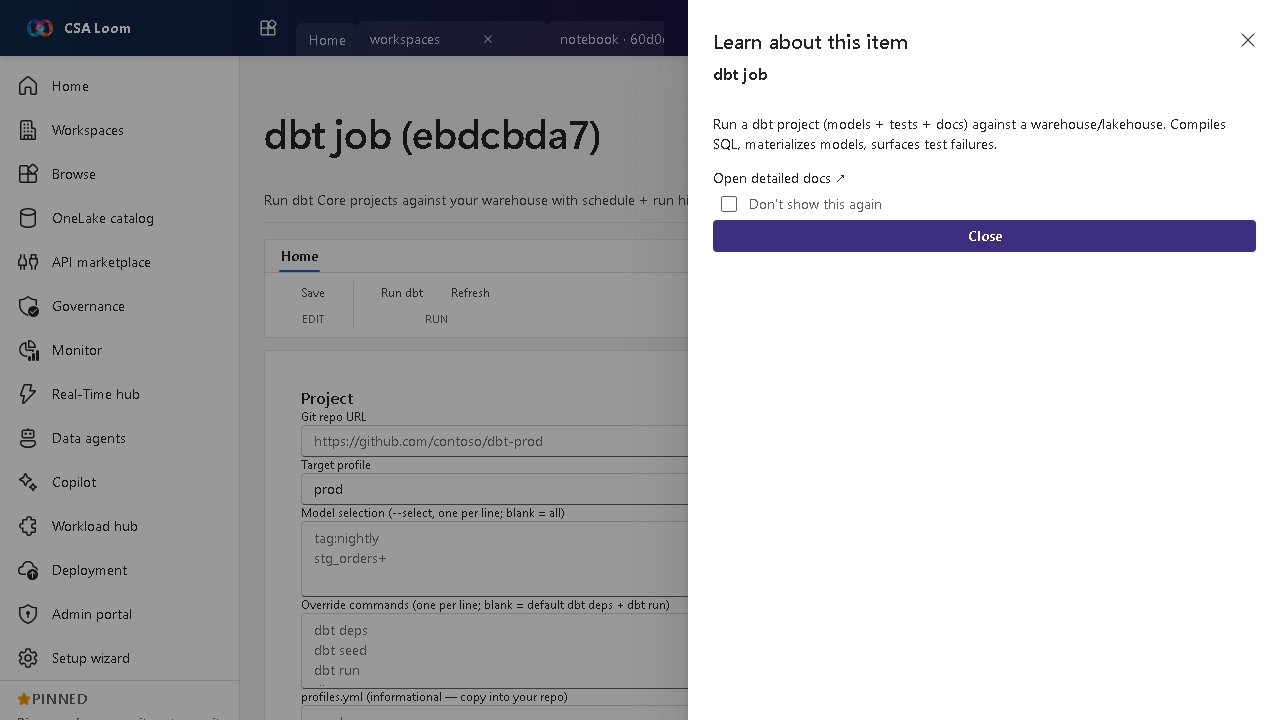
What this editor does
A dbt job is a visual dbt model/project builder. Draw a medallion DAG on a canvas — sources feed bronze/silver/gold models with materializations and tests — and Loom generates a real dbt Core project (dbt_project.yml, profiles.yml, models, schema.yml). Runs execute Azure-native: the Databricks target runs natively as a Databricks Job dbt_task; the Synapse dedicated SQL pool (and opt-in Fabric Warehouse) run in the loom-dbt-runner Container App (dbt-synapse + ODBC). No Microsoft Fabric dependency.
Getting started
- Draw the model graph — Add Source nodes, then Bronze/Silver/Gold model nodes. Wire ref()/source() lineage by selecting upstream models/sources; pick a materialization (view/table/incremental/ephemeral) and add column + model tests.
- Pick a target — Choose the run target adapter: Databricks (Azure-native default), Synapse dedicated SQL pool, or opt-in Fabric Warehouse. The same project runs on any of them by swapping only the profiles.yml adapter.
- Generate project files — Generate the real dbt project files from the graph and preview every file (dbt_project.yml, profiles.yml, per-layer model SQL, sources.yml, schema.yml) before running.
- Run + inspect — Run dbt. Databricks runs push the project to a workspace folder and trigger a Job dbt_task; Synapse/Fabric runs return the dbt log + per-node results. The runs list reads real Databricks run records.
Learn more
- Microsoft Learn reference: https://docs.getdbt.com/docs/build/projects
Verified by the UAT harness
- Tested at:
2026-05-26T13:51:16.586Z - Verdict: A (renders cleanly, real backend responded)
- Test source:
apps/fiab-console/e2e/editors.uat.ts