
Tutorial: Scorecard editor
CSA Loom
scorecardeditor — verified working against a live console by the UAT harness on 2026-07-01.
Open the editor
- Sign in to your CSA Loom Console (for example
https://<your-console-host>). - Open or create a workspace from the Workspaces page.
- Click + New item and choose Scorecard from the catalog.
- The editor opens at
/items/scorecard/<id>:
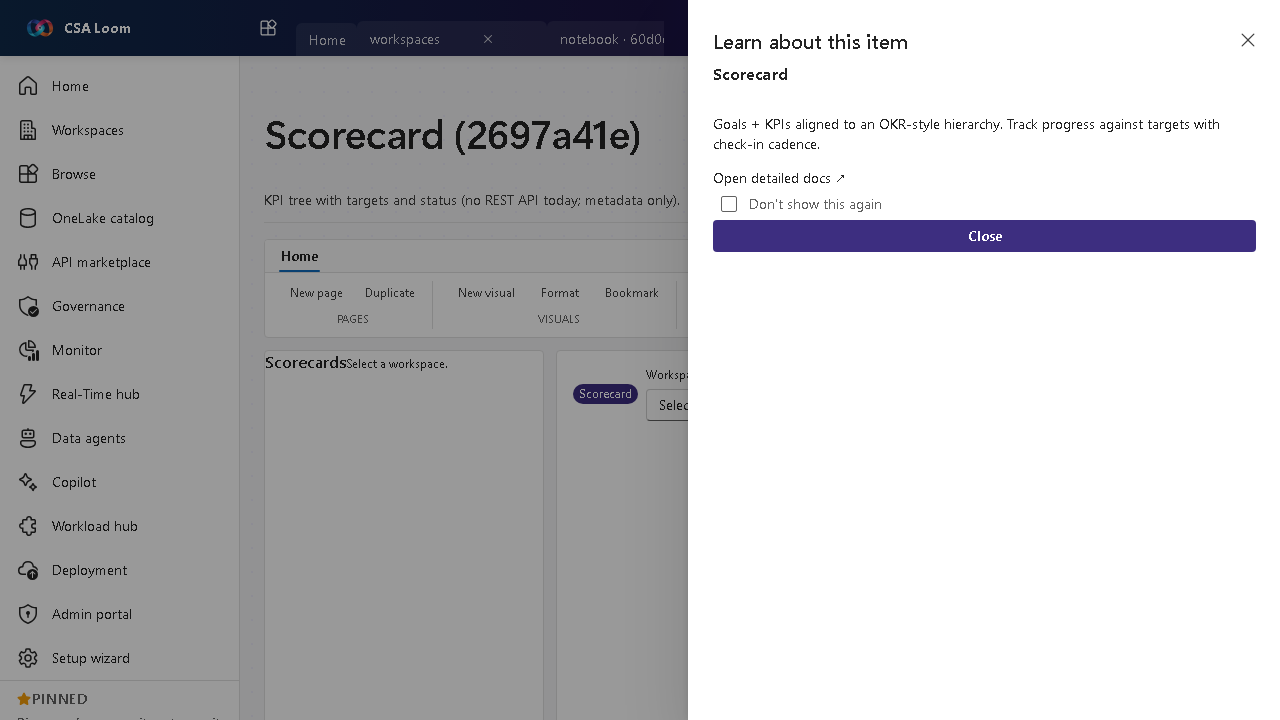
What this editor does
A Scorecard is a KPI tree with targets and status (OKR-style). There is no Fabric REST API for scorecards today, so in Loom this is metadata-only — the editor persists the KPI hierarchy and discloses the API limitation honestly.
Getting started
- Define goals — Create the top-level goals and their owners.
- Add KPIs — Nest KPIs under goals with targets and current values.
- Set status and cadence — Track progress against targets with a check-in cadence.
- Know the API limit — No scorecard REST API exists today, so this surface stores metadata only and says so in a MessageBar rather than faking live values.
Learn more
- Microsoft Learn reference: https://learn.microsoft.com/power-bi/consumer/metrics/metrics-get-started
Verified by the UAT harness
- Tested at:
2026-05-26T13:52:05.458Z - Verdict: A (renders cleanly, real backend responded)
- Test source:
apps/fiab-console/e2e/editors.uat.ts