
Tutorial: Synapse serverless SQL pool editor
CSA Loom
synapse-serverless-sql-pooleditor — verified working against a live console by the UAT harness on 2026-07-01.
Open the editor
- Sign in to your CSA Loom Console (for example
https://<your-console-host>). - Open or create a workspace from the Workspaces page.
- Click + New item and choose Synapse serverless SQL pool from the catalog.
- The editor opens at
/items/synapse-serverless-sql-pool/<id>:
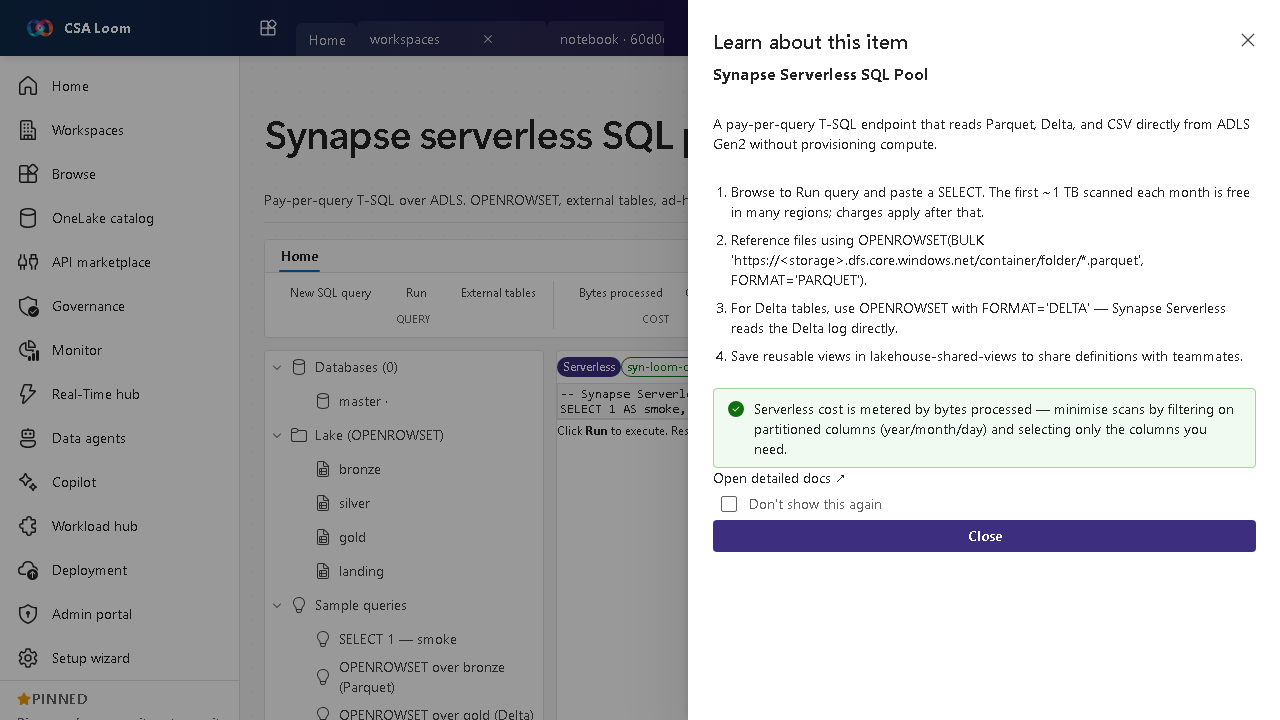
What this editor does
A Synapse serverless SQL pool is a pay-per-query T-SQL endpoint over ADLS — OPENROWSET, external tables, ad-hoc analytics, no compute to provision. In Loom it queries workspace-ondemand.sql.azuresynapse.net via the Console MI over a private endpoint.
Getting started
- Run a SELECT — Browse to Run query and paste a SELECT; cost is metered by bytes scanned.
- Query files with OPENROWSET — Read Parquet with OPENROWSET(BULK '...', FORMAT='PARQUET'); for Delta use FORMAT='DELTA'.
- Save shared views — Persist reusable views to share definitions with teammates.
- Minimize scans — Filter on partitioned columns (year/month/day) and select only needed columns to cut cost.
Learn more
- Microsoft Learn reference: https://learn.microsoft.com/azure/synapse-analytics/sql/on-demand-workspace-overview
Verified by the UAT harness
- Tested at:
2026-05-26T13:53:04.485Z - Verdict: A (renders cleanly, real backend responded)
- Test source:
apps/fiab-console/e2e/editors.uat.ts