
Tutorial: Synapse dedicated SQL pool editor
CSA Loom
synapse-dedicated-sql-pooleditor — verified working against a live console by the UAT harness on 2026-07-01.
Open the editor
- Sign in to your CSA Loom Console (for example
https://<your-console-host>). - Open or create a workspace from the Workspaces page.
- Click + New item and choose Synapse dedicated SQL pool from the catalog.
- The editor opens at
/items/synapse-dedicated-sql-pool/<id>:
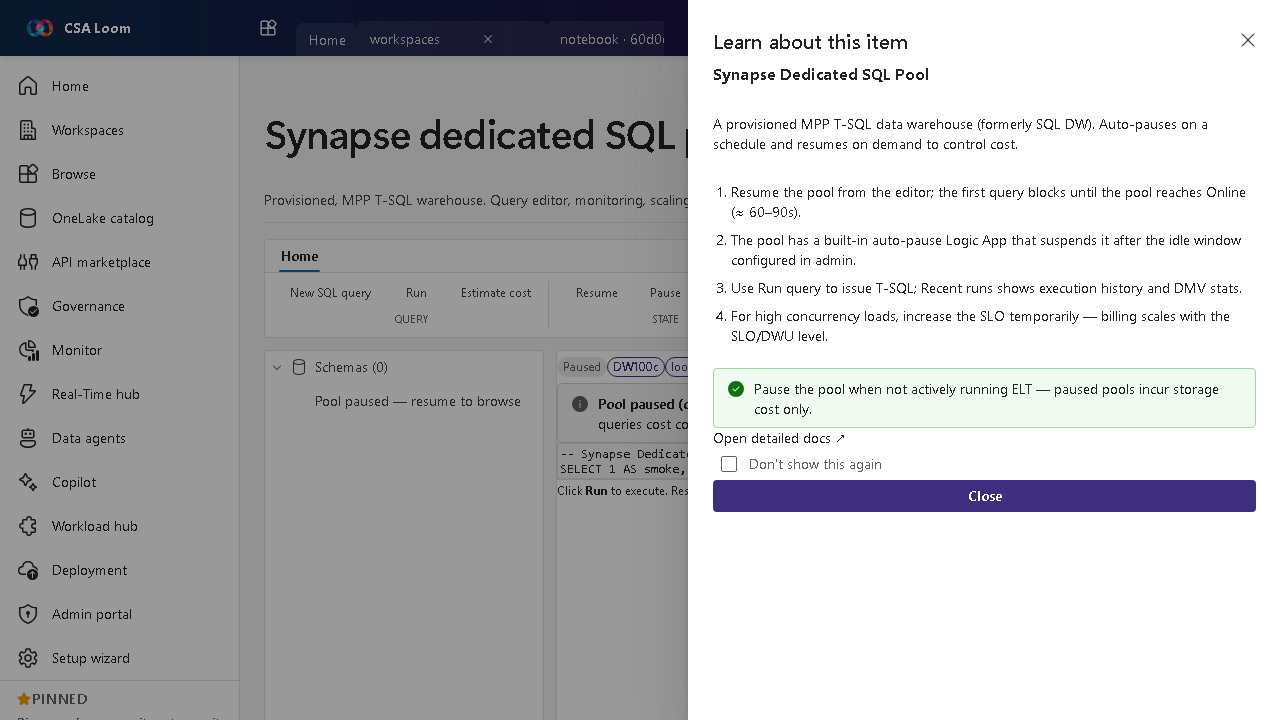
What this editor does
A Synapse dedicated SQL pool is a provisioned MPP T-SQL warehouse (formerly SQL DW). In Loom it is wired via ARM REST for pause/resume and TDS query on workspace.sql.azuresynapse.net through the Console MI. It auto-pauses to control cost.
Getting started
- Resume the pool — Resume from the editor; the first query blocks until the pool reaches Online (about 60-90 seconds).
- Run T-SQL — Use Run query to issue T-SQL; Recent runs shows execution history and DMV stats.
- Scale for load — Raise the SLO/DWU level temporarily for high-concurrency loads — billing scales with the SLO.
- Pause when idle — Pause the pool when not running ELT; paused pools incur storage cost only, and a built-in auto-pause Logic App suspends it after the idle window.
Learn more
- Microsoft Learn reference: https://learn.microsoft.com/azure/synapse-analytics/sql-data-warehouse/sql-data-warehouse-overview-what-is
Verified by the UAT harness
- Tested at:
2026-05-26T13:53:00.070Z - Verdict: A (renders cleanly, real backend responded)
- Test source:
apps/fiab-console/e2e/editors.uat.ts