
Tutorial: Databricks cluster editor
CSA Loom
databricks-clustereditor — verified working against a live console by the UAT harness on 2026-07-01.
Open the editor
- Sign in to your CSA Loom Console (for example
https://<your-console-host>). - Open or create a workspace from the Workspaces page.
- Click + New item and choose Databricks cluster from the catalog.
- The editor opens at
/items/databricks-cluster/<id>:
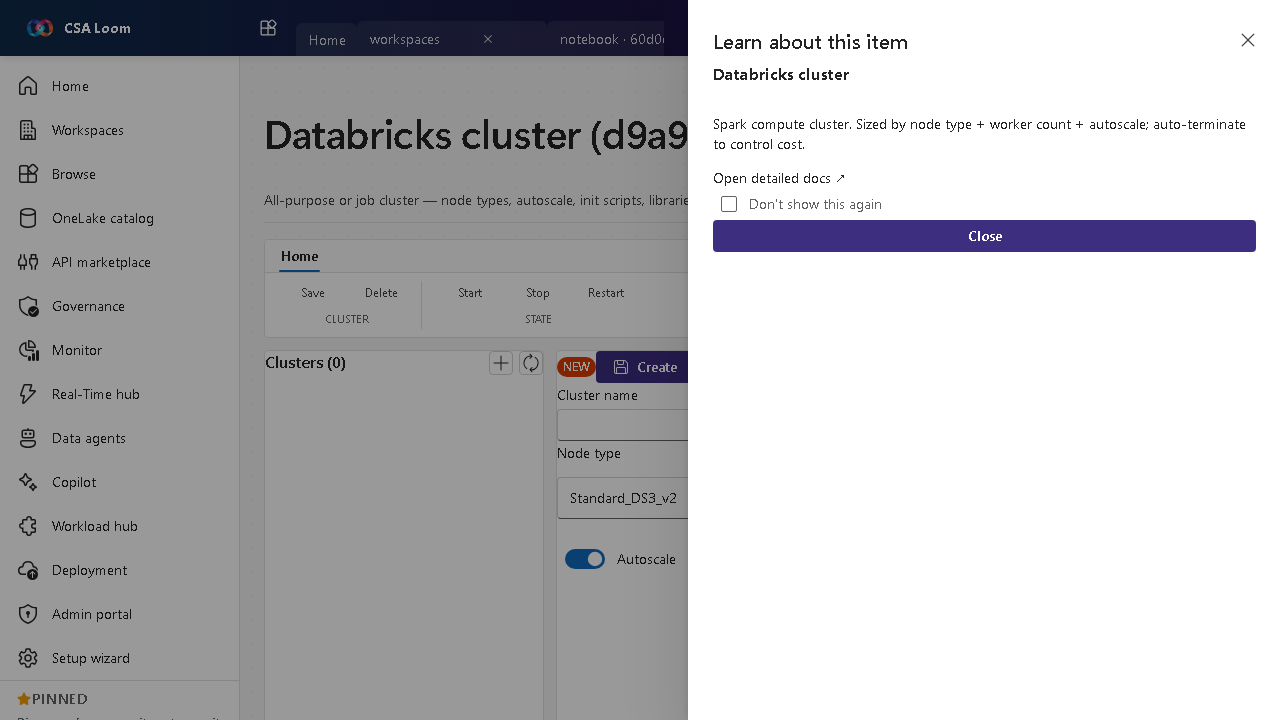
What this editor does
A Databricks cluster is all-purpose or job Spark compute — node types, autoscale, init scripts, libraries. In Loom it is managed against the Loom-deployed Databricks workspace. Auto-terminate controls cost.
Getting started
- Pick node type and size — Choose driver/worker node types and a fixed or autoscaling worker count.
- Add libraries and init scripts — Attach libraries and init scripts the workloads need at startup.
- Set auto-terminate — Configure an idle auto-terminate window so the cluster stops billing when unused.
- Start and attach — Start the cluster and attach notebooks or jobs to it.
Learn more
- Microsoft Learn reference: https://learn.microsoft.com/azure/databricks/compute/
Verified by the UAT harness
- Tested at:
2026-05-26T13:53:32.207Z - Verdict: A (renders cleanly, real backend responded)
- Test source:
apps/fiab-console/e2e/editors.uat.ts