
Tutorial: Azure SQL database editor
CSA Loom
azure-sql-databaseeditor — verified working against a live console by the UAT harness on 2026-07-01.
Open the editor
- Sign in to your CSA Loom Console (for example
https://<your-console-host>). - Open or create a workspace from the Workspaces page.
- Click + New item and choose Azure SQL database from the catalog.
- The editor opens at
/items/azure-sql-database/<id>:
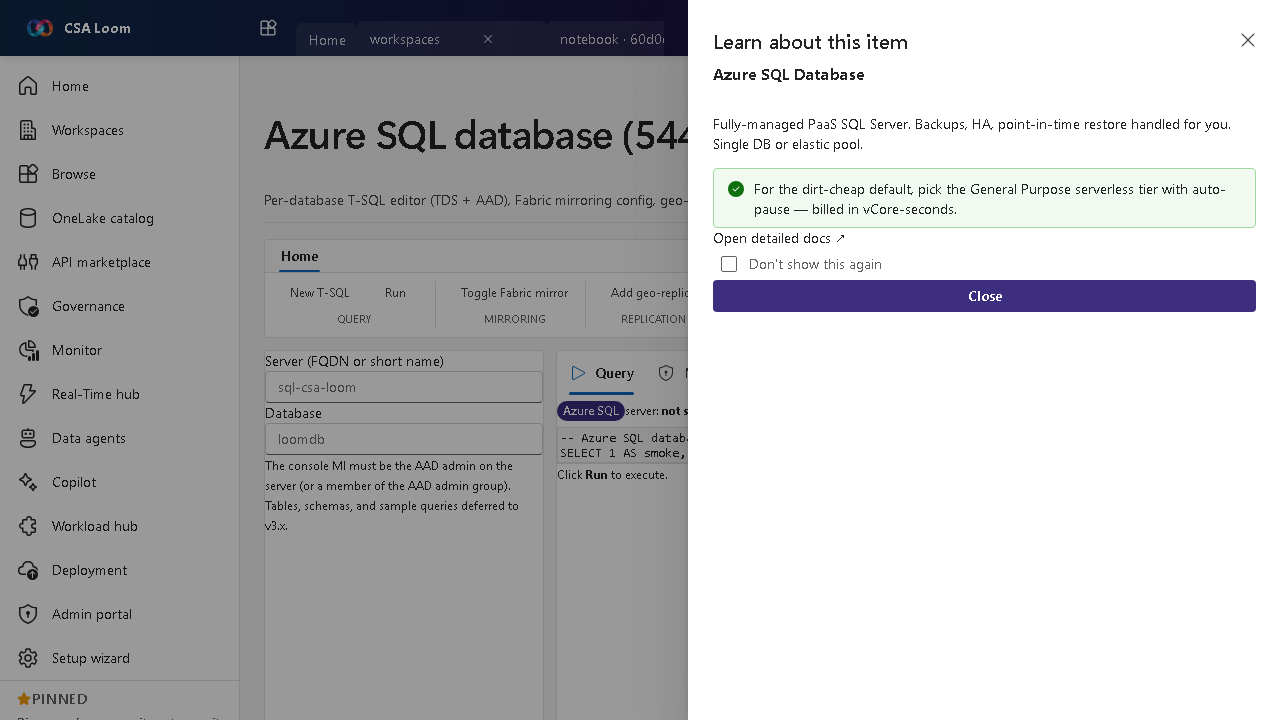
What this editor does
An Azure SQL database is a fully-managed PaaS database. In Loom you get a per-database T-SQL editor (TDS + AAD), geo-replication, and a native vector index — wired via ARM and TDS through the azure-sql-client. (Mirroring the database into Fabric/OneLake is opt-in only, never the default.)
Getting started
- Run T-SQL — Query the database over TDS with AAD auth from the editor.
- Build a vector index — Create a native vector column + index for similarity search over embeddings, all in T-SQL. (Mirroring the database into Fabric/OneLake is available as an opt-in, disclosed if not enabled — not the default.)
- Set geo-replication — PUT a geo-replication configuration for resilience.
- Pick a low-cost tier — Choose the serverless General Purpose tier with auto-pause, billed in vCore-seconds.
Learn more
- Microsoft Learn reference: https://learn.microsoft.com/azure/azure-sql/database/sql-database-paas-overview
Verified by the UAT harness
- Tested at:
2026-05-26T13:56:10.963Z - Verdict: A (renders cleanly, real backend responded)
- Test source:
apps/fiab-console/e2e/editors.uat.ts