
Workspace Management
Home > Administration > Workspace Management
Overview
This guide covers best practices for managing Azure Synapse Analytics workspaces, including governance, access control, and operational tasks.
🏢 Workspace Administration
Effective management of Azure Synapse Analytics workspaces ensures optimal performance, security, and governance.
-
👥 Access Management
Manage roles, permissions, and access control for workspaces
-
🏷️ Resource Tagging
Implement consistent tagging strategies for governance
-
💾 Backup and Recovery
Configure backups and disaster recovery procedures
-
💰 Cost Management
Optimize resource usage and control costs
Access Control
Security Alert
Regularly audit workspace permissions to ensure principle of least privilege is maintained.
Azure Synapse Analytics provides multiple layers of access control:
- Azure RBAC - Controls access to Azure resources and management operations
- Synapse RBAC - Fine-grained access control within the Synapse workspace
- Data-level security - Row-level, column-level security in SQL pools
- Managed Identity - Secure service-to-service authentication
# Example: Assign Synapse Contributor role to a user
$workspaceName = "mysynapseworkspace"
$resourceGroup = "myresourcegroup"
$userEmail = "user@example.com"

# Get user object ID
$userId = (az ad user show --id $userEmail --query id -o tsv)

# Assign Synapse Contributor role
az synapse role assignment create --workspace-name $workspaceName --role "Synapse Contributor" --assignee $userId
Tagging Strategy
Implement consistent resource tagging for better governance and cost management:
| Tag Name | Description | Example Values |
|---|---|---|
| Environment | Deployment environment | Production, Development, Testing |
| Owner | Team or individual responsible | Data Science Team, IT Operations |
| CostCenter | Financial tracking | CC-12345, Finance-987 |
| DataClassification | Sensitivity level | Public, Internal, Confidential |
| Project | Associated project | Marketing Analytics, Finance Dashboard |
Backup Procedures
Azure Synapse Analytics leverages different backup mechanisms for various components:
- SQL Pools - Automatic daily backups with 7-day retention by default
- Workspace configuration - Use CI/CD pipelines to version control settings
- Notebooks and scripts - Store in Git repositories for version control
- Pipelines - Export using ARM templates or through CI/CD processes
Best Practice
Implement a scheduled export of workspace artifacts to maintain a deployable backup.
# Export Synapse workspace artifacts using Azure CLI
az synapse workspace export --name myworkspace \
  --resource-group myresourcegroup \
  --file ./workspace_backup.json
Cost Optimization
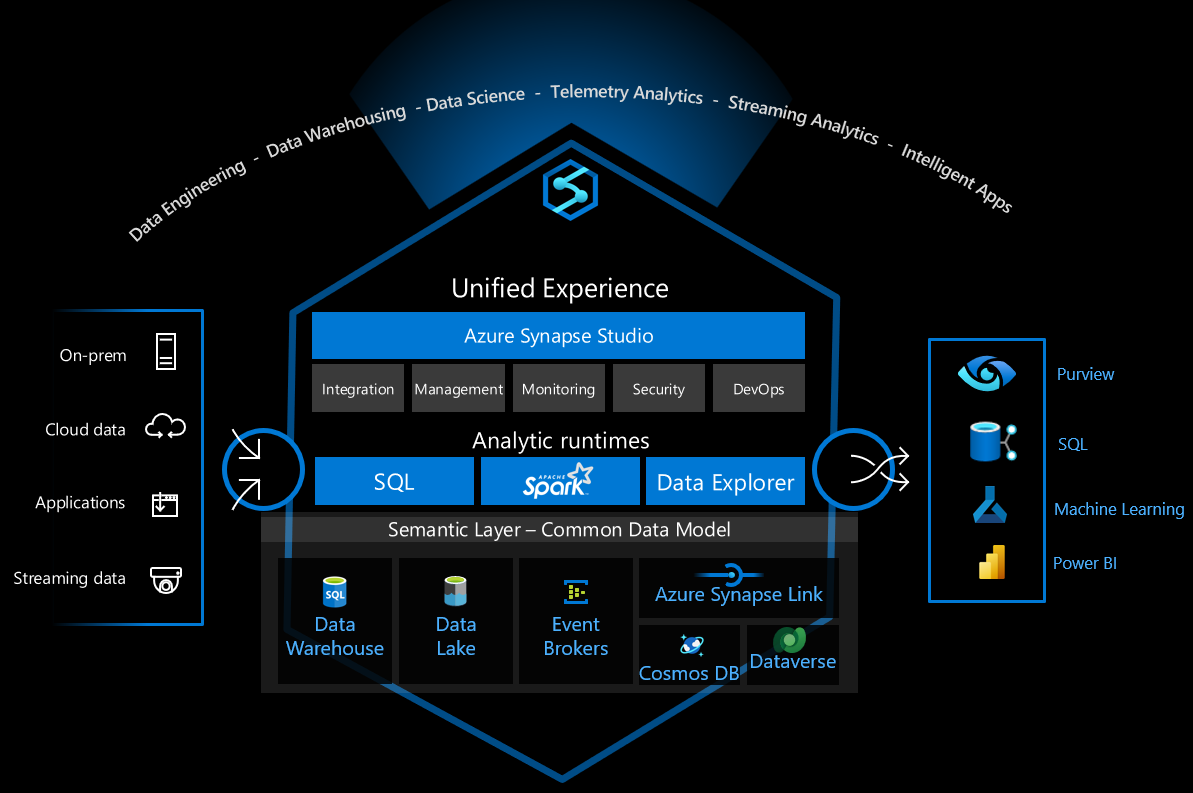
Strategies to optimize Synapse workspace costs:
- Auto-pause Spark pools when not in use
- Right-size SQL pools based on performance requirements
- Schedule pipeline runs during off-peak hours
- Implement autoscale for variable workloads
- Use resource tagging for cost allocation and tracking
Cost Optimization Example
# Configure auto-pause for Spark pools using Azure Python SDK
from azure.identity import DefaultAzureCredential
from azure.mgmt.synapse import SynapseManagementClient

credential = DefaultAzureCredential()
synapse_client = SynapseManagementClient(credential, subscription_id)

# Set auto-pause delay to 15 minutes
spark_pool_update = {
    "auto_pause": {
        "delay_in_minutes": 15,
        "enabled": True
    }
}

synapse_client.big_data_pools.update(
    resource_group_name="myResourceGroup",
    workspace_name="myWorkspace",
    big_data_pool_name="mySparkPool",
    update_parameters=spark_pool_update
)
Governance Best Practices
Implement these governance best practices for Synapse workspaces:
- Use naming conventions for all resources
- Document workspace configurations in a central repository
- Implement resource locks for production environments
- Create governance policies using Azure Policy
- Configure diagnostic settings for audit logging
- Regularly review access permissions and remove unused accounts