Home > Docs > Production Checklist
CSA-in-a-Box: Production Checklist
Note
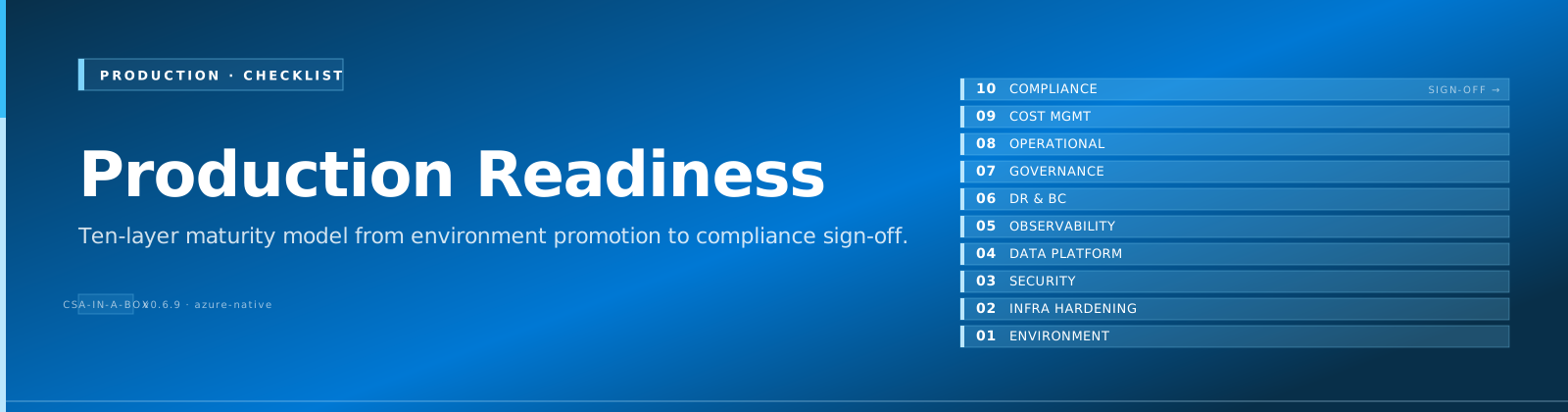
Quick Summary: Comprehensive pre-production readiness checklist covering environment promotion, infrastructure hardening, security, data platform validation, observability, disaster recovery, governance, operational readiness, cost management, and compliance — with sign-off table for stakeholder approval.
Use this checklist when promoting CSA-in-a-Box from development to production. Each section includes actionable items with cross-references to detailed guides where available.
📑 Table of Contents
- 🌍 1. Environment Promotion
- 🏗️ 2. Infrastructure Hardening
- 🔒 3. Security
- 📊 4. Data Platform
- 📈 5. Observability
- 🔄 6. Disaster Recovery
- 📋 7. Governance
- ⚙️ 8. Operational Readiness
- 💰 9. Cost Management
- 🏛️ 10. Compliance
- ✍️ Sign-Off
🌍 1. Environment Promotion
See also: ENVIRONMENT_PROTECTION.md
- Separate Azure subscriptions for dev, staging, and production
- Environment-specific parameter files created (
params.dev.json,params.prod.json) - GitHub Environment protection rules configured (required reviewers, wait timers)
- Branch protection on
main— require PR reviews, status checks, signed commits - Deployment pipeline tested end-to-end in staging before production
- Rollback procedure validated in staging (see ROLLBACK.md)
🏗️ 2. Infrastructure Hardening
- All PaaS services deployed with private endpoints (no public access)
- Hub-spoke VNet topology deployed with NSG rules applied
- Azure Firewall or NVA configured for egress filtering
- Private DNS zones linked to all spoke VNets
- Storage accounts: public network access disabled, HTTPS-only enforced
- Databricks deployed in VNet-injected mode with No Public IP
- Synapse workspace: managed VNet with managed private endpoints
- Key Vault: purge protection enabled, soft-delete 90+ days
- Cosmos DB: public network access disabled, private endpoint configured
- Event Hub: private endpoint, minimum TLS 1.2
🔒 3. Security
See also: Secret rotation functions in
csa_platform/functions/secretRotation/
- All service-to-service auth uses managed identity (no shared keys or connection strings)
- RBAC roles follow least-privilege principle (no Contributor at subscription level)
- Key Vault access policies migrated to RBAC authorization model
- Customer-managed keys (CMK) enabled for Storage, Cosmos DB, Databricks
- Secret rotation Function App deployed and scheduled (90-day rotation)
- Diagnostic settings enabled on all resources (→ Log Analytics workspace)
- Azure Policy assignments enforced (allowed locations, required tags, deny public access)
- Purview sensitivity labels applied to PII/financial columns
- Service principals scoped to specific resource groups (not subscription-wide)
- Network access reviewed: no storage keys in ADF linked services (use MSI)
📊 4. Data Platform
- dbt production profile configured (Databricks SQL warehouse, not interactive cluster)
- dbt models tested:
dbt testpasses with zero failures in all domains - Data product contracts validated:
contract_validator --cipasses for all domains - Schema drift check:
dbt_test_generator --checkdetects no unresolved drift - ADF pipelines deployed and linked services validated
- ADF triggers created for scheduled runs (daily Bronze→Silver→Gold)
- Incremental models verified: first full run + incremental run both succeed
- Seed data loaded to Bronze layer (ADLS Gen2)
- Gold layer row counts match expected values (see QUICKSTART.md)
- Data quality monitoring notebook scheduled (daily post-dbt run)
- Contract SLAs validated: freshness, valid_row_ratio within thresholds
📈 5. Observability
- Log Analytics workspace deployed with appropriate retention (90+ days)
- Diagnostic settings enabled on: ADF, Databricks, Storage, Key Vault, Cosmos DB, Event Hub
- Azure Monitor alerts configured:
- ADF pipeline failure alert (action group → email + Teams webhook)
- Databricks job failure alert
- Storage account throttling alert
- Key Vault access anomaly alert
- Contract SLA breach alert (freshness > threshold)
- Databricks job monitoring: cluster utilization, job duration trending
- Data quality dashboard (Power BI or ADX) showing is_valid rates per domain
- Event Hub: consumer group lag monitoring (for streaming pipeline)
- Cost alerts: budget thresholds at 50%, 75%, 90%, 100%
🔄 6. Disaster Recovery
See also: DR.md, ROLLBACK.md
- RTO and RPO targets defined and documented per tier:
- Tier 1 (Gold analytics): RPO 1h, RTO 4h
- Tier 2 (Silver/Bronze): RPO 24h, RTO 8h
- Tier 3 (Raw/Seed): RPO 7d, RTO 24h
- Storage: GRS or RA-GRS enabled for production ADLS accounts
- Cosmos DB: multi-region writes configured (if streaming is Tier 1)
- Key Vault: soft-delete + purge protection enabled
- Databricks workspace: cross-region cluster policies configured
- Delta Lake: time travel retention set to 30 days minimum
- Backup validation: restore procedure tested quarterly
- Infrastructure-as-Code: all resources rebuildable from Bicep + parameter files
- Deployment tags created on every production deployment (see deploy.yml)
📋 7. Governance
- Purview catalog bootstrapped (collections, glossary, scan sources)
- Run:
python scripts/purview/bootstrap_catalog.py
- Run:
- Business glossary terms defined for all data products
- Data classification rules applied (PII, Financial, Confidential)
- ADF → Purview lineage integration enabled (purviewId in ADF resource)
- Data product contracts reviewed and approved by domain owners
- Cross-domain data sharing agreements documented
- Data retention policies defined per domain (Bronze: 2yr, Silver: 5yr, Gold: 7yr)
- Access request workflow defined (who can request, who approves)
⚙️ 8. Operational Readiness
See also: TROUBLESHOOTING.md
- Runbooks created for common failure scenarios:
- ADF pipeline failure (Bronze ingestion, Silver validation, Gold build)
- Databricks cluster auto-scaling failure
- Storage account connectivity issue
- Secret rotation failure
- Contract SLA breach response
- On-call rotation defined (primary + secondary)
- Escalation path documented (L1 → L2 → L3)
- SLA dashboard accessible to stakeholders
- Change management process defined (PR review → staging → production)
- Incident response playbook reviewed and tested
- Knowledge base / wiki updated with architecture decisions
💰 9. Cost Management
- Azure budgets created per subscription (dev, staging, production)
- Cost alerts configured at 50%, 75%, 90% of monthly budget
- Reserved capacity evaluated for:
- Cosmos DB (reserved RUs if consistent workload)
- Databricks (committed-use discounts)
- ADLS Gen2 (reserved capacity for hot tier)
- Auto-pause policies configured:
- Synapse SQL pools: auto-pause after 30 min idle
- Databricks clusters: auto-terminate after 20 min idle
- Dev/staging resources tagged with
auto-shutdown: true - Storage lifecycle policies: move Bronze data to Cool tier after 90 days
- Resource tagging enforced via Azure Policy (CostCenter, Environment, Owner)
- Monthly cost review scheduled with engineering leads
🏛️ 10. Compliance
- Data residency requirements documented (which regions for which data)
- All resources deployed to compliant Azure regions
- Audit logging enabled on all data stores (Storage, Cosmos DB, SQL)
- Purview audit log export configured (→ Log Analytics)
- Data retention policies implemented via Delta Lake
VACUUMschedules - PII handling documented: which columns, which domains, which access controls
- Third-party data sharing: DPA (Data Processing Agreement) in place
- Regulatory framework mapped (SOC 2, GDPR, HIPAA as applicable)
- Penetration testing scheduled (annual minimum)
- Access reviews scheduled (quarterly, automated via Entra ID)
✍️ Sign-Off
| Role | Name | Date | Signature |
|---|---|---|---|
| Data Engineering Lead | |||
| Security / InfoSec | |||
| Platform / SRE | |||
| Domain Owner (Shared) | |||
| Domain Owner (Finance) | |||
| Domain Owner (Inventory) |
Note
This checklist complements the Quick Start Guide for development and the DR / Rollback guides for incident response.
See also:
- ← Previous: Developer Pathways
- → Next: AI Copilot
- ⌂ Index: Documentation home