
Tutorial: Activator editor
CSA Loom
activatoreditor — verified working against a live console by the UAT harness on 2026-07-01.
Open the editor
- Sign in to your CSA Loom Console (for example
https://<your-console-host>). - Open or create a workspace from the Workspaces page.
- Click + New item and choose Activator from the catalog.
- The editor opens at
/items/activator/<id>:
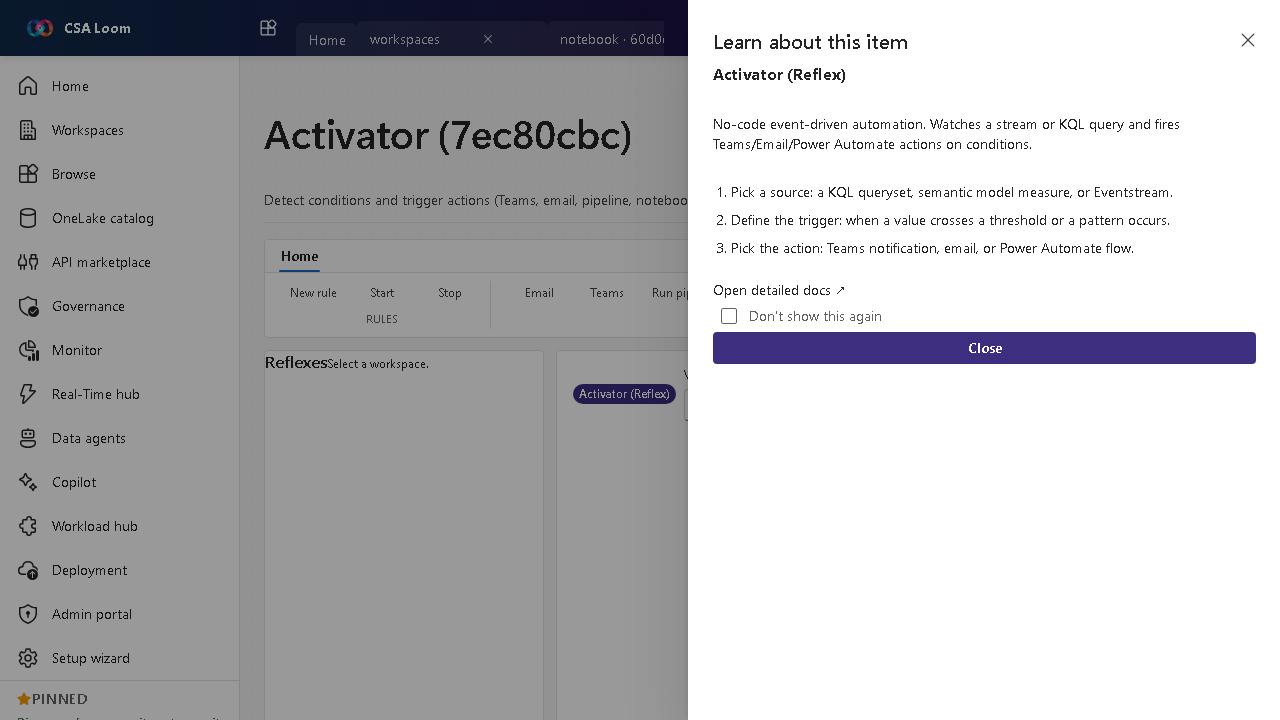
What this editor does
An Activator (Reflex) detects conditions on real-time data and fires actions — Teams, email, webhook, SMS, Logic App, pipeline, notebook, or Power Automate. In Loom the DEFAULT rule source is an Eventhouse / KQL database on Azure Data Explorer: the rule's KQL evaluates against real stream data via the ADX-native Activator runtime — no Microsoft Fabric required. Log Analytics KQL and Event Hub sources are alternatives backed by Azure Monitor scheduled-query alerts. The editor has two tabs: Rules and Run history.
Getting started
- Pick a source — The default source is Eventhouse / KQL Database (ADX): pick the database and table from the live pickers (resolved from the shared ADX cluster). KQL query (Log Analytics) and Event Hub are alternative sources.
- Define the trigger — Use the guided condition builder (property, operator, threshold) against the selected table, or supply a verbatim KQL query — the rule fires when it returns rows.
- Pick the action — Choose a Teams notification, email, webhook, SMS, Logic App, pipeline run, notebook, or Power Automate flow — delivered through a real Azure Monitor action group.
- Evaluate and watch history — Trigger / Preview evaluates ADX rules on demand against real Eventhouse data; set
LOOM_ADX_ALERT_SCOPE(the ADX cluster resource id, with the alert identity granted Database Viewer) for hands-off scheduled evaluation. Log Analytics rules evaluate continuously via Azure Monitor. The Run history tab lists fired alerts.
Tip: Author rule with Copilot drafts the KQL from a plain-English description, suggests a threshold from real history, and creates the rule after you approve.
Learn more
- Azure Data Explorer (the ADX-native rule source): https://learn.microsoft.com/azure/data-explorer/data-explorer-overview
- Microsoft Learn reference (Fabric Activator parity source): https://learn.microsoft.com/fabric/data-activator/activator-introduction
Verified by the UAT harness
- Tested at:
2026-05-26T13:51:40.730Z - Verdict: A (renders cleanly, real backend responded)
- Test source:
apps/fiab-console/e2e/editors.uat.ts