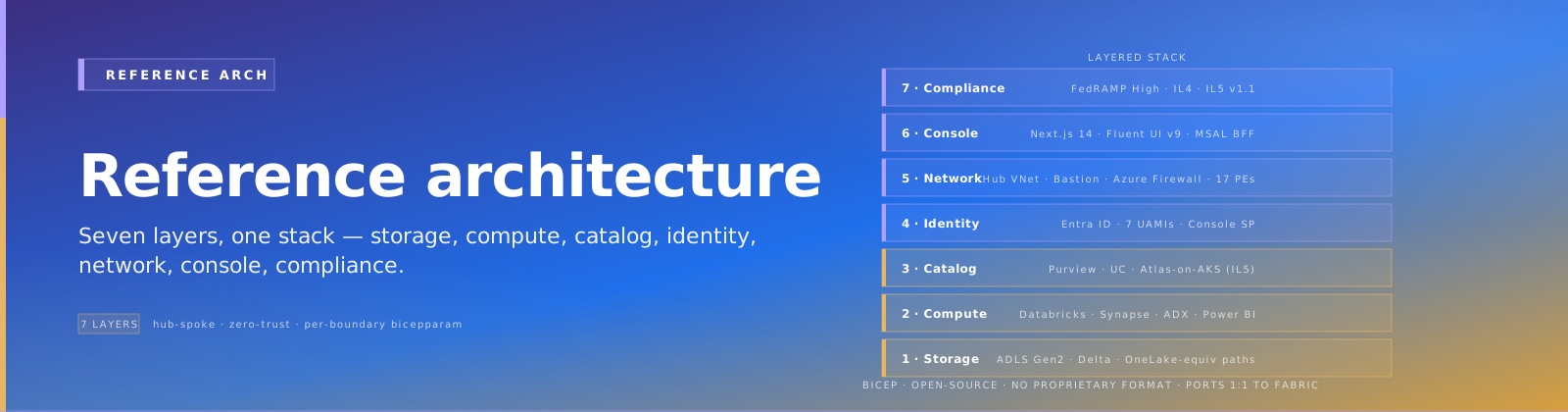
CSA Loom — Reference Architecture¶
Comparative positioning note
This document is written from the perspective of Microsoft Azure, Cloud Scale Analytics, and CSA Loom. Any description of third-party or competing products, services, pricing, or capabilities is derived from publicly available documentation and sources believed accurate at the time of writing, and is provided for general comparison only. We do not claim expertise in, or authority over, any non-Microsoft product or service; the respective vendor's official documentation is the authoritative source for their offerings, which may change over time. Nothing here is intended to disparage any vendor — where a competing product has genuine advantages, we aim to note them honestly. Verify all third-party details against the vendor's current official documentation before making decisions.
This is the architecture contract. Every workload parity page, every deployment guide, every runbook traces back to choices on this page.
Architecture at a glance¶
flowchart TB
    classDef external fill:#5C2D91,stroke:#fff,color:#fff,stroke-width:2px
    classDef bootstrap fill:#0078D4,stroke:#fff,color:#fff,stroke-width:2px
    classDef admin fill:#107C10,stroke:#fff,color:#fff,stroke-width:2px
    classDef landing fill:#D83B01,stroke:#fff,color:#fff,stroke-width:2px
    classDef parity fill:#8764B8,stroke:#fff,color:#fff,stroke-width:2px
    classDef gov fill:#5D5A58,stroke:#fff,color:#fff,stroke-width:2px

    User["Federal customer<br/>(CIO / CDO / Platform team)"]:::external

    Azd["azd CLI<br/>(power-user path)"]:::bootstrap
    DTAB["Deploy to Azure button<br/>(GitHub README)"]:::bootstrap

    User -->|git clone + azd up| Azd
    User -->|Click button| DTAB

    Azd --> AdminPlane
    DTAB --> AdminPlane

    subgraph AdminPlane ["CSA Loom Admin Plane (Data Management Zone) — one sub per org"]
        direction TB
        Hub["Hub VNet + Azure Firewall<br/>+ Private DNS zones"]:::admin
        ACR["Azure Container Registry"]:::admin
        Console["Loom Console (Next.js + Fluent UI v9)<br/>Container App (Commercial/GCC) or AKS (GCC-H/IL5)"]:::admin
        Wizard["Loom Setup Wizard route<br/>inside Loom Console"]:::admin
        MCP["Self-hosted Azure MCP server<br/>Command channel"]:::admin
        Copilot["Loom Copilot runtime<br/>(extended apps/copilot + azure-functions/copilot-chat)"]:::admin
        Cat["Catalog overlay<br/>Purview (Commercial/GCC/GCC-H)<br/>Atlas-on-AKS (IL5)"]:::admin
        Foundry["Azure AI Foundry Hub (Commercial) /<br/>Azure ML Classic Hub (Gov)"]:::admin
        Search["Azure AI Search<br/>(vector + integrated vectorization)"]:::admin
        Monitor["Application Insights + Log Analytics<br/>+ Microsoft Sentinel"]:::admin
        KV["Azure Key Vault Premium HSM"]:::admin
    end

    AdminPlane -->|deploys + manages| DLZ1
    AdminPlane -->|deploys + manages| DLZ2
    AdminPlane -->|deploys + manages| DLZN["..."]

    subgraph DLZ1 ["CSA Loom Data Landing Zone — Domain A (one sub)"]
        direction TB
        Spoke1["Spoke VNet peered to Hub"]:::landing
        Databricks1["Azure Databricks Premium workspace<br/>(UC managed Commercial; Hive Gov)"]:::landing
        Synapse1["Synapse Serverless SQL pool"]:::landing
        ADX1["ADX cluster (shared) — Database for this domain"]:::landing
        Storage1["ADLS Gen2 storage account(s)<br/>(Bronze / Silver / Gold containers)"]:::landing
        PowerBI1["Power BI Premium workspace<br/>F-SKU in GCC-H/IL5; P-SKU in GCC"]:::landing
        WS1["Loom workspaces (data products)<br/>inside this DLZ"]:::landing

        subgraph Parity1 ["Parity services (per-DLZ)"]
            direction TB
            ActEng["Loom Activator Engine<br/>NRules + Redis + Function dispatcher"]:::parity
            MirEng["Loom Mirroring Engine<br/>Debezium + Event Hubs + Spark"]:::parity
            DLShim["Loom Direct-Lake Shim<br/>Event Grid → TOM partition refresh"]:::parity
        end
    end

    subgraph DLZ2 ["CSA Loom Data Landing Zone — Domain B"]
        direction TB
        DLZ2Brief["...same shape as Domain A..."]:::landing
    end

    subgraph GovServ ["Shared Azure services (Gov-available)"]
        direction TB
        AOAI["Azure OpenAI Service<br/>(GA at FedRAMP High + IL4 + IL5 + IL6)"]:::gov
        EventGrid["Azure Event Grid"]:::gov
        EventHubs["Azure Event Hubs"]:::gov
        APIM["Azure APIM Premium"]:::gov
        Entra["Microsoft Entra ID"]:::gov
    end

    Console -->|MSAL BFF auth| Entra
    Wizard -->|tool calls| MCP
    MCP -->|ARM deploys| DLZ1
    MCP -->|ARM deploys| DLZ2
    Copilot -->|inference| AOAI
    Copilot -->|RAG over schema/samples| Search

    ActEng -->|KQL queries| ADX1
    MirEng -->|Kafka protocol| EventHubs
    MirEng -->|Delta MERGE| Storage1
    DLShim -->|partition refresh| PowerBI1

    Cat -.scans.-> Databricks1
    Cat -.scans.-> Synapse1
    Cat -.scans.-> Storage1
    Cat -.scans.-> PowerBI1
Diagram source files
Every topology / deployment / data-flow diagram on this page has a committed, diff-friendly Mermaid source under docs/fiab/diagrams/ (plus a hand-drawn topology.excalidraw hero). The same set is taught step-by-step in Tutorial 09 — Tenant topology. The topology shape (one DMLZ hub + N DLZ spokes + one Console) is identical across every cloud boundary — only the per-node service substitution changes (see the per-boundary dispatch matrix).
Tenancy model¶
Subscription = Data Landing Zone¶
Loom aligns with Microsoft CAF's Data Landing Zone pattern.
| CAF / ESLZ concept | CSA Loom concept | Azure entity |
|---|---|---|
| Data Management Zone | Loom Admin Plane | One subscription per organization |
| Data Landing Zone | Loom Data Landing Zone | One subscription per domain / agency / mission |
| Data Product (RG inside DLZ) | Loom Workspace | Resource group inside DLZ |
| Data Product resources | Loom items (lakehouse, warehouse, semantic model, pipeline) | Mix of Azure resources + Console metadata |
DLZ = subscription; workspace = data product inside the DLZ. A single DLZ can host multiple workspaces (one per business team / project). Federal customers typically want subscription-level cost separation per domain — not per workspace, which would explode subscription count.
Deployment modes¶
The Setup Wizard exposes two modes:
Mode A — Single-sub (trials, small agencies, single-mission POCs): - Admin Plane + 1 DLZ in same subscription - Maximum 1 DLZ; to add more, convert to multi-sub via Console "Convert to multi-sub" flow
Mode B — Multi-sub (production federal deploys): - Admin Plane in sub-A - Each DLZ in its own subscription (sub-B, sub-C, ..., sub-N) - Spoke VNets in each DLZ peer to Admin Plane hub VNet - Single Entra tenant; identical Entra groups across subscriptions - DLZs added any time via Console "Add Data Landing Zone" action
These two modes are the deploymentMode parameter on platform/fiab/bicep/main.bicep (@allowed(['single-sub','multi-sub'])): single-sub deploys singleDlz into rg-csa-loom-dlz-single-<location>; multi-sub fans dlz[*] out across dlzSubscriptionIds (one per dlzDomainNames entry). The in-app Deployment planner emits deploymentMode into the exported .bicepparam so the plan and the real az deployment sub create stay in sync.
Deployment flows¶
There are two distinct flows over the same template. Both diagrams below have committed sources under docs/fiab/diagrams/.
First-run (initial provision)¶
azd up or the Deploy-to-Azure button runs main.bicep once: it always deploys the Admin Plane (module adminPlane → rg-csa-loom-admin-<location>), then the first DLZ (singleDlz in single-sub, or the initial dlz[*] in multi-sub). The Admin Plane's shared catalog + shared ADX cluster come up here; each DLZ then attaches its own ADX database to that single cluster.
sequenceDiagram
    autonumber
    actor Op as Operator (CIO / platform team)
    participant Boot as azd up / Deploy-to-Azure button
    participant Main as main.bicep (targetScope=subscription)
    participant AP as module adminPlane → rg-csa-loom-admin-LOCATION
    participant DLZ as module singleDlz / dlz[*]
    participant RBAC as setupOrchestrator*Rbac

    Op->>Boot: git clone + azd up  (or click the README button)
    Boot->>Main: az deployment sub create -p <boundary>.bicepparam<br/>param deploymentMode = 'single-sub' | 'multi-sub'
    Main->>AP: deploy Admin Plane (Hub VNet, Console, MCP, Copilot,<br/>shared catalog, shared ADX cluster)
    AP-->>Main: outputs (hubVnetId, lawId, consolePrincipalId, adxClusterPrincipalId)
    alt deploymentMode == 'single-sub'
        Main->>DLZ: deploy 1 DLZ (domainName='default') into rg-csa-loom-dlz-single-LOCATION
    else deploymentMode == 'multi-sub'
        loop for each (subId, name) in dlzSubscriptionIds / dlzDomainNames
            Main->>DLZ: deploy DLZ into subId / rg-csa-loom-dlz-<name>-LOCATION<br/>(spoke peers to adminPlaneHubVnetId; ADX DB attaches to shared cluster)
        end
    end
    Main->>RBAC: grant Console UAMI Contributor on hub sub (+ each spoke sub if setupOrchestratorEnabled)
    Main-->>Boot: outputs (consoleUrl, mcpServerUrl, adminPlaneHubVnetId)
    Boot-->>Op: "Your CSA Loom Admin Plane + first DLZ are deployed."
DLZ-attach (add a domain to an existing Admin Plane)¶
The Console's "Add Data Landing Zone" action (Setup Wizard → DlzOnboardingRegistry) re-invokes main.bicep with an expanded dlzSubscriptionIds / dlzDomainNames. The Admin Plane already exists, so this run only adds the new spoke: it peers the new spoke VNet to the existing adminPlaneHubVnetId, attaches the new ADX database to the shared cluster, and grants the spoke's RBAC via setupOrchestratorSpokeRbac (Console UAMI → Contributor on the new spoke subscription, gated on setupOrchestratorEnabled).
sequenceDiagram
    autonumber
    actor Admin as Loom admin
    participant UI as Console "Add Data Landing Zone" (Setup Wizard)
    participant Reg as DlzOnboardingRegistry (Cosmos)
    participant Orch as Setup Orchestrator (Console UAMI)
    participant Main as main.bicep (deploymentMode='multi-sub')
    participant Hub as Existing Admin Plane (DMLZ)
    participant Spoke as New DLZ spoke (rg-csa-loom-dlz-<name>-LOCATION)

    Admin->>UI: Add Data Landing Zone (pick subscription + domain name)
    UI->>Reg: register the new DLZ (domain → target subId)
    Reg-->>Orch: expanded dlzSubscriptionIds[] + dlzDomainNames[]
    Orch->>Main: re-run az deployment sub create (admin plane already present → no-op there)
    Main->>Spoke: deploy the new DLZ module only (new RG / sub)
    Main->>Hub: read adminPlane outputs (hubVnetId, lawId, shared ADX cluster)
    Spoke->>Hub: peer new spoke VNet to adminPlaneHubVnetId
    Spoke->>Hub: attach new ADX database to the shared cluster
    Main->>Spoke: setupOrchestratorSpokeRbac → Console UAMI Contributor on the new spoke sub
    Main-->>Orch: outputs (new DLZ RG, storage, Synapse)
    Orch-->>UI: DLZ ready
    UI-->>Admin: "Domain <name> added — its workspaces can now be created."
Per-boundary dispatch matrix¶
This table drives every Bicep parameter, every Console runtime configuration, every documentation note.
GCC shares the Commercial column but is not an exercised boundary. GCC is Azure public cloud under a government-community M365 identity, so its dispatch values are Commercial's (
gcc.bicepparam,deploy-fiab-gcc.yml). It is supported-in-code, never exercised — no tenant: no GCC tenant exists to authenticate against, the lane'sAZURE_GCC_*secrets have never been set, 0 of its 75 recorded runs (2026-05-23 → 2026-08-08) ever executed a deploy step — 63 concludedsuccesswith every deploy job present skipped at 0 steps (only the 21 runs from 2026-07-16 on carry both jobs;Post-deploy bootstrap (GCC)did not exist before then) and 12 werestartup_failurewith no jobs at all — and the lane isdisabled_manuallywith that reason on record. Recorded decision (2026-09-03): DECISIONS.md § #4071 + #3078 · PR #4259 closing comment.
| Component | Commercial / GCC | GCC-High / IL4 | DoD IL5 (v1.1) |
|---|---|---|---|
| Compute — Spark | Databricks Premium (Photon on clusters) | Databricks Premium classic (no UC) | Databricks Premium classic (no UC) |
| Compute — SQL Warehouse | Databricks SQL Warehouse | Synapse Serverless (Databricks SQL Warehouse not in Gov) | Synapse Serverless |
| Compute — KQL | Azure Data Explorer cluster | Azure Data Explorer cluster | Azure Data Explorer cluster |
| Storage | ADLS Gen2 HNS | ADLS Gen2 HNS | ADLS Gen2 HNS + HSM-CMK + double-encryption |
| Catalog (primary) | Databricks Unity Catalog managed | Microsoft Purview (UC managed not yet in Gov) | Self-hosted Apache Atlas on AKS (Purview not in IL5 audit scope) |
| Catalog (overlay) | Purview Unified Catalog | (none — Purview is primary) | (none — Atlas is primary) |
| Cross-engine catalog API | UC Iceberg REST endpoint | Synapse external tables + Purview asset references | Atlas REST API + ADLS path conventions |
| Power BI | Power BI Premium F-SKU + Direct Lake parity service | Power BI Premium F-SKU + Direct Lake parity service | Power BI Premium F-SKU + Direct Lake parity service |
| Direct Lake | Direct Lake on OneLake (when forward-migrating) | Premium Import + warm-cache materializer | Premium Import + warm-cache materializer |
| GCC specific | P-SKU only in GCC — no F-SKU; no Direct Lake at all even when Fabric Gov ships | n/a | n/a |
| Container compute | Container Apps | AKS (Container Apps not at IL4+) | AKS |
| Functions host | Flex Consumption | Premium EP1 (Flex not in Gov) | Premium EP1 |
| APIM | Premium v2 | Classic Premium (v2 not confirmed in Gov) | Classic Premium |
| AI inference | Azure OpenAI (full catalog) | Azure OpenAI Gov (gpt-4o, gpt-4.1, o3-mini, gpt-5.1 in usgovvirginia / usgovarizona) | Same Gov catalog |
| Agent orchestration | Foundry Agent Service (GA Mar 2026) | Microsoft Agent Framework 1.0 + AOAI direct | MAF 1.0 + AOAI direct |
| Embedding model | text-embedding-3-large any region | text-embedding-3-large usgovarizona only | Same |
| OpenAI Batch API | Available | Not in Gov | Not in Gov |
| OpenAI Content Safety | Available | Not at IL4 audit scope (Presidio self-host) | Not |
| Defender for Cloud AI Threat Protection | Available | Commercial-only (manual Sentinel + Content Safety pipeline) | Commercial-only |
| Foundry portal | Available | Not at IL4 (use classic Azure ML Hub) | Not |
| Deployment shape | azd CLI + Deploy-to-Azure | azd CLI + Deploy-to-Azure | azd CLI + Deploy-to-Azure |
Catalog two-track architecture¶
Per ADR fiab-0003:
Track A — Commercial (and GCC, when UC managed catches up)¶
Databricks Unity Catalog (managed)              ◄── primary technical catalog
  - catalogs / schemas / tables / volumes / functions / models
  - ABAC + row filters + column masks + system tables
  - Iceberg REST endpoint: /api/2.1/unity-catalog/iceberg-rest

Microsoft Purview Unified Catalog               ◄── sensitivity / sovereignty overlay
  - scans UC nightly (system.access + system.lineage)
  - MIP sensitivity labels propagate to Power BI / downstream
  - Business glossary, data products, publication workflows
  - DSPM (GA May 2026 Commercial; July 2026 Gov)

Cross-engine consumption:
  - Power BI Premium → Direct Lake / Direct-Lake-Shim on Delta (via UniForm)
  - Synapse Serverless → external tables over ADLS Gen2 paths
  - ADX → OneLake-style shortcuts
  - Trino / DuckDB / Spark OSS → UC Iceberg REST endpoint
Track B — Gov interim (IL4 — until UC managed Gov-GA arrives)¶
Microsoft Purview                               ◄── primary catalog
  - scans every ADLS Gen2 account
  - scans Synapse Serverless databases
  - scans Databricks Hive metastore (one-way connector)
  - scans Power BI semantic models
  - MIP sensitivity labels + business glossary + lineage

Databricks Hive metastore                       ◄── runtime catalog only
  - workspace-scoped (no cross-workspace governance)
  - manual lineage via Atlas REST API → Purview
Track C — DoD IL5 (Purview not in audit scope)¶
Self-hosted Apache Atlas on AKS                 ◄── primary catalog
  - Solr + HBase + Kafka stack (Atlas dependencies)
  - Atlas REST API integration with Loom Console
  - JanusGraph for lineage storage
  - Custom ABFS scanners for ADLS Gen2
Track promotion: when UC managed Gov-GA arrives¶
v1.1 ships a catalog migration tool (PRP-102) that: 1. Scans Purview for Loom-registered assets in the customer's tenant 2. Registers eligible assets in the newly-provisioned UC managed metastore 3. Updates Console UI to "Purview overlay" vs "Purview primary" 4. Maintains Purview overlay for sensitivity / sovereignty / audit
Data flow — medallion architecture mapped through Loom¶
flowchart LR
    classDef bronze fill:#cd7f32,stroke:#fff,color:#fff
    classDef silver fill:#A8A9AD,stroke:#fff,color:#fff
    classDef gold fill:#D4AF37,stroke:#fff,color:#fff
    classDef serve fill:#0078D4,stroke:#fff,color:#fff
    classDef ai fill:#8764B8,stroke:#fff,color:#fff
    classDef source fill:#5C2D91,stroke:#fff,color:#fff

    Cosmos["Cosmos DB"]:::source
    AzSQL["Azure SQL"]:::source
    OnPremSQL["SQL Server 2016+ on-prem"]:::source
    SAP["SAP / Snowflake / Oracle"]:::source
    Events["Event Hubs / IoT Hub / Kafka"]:::source

    Cosmos -->|Debezium CDC| MirEngine["Loom Mirroring Engine"]
    AzSQL -->|CDC| MirEngine
    OnPremSQL -->|CDC via SHIR| MirEngine
    SAP -->|Open Mirroring publisher| MirEngine
    Events -->|Event Hub stream| Eventstream["Stream Analytics"]

    MirEngine -->|Delta MERGE| Bronze["Bronze container<br/>raw, source-aligned"]:::bronze
    Eventstream --> Bronze

    Bronze -->|Databricks notebooks| Silver["Silver container<br/>cleaned, conformed"]:::silver
    Silver -->|dbt models / notebooks| Gold["Gold container<br/>business semantics"]:::gold

    Gold -->|Direct-Lake-Shim warm cache| PBI["Power BI Premium<br/>semantic models"]:::serve
    Gold -->|external table| Synapse["Synapse Serverless SQL"]:::serve
    Gold -->|shortcut| ADX["ADX (KQL)"]:::serve
    Gold -->|UC table| Databricks["Databricks SQL Warehouse<br/>(Commercial only)"]:::serve

    Gold -->|RAG indexing| Search["Azure AI Search"]:::ai
    Search --> Agents["Loom Data Agents<br/>(NL2SQL / NL2DAX / NL2KQL)"]:::ai
    Silver --> Activator["Loom Activator Engine"]:::ai
    Gold --> Activator
Identity flow¶
Identities¶
| Identity | Type | Purpose | Standing permissions |
|---|---|---|---|
| Loom Orchestrator MI | UAMI | Authenticate wizard / Console agent to AOAI / Foundry / AI Search | Cognitive Services OpenAI User |
| Loom MCP Server MI | UAMI | Execute ARM deploys with JIT elevation | Reader on every Loom sub; KV Secrets User; PIM-eligible Contributor on each sub |
| Workspace identities | UAMI (per workspace) | Workspace items authenticate to OneLake / Databricks / Synapse / Power BI | Storage Blob Data Contributor + UC roles or Hive grants |
| Admin / Workspace / Steward Entra groups | Entra groups | Human identity grouping | Console-managed; mapped to UC roles or Synapse roles |
JIT elevation flow¶
sequenceDiagram
    autonumber
    participant User
    participant Console as Loom Setup Wizard
    participant Agent as Foundry Agent / MAF
    participant Graph as Microsoft Graph
    participant ARM as Azure Resource Manager
    participant MCP as Azure MCP Server MI

    User->>Console: Confirm deploy
    Console->>Agent: confirm
    Agent->>Graph: Activate PIM group "Loom MCP Operators" → Contributor on target sub<br/>justification = .bicepparam SHA-256<br/>endDateTime = now + 2h
    Graph-->>Agent: activation OK
    Agent->>ARM: deployment.beginCreateOrUpdate (as MCP MI)
    ARM-->>Agent: operationId
    loop poll
        Agent->>ARM: get(operationId)
        ARM-->>Agent: progress
    end
    ARM-->>Agent: Succeeded
    Agent->>ARM: Re-assign MCP MI from sub-Contributor to RG-Contributor
    Agent->>Graph: PIM membership expires
    Agent->>Console: success
    Console->>User: "Your CSA Loom DLZ is deployed."
Per ADR fiab-0008: service principals can't be PIM-eligible directly → use PIM-for-Groups with the MCP MI as a group member, OR use time-bound active ARM role assignments via REST. v1 ships time-bound REST as default; PIM-for-Groups available for orgs that already run on PIM.
Network model — hub-spoke¶
        ┌──────────────────────────────────────────────────────────┐
        │   Admin Plane subscription                                │
        │                                                            │
        │   Hub VNet  (10.0.0.0/16)                                 │
        │     - AzureFirewallSubnet                                 │
        │     - GatewaySubnet (for ER/VPN)                          │
        │     - mcp-subnet                                          │
        │     - console-subnet                                      │
        │     - ai-subnet (Foundry / AOAI / Search)                 │
        │     - pe-subnet (central Private Endpoints)               │
        │                                                            │
        │   Private DNS zones (zone-per-service)                    │
        │     - privatelink.dfs.core.windows.net (.usgovcloudapi.net in Gov)
        │     - privatelink.openai.azure.com (.us in Gov)           │
        │     - privatelink.vault.azure.net (.usgovcloudapi.net in Gov)
        │     - privatelink.azuredatabricks.net (.databricks.azure.us in Gov)
        │     - privatelink.purview.azure.com (.us in Gov)          │
        │     - privatelink.kusto.windows.net                       │
        └──────────────┬─────────────────────────┬─────────────────┘
                       │ VNet Peering             │ VNet Peering
                       │                          │
        ┌──────────────▼───────┐    ┌────────────▼─────────────────┐
        │ DLZ Domain A          │    │ DLZ Domain B                  │
        │ Spoke VNet            │    │ Spoke VNet                    │
        │   - services          │    │   - services                  │
        │   - dbx-private       │    │   - dbx-private               │
        │   - dbx-public        │    │   - dbx-public                │
        │   - pe-subnet         │    │   - pe-subnet                 │
        │   - activator         │    │   - activator                 │
        │   - mirroring         │    │   - mirroring                 │
        │   - shim              │    │   - shim                      │
        └───────────────────────┘    └───────────────────────────────┘
All PaaS resources deploy with publicNetworkAccess = disabled. Private endpoints for storage, KV, OpenAI, Databricks, Purview, ADX, AI Search, ACR, Cosmos. Spoke VNets link to hub's Private DNS zones. On-prem connectivity via ExpressRoute or VPN landing in hub.
What customers can change without re-deploying¶
- ✅ Scale up / down Databricks workspace SKU
- ✅ Resize ADX cluster
- ✅ Adjust APIM throughput tier
- ✅ Add / remove Workspace member Entra groups
- ✅ Restart Container Apps / AKS workloads
- ✅ Trigger MCP-mediated reconfig deploys (add workspace, change OAP rule)
- ❌ Delete storage accounts (deny assignment)
- ❌ Delete Key Vault (deny assignment)
- ❌ Modify Workspace Outbound Access Protection rules without going through Setup Wizard's approval flow
Relationship to the ALZ estate pipeline¶
CSA Loom has two Bicep deployment layers, and they are deliberately separate. Knowing which one you are looking at prevents a lot of confusion.
| Estate pipeline | Loom platform | |
|---|---|---|
| Entry point | .github/workflows/deploy.yml | platform/fiab/bicep/main.bicep |
| Templates | deploy/bicep/{landing-zone-alz,DMLZ,DLZ}/main.bicep | modules/{admin-plane,landing-zone,shared} |
| What it provisions | The foundation estate (ESLZ Cloud-Scale Analytics): management groups, the Management + Connectivity platform subscriptions, and the raw DMLZ / DLZ subscription scaffolding | The Loom platform itself: Admin Plane (Console / MCP / Copilot / shared catalog) + one landing-zone per DLZ, deployed into those subscriptions |
| Who runs it, how often | Platform / cloud team, rarely (subscription vending + governance) | Console / azd, repeatedly (every time a domain is added) |
| Scope | az deployment sub create across 4 subs (Management, Connectivity, DMLZ, DLZ) | targetScope = 'subscription', deploymentMode = single-sub / multi-sub |
Mapping to Microsoft CAF: the estate pipeline's Management + Connectivity subscriptions are the platform / Azure Landing Zone beneath everything; its DMLZ is where the Loom Admin Plane lands; its DLZ subscriptions are the targets for Loom's per-domain landing-zone modules (dlzSubscriptionIds in multi-sub mode).
The boundary is clean: deploy.yml decides where subscriptions and networks come from; main.bicep decides what runs inside them. The two compose for a full federal estate, but Loom does not require deploy.yml — azd or the Deploy-to-Azure button can target any existing subscriptions (e.g. ones created by a separate subscription-vending process). See the estate-vs-loom diagram.
Where to read next¶
- Workloads — per-Fabric-workload parity design
- Deployment — quickstart + per-boundary guides
- Governance — catalog two-track detail
- Operations — capacity, monitoring, DR
- ADRs — the durable rationale for every choice