
Tutorial: Data product editor
CSA Loom
data-producteditor — verified working against a live console by the UAT harness on 2026-07-01.
Open the editor
- Sign in to your CSA Loom Console (for example
https://<your-console-host>). - Open or create a workspace from the Workspaces page.
- Click + New item and choose Data product from the catalog.
- The editor opens at
/items/data-product/<id>:
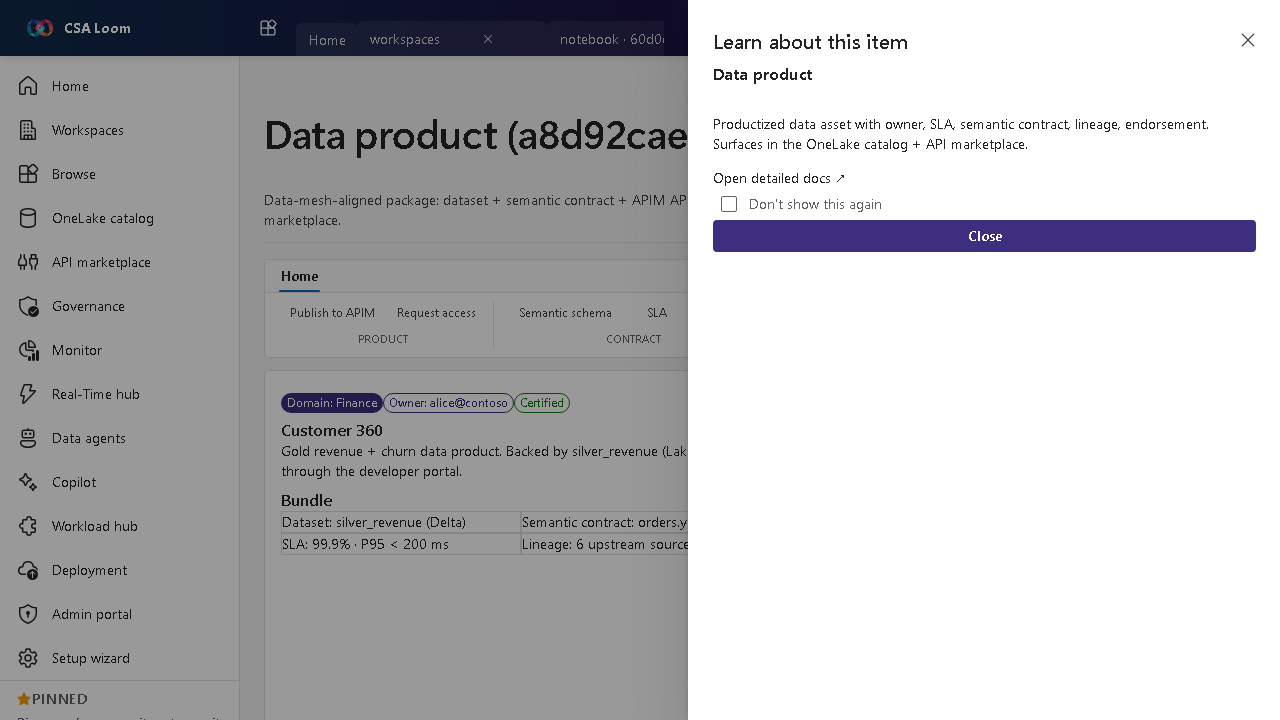
What this editor does
A Data product is a data-mesh-aligned package — dataset plus semantic contract, an APIM API, an access policy, and an owner — listed in the marketplace. In Loom the Publish-to-APIM button POSTs a real product as an idempotent upsert.
Getting started
- Define the contract — Describe the dataset, its semantic contract, owner, and SLA.
- Set the access policy — Define who can subscribe and under what terms.
- Publish to APIM — Publish-to-APIM POSTs a real APIM product (idempotent upsert) fronting the data product.
- List in the marketplace — The product surfaces in the Purview / Loom catalog and the API marketplace for discovery.
Learn more
- Microsoft Learn reference: https://learn.microsoft.com/purview/concept-data-products
Verified by the UAT harness
- Tested at:
2026-05-26T13:54:13.398Z - Verdict: A (renders cleanly, real backend responded)
- Test source:
apps/fiab-console/e2e/editors.uat.ts