
Tutorial: Notebook editor
CSA Loom
notebookeditor — verified working against a live console by the UAT harness on 2026-07-01.
Open the editor
- Sign in to your CSA Loom Console (for example
https://<your-console-host>). - Open or create a workspace from the Workspaces page.
- Click + New item and choose Notebook from the catalog.
- The editor opens at
/items/notebook/<id>:
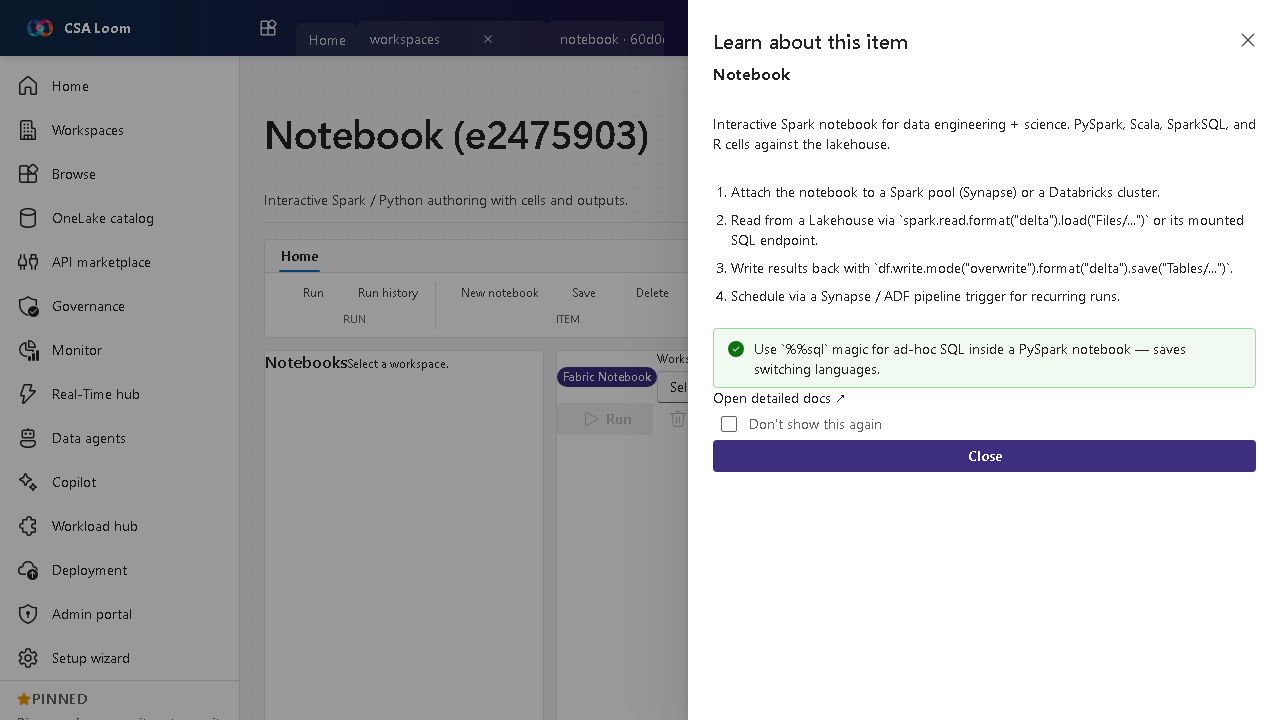
What this editor does
A Notebook is interactive Spark/Python authoring with cells and outputs. In Loom it attaches to a Synapse Spark pool or a Databricks cluster and reads/writes Lakehouse Delta tables. Use it for data engineering and data science work that needs code.
Getting started
- Attach compute — Attach the notebook to a Synapse Spark pool or a Databricks cluster before running a cell — Loom shows the attach state in the chrome.
- Read from a Lakehouse — Read Delta with spark.read.format('delta').load('Files/...') or query the mounted SQL endpoint.
- Write results back — Persist with df.write.mode('overwrite').format('delta').save('Tables/...') so the output lands as a managed table.
- Schedule recurring runs — Wire the notebook into a Data pipeline or Synapse pipeline trigger for scheduled execution.
Learn more
- Microsoft Learn reference: https://learn.microsoft.com/fabric/data-engineering/lakehouse-notebook-explore
Verified by the UAT harness
- Tested at:
2026-05-26T13:50:41.144Z - Verdict: A (renders cleanly, real backend responded)
- Test source:
apps/fiab-console/e2e/editors.uat.ts