
Tutorial: Graph model editor
CSA Loom
graph-modeleditor — verified working against a live console by the UAT harness on 2026-07-01.
Open the editor
- Sign in to your CSA Loom Console (for example
https://<your-console-host>). - Open or create a workspace from the Workspaces page.
- Click + New item and choose Graph model from the catalog.
- The editor opens at
/items/graph-model/<id>:
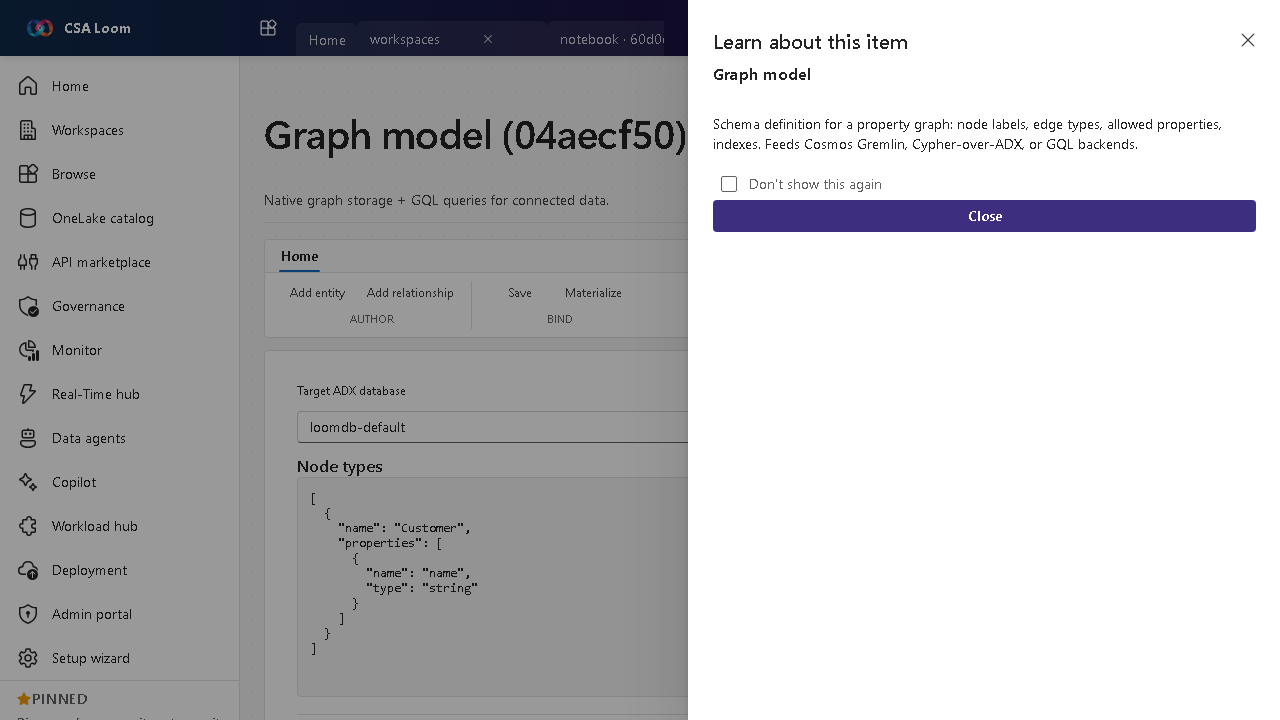
What this editor does
A Graph model is the schema definition for a property graph — node labels, edge types, allowed properties, indexes (preview). In Loom you author it on an interactive schema canvas and query it with GQL/openCypher translated to the ADX graph engine (make-graph / graph-match) — Cosmos Gremlin and GQL backends are also supported. No Microsoft Fabric required.
Getting started
- Model on the schema canvas — Add entities (node labels) on the interactive canvas — drag to arrange, double-click an entity to edit its properties in the side panel, and drag between two entities to add a relationship (edge type) pre-filled with from/to.
- Declare properties and indexes — Give each node label and edge type typed properties, and specify indexes on key properties to speed up traversals.
- Bind a backend — Map the model onto the ADX graph (GQL/openCypher over
make-graph), Cosmos Gremlin, or a GQL backend. - Query with the builder — Use the no-code query builder — pick a start entity, relationship, target, property filters, and returns — or write GQL/openCypher directly; both run the same translate-to-KQL path and render results as Table, Card, or Diagram.
Learn more
- Microsoft Learn reference: https://learn.microsoft.com/fabric/fundamentals/fabric-iq
Verified by the UAT harness
- Tested at:
2026-05-26T13:52:38.392Z - Verdict: A (renders cleanly, real backend responded)
- Test source:
apps/fiab-console/e2e/editors.uat.ts