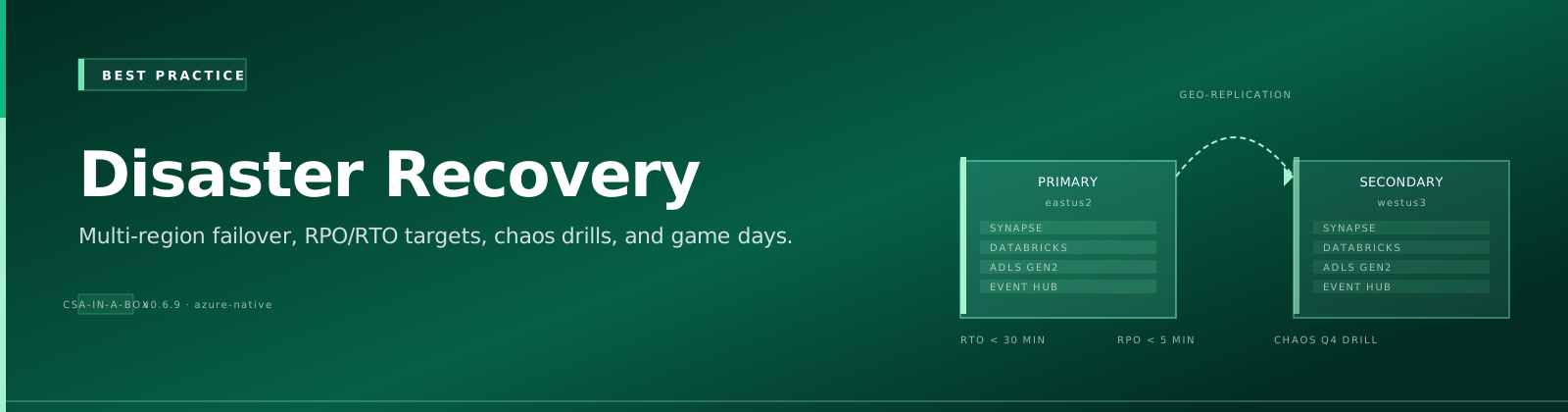
Disaster Recovery Best Practices
Scope — generic reference guidance, not the shipped CSA Loom posture
This page is generic disaster-recovery guidance for building resilient data platforms, written against the older deploy/bicep/ reference architecture (active-passive multi-region, GRS storage, paired-region failover). It describes a target pattern you can build toward — it does not describe what a default CSA Loom deployment ships today.
CSA Loom ships single-region with zone redundancy (no GRS/RA-GRS, no paired-region failover wired by default). For the honest, per-component DR posture of the actual deployed platform — what exists, what does not, the real RPO/RTO numbers, and the opt-in geo-redundant tier — read the Loom-specific page instead: CSA Loom disaster recovery →.
Treat the multi-region topology, GRS SKUs, and automated-failover claims below as aspirational reference patterns, not deployed capabilities.
Overview
Disaster recovery (DR) for analytics platforms goes far beyond "turn on GRS." A fully resilient analytics platform must protect data, compute, metadata, and orchestration — and prove that protection works through regular drills. The patterns below are the reference target; for what CSA Loom deploys by default (single-region + zone-redundant) and how to opt into a geo-redundant tier, see CSA Loom disaster recovery.
Related Guides
| Guide | Purpose |
|---|---|
| CSA Loom disaster recovery | What the shipped Loom platform actually provides (honest posture + opt-in DR tier) |
| DR Architecture | Platform-level DR design and Azure service capabilities |
| Multi-Region Deployment | Active-active and active-passive region patterns |
| DR Drill Runbook | Step-by-step drill execution playbook |
| Rollback Procedures | Service-level rollback and recovery steps |
Multi-Region Architecture
The reference architecture uses an active-passive pattern with automated failover for Tier 1 workloads.
flowchart LR
    subgraph primary["Primary Region — East US 2"]
        ADLS_P[("ADLS Gen2\n(Bronze/Silver/Gold)")]
        DBX_P["Databricks\nWorkspace"]
        SYN_P["Synapse\nDedicated Pool"]
        ADF_P["Azure Data Factory\nPipelines"]
        FAB_P["Fabric\nWorkspace"]
        ADLS_P --- DBX_P
        ADLS_P --- SYN_P
        ADF_P --> DBX_P
        ADF_P --> SYN_P
        ADLS_P --- FAB_P
    end

    subgraph secondary["Secondary Region — West US 2 (Standby)"]
        ADLS_S[("ADLS Gen2\n(GRS Replica)")]
        DBX_S["Databricks\nWorkspace (Warm)"]
        SYN_S["Synapse\nGeo-Backup"]
        ADF_S["ADF\n(Standby Deploy)"]
        FAB_S["Fabric\n(OneLake Mirror)"]
        ADLS_S --- DBX_S
        ADLS_S --- SYN_S
        ADF_S --> DBX_S
        ADF_S --> SYN_S
        ADLS_S --- FAB_S
    end

    ADLS_P -- "GRS / GZRS\nReplication" --> ADLS_S
    DBX_P -- "Workspace Export\n+ DBFS Mirror" --> DBX_S
    SYN_P -- "Geo-Backup\n(Automatic)" --> SYN_S
    ADF_P -- "ARM/Bicep\nRedeploy" --> ADF_S
    FAB_P -- "OneLake\nMirroring" --> FAB_S

    TM["Azure Traffic Manager\n/ Front Door"] --> primary
    TM -.->|failover| secondary

    style primary fill:#e8f5e9,stroke:#2e7d32
    style secondary fill:#fff3e0,stroke:#ef6c00
RTO / RPO Planning
Tier Definitions
| Tier | RPO | RTO | Workload Examples | Replication Strategy | Cost |
|---|---|---|---|---|---|
| Tier 1 — Gold | < 1 hour | < 4 hours | Gold analytics, executive dashboards, regulatory reports | GRS + near-real-time Delta clone + hot standby compute | $$$ |
| Tier 2 — Silver | < 4 hours | < 8 hours | Silver curated datasets, ML feature stores, operational reports | GRS + scheduled Delta clone (hourly) + warm standby | $$ |
| Tier 3 — Bronze | < 24 hours | < 24 hours | Bronze raw ingestion, staging, dev/test environments | GRS only — data is rebuildable from sources | $ |
Cost vs Recovery Speed
Recovery Speed  ◄──────────────────────────────────────► Cost
      Fast                                              High
        │  Hot standby + sync replication (Tier 1)        │
        │  Warm standby + scheduled replication (Tier 2)  │
        │  Cold rebuild from GRS + IaC (Tier 3)           │
      Slow                                              Low
Business Impact Analysis Template
For each workload, document:
1. **Business process** it supports
2. **Revenue impact** per hour of downtime (quantified)
3. **Regulatory/compliance** requirements (e.g., data availability SLAs)
4. **Upstream/downstream dependencies** — what breaks if this is unavailable?
5. **Acceptable data loss** window (drives RPO)
6. **Acceptable downtime** window (drives RTO)
7. **Assigned tier** based on answers above
Data Replication
ADLS Gen2
| Method | RPO | Cost | Complexity | Notes |
|---|---|---|---|---|
| GRS (Geo-Redundant Storage) | ~15 min (async) | Low — built-in | Low | Default for most workloads; Microsoft-managed |
| GZRS (Geo-Zone-Redundant) | ~15 min (async) | Medium | Low | Adds zone redundancy in primary region |
| Cross-region AzCopy (scheduled) | Schedule-dependent | Medium | Medium | Full control over timing; useful for selective replication |
| Storage Object Replication | Near-real-time | Low | Low | Policy-based, container-level replication rules |
Delta Lake
Use deep clone for point-in-time copies of critical tables:
-- Full deep clone for DR (creates independent copy)
CREATE TABLE gold_dr.sales_summary
DEEP CLONE gold.sales_summary
LOCATION 'abfss://dr-container@secondary.dfs.core.windows.net/gold/sales_summary';

-- Incremental deep clone (subsequent runs copy only changes)
CREATE OR REPLACE TABLE gold_dr.sales_summary
DEEP CLONE gold.sales_summary;
Note
Deep clone copies data files. Shallow clone only copies metadata and references source files — not suitable for cross-region DR since the source files would be unavailable during an outage.
Databricks
- Workspace configuration: Export via Databricks CLI or Terraform and store in Git
- DBFS content: Mirror critical DBFS paths to secondary region ADLS using AzCopy or ADF copy activities
- Unity Catalog metastore: Replicate catalog metadata via API export; storage locations should point to GRS-replicated ADLS
- Secrets: Back up to Key Vault (which has its own DR — see below)
Synapse Analytics
- Dedicated SQL pools: Automatic geo-backup every ~8 hours; restore to secondary region via Portal/PowerShell
- User-defined restore points: Create before major changes — retained for 7 days
- Serverless SQL: Stateless — just redeploy with IaC; data is in ADLS (already replicated)
Fabric
- OneLake mirroring: Configure cross-region mirroring for lakehouses
- Workspace recovery: Export workspace metadata; rely on OneLake replication for data
- Semantic models: Back up
.bimfiles to version control
Replication Comparison
| Service | Method | RPO | Cost Impact | Complexity |
|---|---|---|---|---|
| ADLS Gen2 | GRS / GZRS | ~15 min | Low | Low |
| Delta Lake | Deep clone (scheduled) | 1–4 hours | Medium | Medium |
| Databricks | Workspace export + DBFS mirror | 4–24 hours | Medium | High |
| Synapse | Geo-backup (automatic) | ~8 hours | Included | Low |
| Fabric | OneLake mirroring | Near-real-time | Included | Low |
| ADF | Bicep redeploy | N/A (stateless) | None | Low |
Compute Recovery
Databricks
Re-provision the workspace from IaC — never rely on manual portal recreation.
// databricks-workspace.bicep — deploy to secondary region
param location string = 'westus2'
param workspaceName string = 'dbx-csa-dr'

resource workspace 'Microsoft.Databricks/workspaces@2023-02-01' = {
  name: workspaceName
  location: location
  sku: { name: 'premium' }
  properties: {
    managedResourceGroupId: subscriptionResourceId(
      'Microsoft.Resources/resourceGroups',
      '${workspaceName}-managed-rg'
    )
  }
}
Recovery checklist:
- Deploy workspace via Bicep/Terraform
- Apply cluster policies from version control
- Deploy init scripts from Git repo
- Restore secrets from Key Vault
- Point jobs to secondary ADLS endpoints
- Validate Unity Catalog connectivity
Azure Data Factory
ADF pipelines are metadata — export and redeploy:
# Export ADF as ARM template
az datafactory export \
  --resource-group rg-csa-primary \
  --factory-name adf-csa-primary \
  --output-folder ./adf-export

# Deploy to secondary region (parameterized)
az deployment group create \
  --resource-group rg-csa-secondary \
  --template-file ./adf-export/ARMTemplateForFactory.json \
  --parameters factoryName=adf-csa-secondary \
               location=westus2 \
               storageAccountUrl=https://csasecondary.dfs.core.windows.net
Tip
Parameterize linked service endpoints, Key Vault URIs, and storage account URLs so the same template deploys to any region.
Synapse Dedicated Pool
# Restore dedicated pool from geo-backup to secondary region
Restore-AzSynapseSqlPool `
  -FromBackup `
  -ResourceGroupName "rg-csa-secondary" `
  -WorkspaceName "syn-csa-secondary" `
  -Name "gold_pool" `
  -ResourceId "/subscriptions/{sub}/resourceGroups/rg-csa-primary/providers/Microsoft.Synapse/workspaces/syn-csa-primary/sqlPools/gold_pool" `
  -BackupResourceGroupName "rg-csa-primary"
dbt
dbt projects live in Git — recovery is trivial:
- Clone the repo to a new compute environment
- Update
profiles.ymlto point to the secondary Databricks/Synapse target - Run
dbt buildto rebuild transformations
Failover Automation
Routing with Azure Traffic Manager / Front Door
Configure Traffic Manager with priority-based routing:
- Primary endpoint → East US 2 resources (priority 1)
- Secondary endpoint → West US 2 resources (priority 2)
- Health probes monitor primary availability; automatic failover on failure
Automated Failover Script
# dr-failover.ps1 — Orchestrate regional failover
param(
    [Parameter(Mandatory)]
    [ValidateSet('eastus2', 'westus2')]
    [string]$TargetRegion,

    [switch]$DryRun
)

$ErrorActionPreference = 'Stop'
$timestamp = Get-Date -Format 'yyyy-MM-dd_HH-mm-ss'

Write-Host "=== DR Failover to $TargetRegion — $timestamp ===" -ForegroundColor Yellow

# Step 1: Validate secondary region readiness
Write-Host "[1/5] Validating secondary region resources..."
$storageReady = Test-AzStorageAccountNetworkRuleSet -ResourceGroupName "rg-csa-$TargetRegion"
$dbxReady = Get-AzDatabricksWorkspace -ResourceGroupName "rg-csa-$TargetRegion" -ErrorAction SilentlyContinue
if (-not $storageReady -or -not $dbxReady) {
    throw "Secondary region resources not ready. Aborting."
}

# Step 2: Initiate ADLS failover (if using RA-GRS)
if (-not $DryRun) {
    Write-Host "[2/5] Initiating storage account failover..."
    Invoke-AzStorageAccountFailover `
        -ResourceGroupName "rg-csa-$TargetRegion" `
        -Name "csastorage$TargetRegion" `
        -Force
}

# Step 3: Update Traffic Manager priority
Write-Host "[3/5] Updating Traffic Manager routing..."
if (-not $DryRun) {
    $profile = Get-AzTrafficManagerProfile -ResourceGroupName "rg-csa-global" -Name "tm-csa"
    $profile.Endpoints | Where-Object { $_.Target -like "*$TargetRegion*" } |
        ForEach-Object { $_.Priority = 1 }
    Set-AzTrafficManagerProfile -TrafficManagerProfile $profile
}

# Step 4: Start standby compute
Write-Host "[4/5] Activating standby compute..."
if (-not $DryRun) {
    # Resume Synapse dedicated pool
    Resume-AzSynapseSqlPool -ResourceGroupName "rg-csa-$TargetRegion" `
        -WorkspaceName "syn-csa-$TargetRegion" -Name "gold_pool"
}

# Step 5: Validate connectivity
Write-Host "[5/5] Running post-failover validation..."
# ... validation logic ...

Write-Host "=== Failover complete ===" -ForegroundColor Green
DNS Failover Patterns
| Pattern | Mechanism | Failover Time | Complexity |
|---|---|---|---|
| Traffic Manager (DNS) | DNS-based priority routing | 30–90 seconds (TTL-dependent) | Low |
| Front Door | Anycast + health probes | < 30 seconds | Medium |
| Custom DNS + health check | Script-driven DNS update | Variable | High |
Warning
DNS TTL caching can delay failover visibility. Set TTL to 30–60 seconds for DR-critical endpoints.
DR Drill Best Practices
Quarterly Drill Schedule
| Quarter | Drill Type | Scope | Duration |
|---|---|---|---|
| Q1 | Tabletop exercise | Walk through runbook; identify gaps | 2 hours |
| Q2 | Partial failover | Fail over Tier 1 workloads only | 4 hours |
| Q3 | Full failover | Complete regional failover and failback | 8 hours |
| Q4 | Chaos engineering | Inject failures; validate automated recovery | 4 hours |
Drill Runbook Template
Cross-Reference
See runbooks/dr-drill.md for the full executable runbook.
Summary structure:
- Pre-drill: Notify stakeholders, snapshot current state, confirm rollback plan
- Execute failover: Run
dr-failover.ps1or manual steps per runbook - Validate: Confirm RTO/RPO met, run data integrity checks, verify user access
- Failback: Return to primary region
- Post-drill review: Document findings, update runbook, file improvement tickets
Success Criteria
- RTO met for all tiers exercised
- RPO met — no data loss beyond tier threshold
- Data integrity verified (row counts, checksums on Gold tables)
- User access restored (AAD/Entra ID, RBAC, network access)
- Orchestration pipelines (ADF/Fabric) running in secondary region
- Monitoring and alerting functional in secondary region
Drill Metrics to Track
| Metric | Target | How to Measure |
|---|---|---|
| Time to detect failure | < 5 min | Monitor alert timestamp vs. incident creation |
| Time to initiate failover | < 15 min | Incident creation → failover script execution |
| Time to restore Tier 1 | < 4 hours | Failover start → Gold queries returning results |
| Data loss (rows/time) | Within RPO | Compare last primary checkpoint vs. secondary state |
| Drill completion rate | 100% quarterly | Track in project management |
Backup Best Practices
What to Back Up
| Category | Items | Backup Method | Frequency |
|---|---|---|---|
| IaC Templates | Bicep/Terraform, ARM exports | Git repository | Every change |
| Pipeline Definitions | ADF pipelines, Databricks jobs | Git (CI/CD integration) | Every change |
| Metadata & Catalogs | Unity Catalog, Purview, Synapse metadata | API export → blob storage | Daily |
| Secrets & Keys | Key Vault contents | Key Vault backup cmdlets | Weekly |
| Configurations | Cluster policies, init scripts, spark configs | Git repository | Every change |
| Access Policies | RBAC assignments, Entra ID groups | Azure Policy export, scripts | Weekly |
| dbt Project | Models, macros, seeds, tests | Git repository | Every change |
What NOT to Back Up
Rebuildable Data
These can be reconstructed from source systems or upstream layers — backing them up wastes cost and adds complexity.
- Raw Bronze data — re-ingest from source systems
- Temporary/staging tables — transient by design
- Spark shuffle data, temp views — ephemeral compute artifacts
- Dev/test datasets — recreate from Bronze
Backup Retention Schedule
| Data Classification | Retention | Storage Tier | Justification |
|---|---|---|---|
| IaC / pipeline definitions | Indefinite | Git (standard) | Version history is the backup |
| Gold table snapshots | 90 days | Cool storage | Regulatory audit trail |
| Metadata exports | 30 days | Cool storage | Rapid catalog recovery |
| Key Vault backups | 90 days | Vault-managed | Compliance requirement |
| Synapse restore points | 7 days (auto), 42 days (user-defined) | Included | Platform limit |
Key Vault Backup
# Back up all secrets from primary Key Vault
$vault = "kv-csa-primary"
$backupPath = "./keyvault-backups/$(Get-Date -Format 'yyyy-MM-dd')"
New-Item -ItemType Directory -Path $backupPath -Force

Get-AzKeyVaultSecret -VaultName $vault | ForEach-Object {
    Backup-AzKeyVaultSecret -VaultName $vault `
        -Name $_.Name `
        -OutputFile "$backupPath/$($_.Name).blob"
}

# Restore to secondary vault
$secondaryVault = "kv-csa-secondary"
Get-ChildItem "$backupPath/*.blob" | ForEach-Object {
    Restore-AzKeyVaultSecret -VaultName $secondaryVault -InputFile $_.FullName
}
Purview / Microsoft Purview Metadata Export
# Export Purview glossary and classifications
az purview account show --name purview-csa --resource-group rg-csa-primary

# Use Purview REST API to export catalog
curl -X GET "https://purview-csa.purview.azure.com/catalog/api/atlas/v2/glossary" \
  -H "Authorization: Bearer $TOKEN" \
  -o purview-glossary-backup.json
Anti-Patterns
No DR Testing
"We have GRS enabled so we're fine."
GRS replicates storage — it does not replicate compute, orchestration, secrets, access policies, or metadata catalogs. Untested DR is not DR. You will discover gaps **during the outage** when it's too late.
DR Plan in Someone's Head
"Our senior engineer knows how to recover everything."
If the plan isn't written down, versioned, and rehearsed by multiple team members, it doesn't exist. People leave, forget, or are unavailable during actual disasters. Document it in runbooks.
No Infrastructure as Code
"We'll just recreate the resources in the portal."
Manual recreation under pressure leads to misconfigurations, missed settings, and hours of debugging. Every resource must be deployable via Bicep/Terraform. If it can't be deployed from code, it can't be reliably recovered.
Single-Region for Tier 1 Workloads
"We'll go multi-region later."
Tier 1 workloads with revenue or compliance impact **must** have cross-region protection from day one. Retrofitting multi-region is significantly harder than designing for it upfront.
No Replication Lag Monitoring
"Replication is set up — we don't need to watch it."
Replication can silently fall behind or fail. Monitor replication lag, set alerts for thresholds exceeding your RPO, and include replication health in your operational dashboards.
DR Readiness Checklist
Use this checklist to assess your DR posture if you are building toward the multi-region reference target above. A default CSA Loom deployment does not turn these on (it is single-region + zone-redundant by design) — for the shipped Loom posture and its own drill, use the CSA Loom DR page.
Data Protection
- ADLS Gen2 GRS/GZRS enabled for all production storage accounts
- Delta deep clone jobs scheduled for Tier 1 and Tier 2 tables
- Synapse geo-backup verified (automatic — confirm not disabled)
- OneLake mirroring configured for Fabric workspaces
- Replication lag monitoring and alerting configured
Compute Recovery
- All resources defined in Bicep/Terraform (no portal-only resources)
- Databricks workspace deployable to secondary region via IaC
- Cluster policies and init scripts in version control
- ADF pipelines parameterized for multi-region deployment
- dbt
profiles.ymltemplated for region switching
Secrets & Access
- Key Vault backup procedure documented and tested
- Key Vault in secondary region provisioned and accessible
- RBAC assignments exportable and reproducible
- Entra ID groups and service principals available cross-region
- Network security groups / private endpoints planned for secondary region
Orchestration & Routing
- Traffic Manager or Front Door configured with health probes
- Failover script (
dr-failover.ps1) tested and in version control - DNS TTL set to ≤ 60 seconds for DR-critical endpoints
- Monitoring and alerting deployed to secondary region
Process & People
- DR runbook documented, versioned, and accessible to all operators
- Quarterly drill schedule established
- At least two team members trained on failover procedure
- Post-drill review process defined
- RTO/RPO targets documented and approved by stakeholders
- Communication plan for stakeholder notification during outage
Backup Hygiene
- Metadata exports (Unity Catalog, Purview) running on schedule
- Key Vault backups running weekly
- Backup retention aligned with compliance requirements
- Backup restore procedure tested within last 90 days