Home > Docs > Disaster Recovery
Multi-Region Disaster Recovery Runbook¶
Note
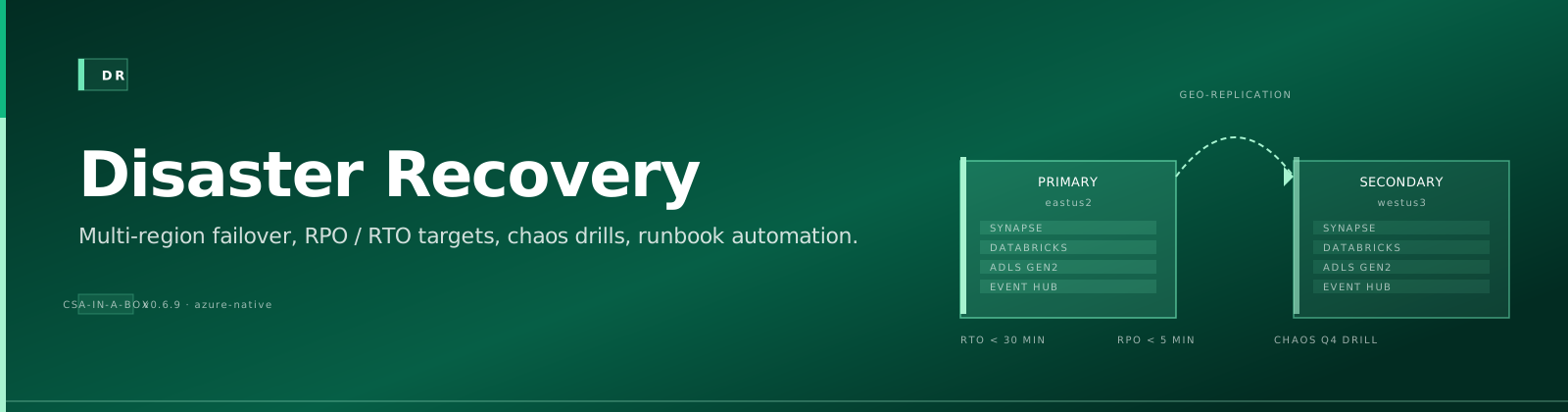
Quick Summary: Authoritative DR runbook for CSA-in-a-Box covering RPO/RTO targets by service tier, primary/secondary region pairing, step-by-step failover procedures (Cosmos DB, Storage, ADF, Databricks, DNS), quarterly drill cadence, failback procedures, and known gaps.
This runbook is the authoritative answer to "what do we do when a region goes down?" It pairs with the deploy-time rollback procedure in ROLLBACK.md, which covers bad deploys; this document covers regional unavailability (Azure region outage, networking partition, storage replication failure) where the fix is failing over to a different region, not redeploying.
Important
Scope: the CSA-in-a-Box platform's four landing zones (Management, Connectivity, DMLZ, DLZ). Out of scope: application-layer DR for workloads owned by domain teams — those are expected to follow the per-service guidance in this runbook and document their own RPO/RTO.
📑 Table of Contents¶
- 📊 1. RPO / RTO Targets by Service Tier
- 🌍 2. Primary / Secondary Region Pairing
- 🚀 3. Failover Procedure
- 🧪 4. Failover Readiness — Quarterly Drill
- 🔄 5. Failback Procedure
- ⚠️ 6. Known Gaps and Roadmap
- 📋 7. Quick Reference
📊 1. RPO / RTO Targets by Service Tier¶
Every Azure service deployed by CSA-in-a-Box is classified into one of three tiers. The tier determines the SKU, replication mode, and expected recovery behaviour. Before enabling a new service in production, add a row to this table and wire up the matching configuration.
| Service | Tier | RPO | RTO | Replication | Bicep toggle |
|---|---|---|---|---|---|
| Cosmos DB (ingest + catalog) | Critical | < 15 min | < 30 min | Multi-region writes across two Azure regions | deploy/bicep/DLZ/modules/cosmos/cosmosdb.bicep → secondaryLocation, enableMultipleWriteLocations=true, enableAutomaticFailover=true |
| Data Lake Storage (Silver + Gold) | Critical | < 1 h | < 1 h | RA-GRS (read-access geo-redundant) | deploy/bicep/DLZ/modules/storage/storage.bicep → storageSku=Standard_RAGRS (or Standard_RAGZRS for zone + region redundancy) |
| Data Lake Storage (Bronze / raw) | Standard | < 4 h | < 4 h | ZRS (zone-redundant, single region) | storage.bicep default (no override needed) |
| Log Analytics + App Insights | Critical | < 1 h | < 1 h | Cross-region diagnostic-settings mirror | Manual: add a second diagnostic-settings destination pointing at the failover workspace |
| Key Vault | Critical | N/A | < 15 min | Azure-managed geo replication (Standard/Premium) + 90-day soft delete | deploy/bicep/**/KeyVault/keyvault.bicep already enables enableSoftDelete + enablePurgeProtection + softDeleteRetentionInDays: 90 |
| Databricks | Standard | < 4 h | < 4 h | Passive paired workspace in secondary region (cold standby) | Manual: deploy the workspace Bicep with a second location param; unity catalog metadata is regional |
| Azure Data Factory | Standard | < 4 h | < 8 h | Paired factory in secondary region; linked services recreated via ARM | Manual: redeploy domains/shared/pipelines/adf/* into the failover factory |
| Synapse Serverless SQL | Standard | < 1 h | < 2 h | Automatically HA inside a region; for cross-region, reattach serverless endpoints to the failover storage account | Manual |
| Event Hub | Critical | < 5 min | < 15 min | Geo-DR pairing | Manual: configure Microsoft.EventHub/namespaces/disasterRecoveryConfigs in a follow-up commit |
| Purview | Standard | < 24 h | < 24 h | No built-in geo-replication; rely on the collection export + reimport procedure below | Manual |
Note
Tiers higher than "Critical" (near-zero RPO/RTO, e.g. for regulated workloads) require multi-region active/active and are out of scope for this runbook; those workloads should be reviewed individually.
🌍 2. Primary / Secondary Region Pairing¶
CSA-in-a-Box defaults to the following Azure region pairs. Every critical-tier service should be deployed in both regions of a single pair, never across pairs (so that the Azure DR primitives like Standard_RAGRS and Cosmos automatic failover line up):
| Primary | Secondary |
|---|---|
eastus (default) | westus |
eastus2 | centralus |
westeurope | northeurope |
uksouth | ukwest |
The primary region is driven by AZURE_REGION in .github/workflows/deploy.yml. The secondary region is the target of the DR failover jobs below and is configured per service via the Bicep parameters linked in the table above.
🚀 3. Failover Procedure¶
Danger
Trigger this procedure when the primary region is confirmed unavailable via the Azure Service Health dashboard and has been down for > 5 minutes (shorter incidents are usually cheaper to wait out).
Step 1 — Declare the incident¶
- Page the on-call engineer and open an incident in your tracker.
- Post to the incident channel: region, start time, services affected, decision authority for go/no-go on failover.
- Start a scribe log in the incident doc so every action below is timestamped and attributable.
Step 2 — Verify the scope¶
Before flipping anything, confirm the outage is region-wide and not a per-service or per-subscription issue:
# Control-plane health
az account list-locations --query "[?metadata.regionType=='Physical'].{Name:name, Pairs:metadata.pairedRegion[].name}" -o table

# Verify each of our deployed services
az resource list --location eastus --query "[?provisioningState!='Succeeded'].{Name:name, Type:type, State:provisioningState}" -o table
Important
If only one resource group or service is affected, use the per-service rollback procedure instead — failing over the whole platform for a single stuck resource is more risk than reward.
Step 3 — Cosmos DB failover¶
Cosmos accounts with enableAutomaticFailover=true and a secondaryLocation will fail over on their own within Azure's threshold. If automatic failover has not happened within 10 minutes, force it:
az cosmosdb failover-priority-change \
  --name csa-cosmos-dlz \
  --resource-group rg-csa-cosmos \
  --failover-policies westus=0 eastus=1
Verify:
az cosmosdb show --name csa-cosmos-dlz --resource-group rg-csa-cosmos \
  --query "locations[].{Name:locationName, Priority:failoverPriority}" -o table
Step 4 — Storage account failover¶
RA-GRS accounts require a manual customer-initiated failover:
Warning
After the command returns, the account's primary region flips to the paired secondary and the replication type drops to LRS (you need to re-enable geo replication after the original region recovers — see §5 Failback). Expected time: 10–60 minutes.
Verify:
az storage account show --name csadlzstorage001 --resource-group rg-csa-storage \
  --query "{primary:primaryLocation, secondary:secondaryLocation, sku:sku.name}"
Step 5 — ADF linked-service reconfiguration¶
ADF cannot be failed over — each region has its own factory. Redeploy pipeline JSON into the secondary-region factory:
# Re-run the DLZ deploy workflow targeting the secondary region.
# In .github/workflows/deploy.yml, temporarily set AZURE_REGION=westus
# or pass the target via workflow_dispatch input once supported.
gh workflow run deploy.yml -f environment=prod -f deploy_dlz=true -f dry_run=false
Linked services in the secondary factory must point at:
- The restored Cosmos account (now in the failover region)
- The failed-over Data Lake storage account
- The secondary Databricks workspace (if you're running Databricks pipelines via ADF linked compute)
Step 6 — Databricks failover¶
- Stop any still-running jobs in the primary workspace (if the control plane is still reachable).
- Activate the cold-standby workspace in the secondary region.
- Rehydrate the Unity Catalog metastore in the secondary workspace via the Databricks Terraform provider export + import pattern (Unity Catalog is regional so metadata does not replicate).
- Repoint ADF linked services (step 5) at the new workspace URL.
Step 7 — DNS, certificates, and clients¶
- Update any CNAMEs / Traffic Manager endpoints to point at the secondary region.
- Verify that all client apps pick up the new DNS TTL.
- Rotate any Application Insights instrumentation keys that baked the primary region into their instance ID.
Step 8 — Smoke test¶
Run the post-deploy verification job from deploy.yml (or the load test harness from tests/load/README.md) against the failover region and confirm:
- Cosmos writes and reads succeed from both regions (if using
enableMultipleWriteLocations). - Storage reads return expected content from the failover region.
- A representative ADF pipeline completes end-to-end.
- A dbt model run (
make test-dbt) completes against the failover Databricks workspace.
🧪 4. Failover Readiness — Quarterly Drill¶
Rollback procedures rot when they are not exercised. Schedule a chaos-engineering drill once per quarter. The drill is automated via .github/workflows/dr-drill.yml and documented in detail in runbooks/dr-drill.md (CSA-0073):
- Pick one critical-tier service (rotate Cosmos → Storage → Databricks over the year).
- Run the failover procedure against the dev environment only.
- Time each step and capture the durations in a drill report under
reports/dr-drills/<YYYY-MM-DD>.md(gitignored — attach it to the incident tracker instead). - Update this runbook with anything that drifted.
Note
The dev-environment drill is the minimum bar. For regulated workloads add a second drill per year against a pre-prod clone of production.
🔄 5. Failback Procedure¶
Danger
Do not fail back at the first sign that the primary region is healthy again — you risk oscillating and losing data. Wait at least one full business day after the Azure Service Health dashboard shows the primary region as green, and only then start the failback.
Step 1 — Re-enable geo replication¶
A storage-account failover drops the SKU to LRS. Put it back:
az storage account update \
  --name csadlzstorage001 \
  --resource-group rg-csa-storage \
  --sku Standard_RAGRS
Wait for the account's geoReplicationStatus to show Live before proceeding — it typically takes hours for Azure to seed the replica.
Step 2 — Swap Cosmos failover priorities back¶
az cosmosdb failover-priority-change \
  --name csa-cosmos-dlz \
  --resource-group rg-csa-cosmos \
  --failover-policies eastus=0 westus=1
Step 3 — Repoint ADF and Databricks¶
Reverse the linked-service changes from §3.5 and §3.6. Leave the secondary-region workspaces and factories in place as cold standbys — they are now part of the steady-state DR posture.
Step 4 — DNS and client reset¶
Flip CNAMEs / Traffic Manager priorities back to the primary region.
Step 5 — Post-incident review¶
Within two business days, write up:
- Timeline from first alert to service restoration.
- Which steps took longer than the documented RTO and why.
- Any data loss (compare against RPO targets in §1).
- Updates to this runbook captured as a follow-up PR.
File the post-incident review under the tracking issue for the incident, and update .claude/DEVELOPMENT_LOG.md with a short pointer so future sessions see it.
⚠️ 6. Known Gaps and Roadmap¶
The following items are intentionally left manual / unconfigured and tracked as follow-up work. They were too large for the initial DR rollout:
- Event Hub Geo-DR pairing:
Microsoft.EventHub/namespaces/ disasterRecoveryConfigsis not yet wired into the Bicep modules. Workloads that need sub-5-minute RPO on Event Hub should add this manually via the portal for now. - Purview geo replication: Purview does not support cross-region replication. The current posture is "accept 24h RPO and re-scan from source after a disaster"; workloads with stricter requirements need a different catalog service.
- Automated DR drills: §4's drill procedure is wired into
.github/workflows/dr-drill.ymlon a quarterly cron (CSA-0073). As of loom-next-level WS-DR (2026-07), three scenarios are REAL end-to-end drills with validators that assert restored state:cosmos-pitr-restore(live Loom store + graph/vector accounts restored to a PITR timestamp into a per-run scratch RG, doc counts + schema validated, RG deleted),adls-softdelete-restore(canary soft-delete undelete on the live HNS lake, byte-hash validated — blob versioning is unsupported on HNS, so soft delete IS the restore path), andkeyvault-restore(canary secret delete → recover → value intact + purge rejected).storage-failoverandbicep-rollbackremain stubbed follow-ups inrunbooks/dr-drill.md§8. - Traffic Manager + Front Door: no global-routing layer is currently deployed. Clients talk to region-specific endpoints. If this becomes a pain point, deploy Azure Front Door with priority routing so clients do not need to be aware of the failover.
📋 7. Quick Reference¶
| Scenario | Runbook section |
|---|---|
| Bad deploy, region healthy | ROLLBACK.md |
| Region unavailable | This document |
| Individual resource deleted | ROLLBACK.md §5–6 (Cosmos PITR / storage soft-delete); rehearsed quarterly by runbooks/dr-drill.md §4.1/§4.5 |
| dbt model regression | tests/load/README.md → benchmark_dbt_models.py |
| Quarterly drill | §4 above + runbooks/dr-drill.md |
See also:
- ← Previous: Multi-Tenant
- → Next: Documentation home
- ⌂ Index: Documentation home