
Tutorial: Real-Time dashboard editor
CSA Loom
kql-dashboardeditor — verified working against a live console by the UAT harness on 2026-07-01.
Open the editor
- Sign in to your CSA Loom Console (for example
https://<your-console-host>). - Open or create a workspace from the Workspaces page.
- Click + New item and choose Real-Time dashboard from the catalog.
- The editor opens at
/items/kql-dashboard/<id>:
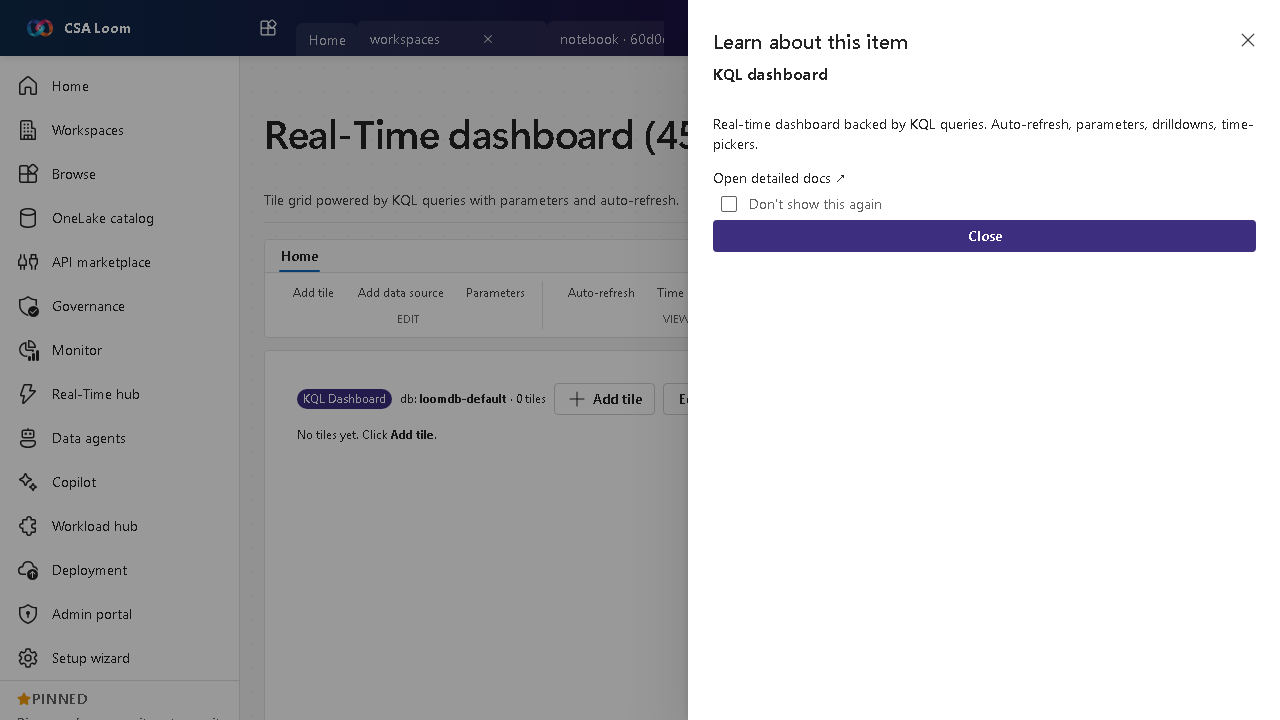
What this editor does
A Real-Time dashboard is a tile grid powered by KQL queries. Azure-native by default: every tile executes against the deployment's Azure Data Explorer cluster — no Fabric capacity or workspace is involved. Tiles are either query visuals or markdown text; dashboard parameters cross-filter the whole grid, drill-through injects a clicked value into a parameter (optionally jumping to another page), and an auto-refresh interval keeps the grid live.
Getting started
- Add tiles — Add tile creates a query tile — bind it to a data source (a KQL database on the ADX cluster), write the KQL, and pick a visual. Add text tile creates a markdown tile that renders content and is never executed. Add tile with Copilot writes the KQL for you from a prompt.
- Add parameters — Parameters opens the parameter editor: freetext, fixed, multi-select, query-backed (values loaded from KQL), data-source, and duration types. They render in the filter bar above the grid and substitute into every tile's KQL, so changing one cross-filters the whole dashboard.
- Organize into pages — Add page creates a named tile-container page and the page strip switches between them. A dashboard with no authored pages stays a single canvas; the FIRST Add page materializes two pages — Page 1 holding the existing tiles plus the new Page 2 — and each later click appends one. Rename is inline, and deleting a page moves its tiles to the first remaining page rather than destroying them.
- Set the time range and auto-refresh — The Time button cycles the dashboard time range and the Auto-refresh selector sets the interval (off, 5s, 30s, 1m, 5m, 30m, 1h). While auto-refresh is on, a live pill shows the last refresh time; Refresh all re-runs every tile on demand.
- Wire drill-through and alerts — In a tile's settings pick a drill-through column, the parameter to set from the clicked value, and an optional target page — clicking a data point applies the value and re-runs the grid. The bell on a tile opens Set alert, which links a backing Activator item and mints a real ADX-evaluated rule (plus an Azure Monitor scheduled-query rule when LOOM_ADX_ALERT_SCOPE is provisioned).
Learn more
- Microsoft Learn reference: https://learn.microsoft.com/azure/data-explorer/azure-data-explorer-dashboards
Verified by the UAT harness
- Tested at:
2026-05-26T13:51:32.556Z - Verdict: A (renders cleanly, real backend responded)
- Test source:
apps/fiab-console/e2e/editors.uat.ts
Pages, text tiles, and drill-through
The editor's toolbar and Home ribbon carry the depth controls:
Pages. Add page materializes a named tile-container page; the page strip above the grid switches between pages and shows each page's tile count. A dashboard that has never had a second page keeps rendering as one canvas — the strip shows a single implicit Page 1 tab. The first Add page click on such a dashboard creates TWO page records — Page 1 (which adopts the existing tiles) and the new Page 2, which becomes active; every later click appends one page. Rename is inline (click the rename glyph, type, press Enter). Delete moves that page's tiles to the first remaining page; no tile is destroyed. Pages persist in the dashboard's Cosmos model, and a tile whose pageId is missing or unknown resolves to the first page.
Text tiles. Add text tile creates a markdown tile. You author it in the tile flyout with a Monaco editor and a live preview; it renders a GFM subset (HTML-escaped first, so content cannot inject markup). A text tile is never executed — Refresh all and the run route both skip it, so it costs nothing against the ADX cluster.
Drill-through. Per tile you configure three things: the result column to drill on, the dashboard parameter that receives the clicked value, and an optional target page. Clicking a data point in the tile injects the value into that parameter, switches to the target page when one is set, and re-runs every tile — so the whole grid cross-filters on the value you clicked. Leaving the parameter empty ((none — disable drill-through)) turns it off.
Drill-through needs at least one dashboard parameter to exist; until you add one, the tile settings say so instead of offering an unusable picker.
Kill-switch
The pages / text-tile / page-targeted drill-through surface is behind the default-ON runtime flag u8-kql-dashboard-depth (Admin → Runtime flags). Turning it OFF reverts the editor to the pre-U8 single-page canvas on the next load. Nothing is deleted: saved pages and text tiles survive (every tile renders on one canvas, text tiles keep rendering their content) and drill-through falls back to same-page cross-filtering.
The Azure backend it rides on
- Query: the deployment's Azure Data Explorer cluster (
kusto-client). Tiles bind to a KQL database through the Data sources panel; parameters, base queries, and the time range are substituted into the tile KQL server-side. - Model: the dashboard (tiles, pages, parameters, base queries, refresh interval) persists to Cosmos via
PUT /api/items/kql-dashboard/<id>. - Alerts:
POST /api/items/kql-dashboard/<id>/activatorlinks a backing Activator item and creates a real ADX-evaluated rule; withLOOM_ADX_ALERT_SCOPEprovisioned it also mints an Azure Monitor scheduled-query rule.
No Fabric required
Tiles run against ADX. There is no Fabric capacity, workspace, or Real-Time Intelligence dependency on this path. The Fabric Real-Time Dashboard docs are the parity reference only: https://learn.microsoft.com/fabric/real-time-intelligence/dashboard-real-time-create