
Tutorial: Cypher graph editor
CSA Loom
cypher-grapheditor — verified working against a live console by the UAT harness on 2026-07-01.
Open the editor
- Sign in to your CSA Loom Console (for example
https://<your-console-host>). - Open or create a workspace from the Workspaces page.
- Click + New item and choose Cypher graph from the catalog.
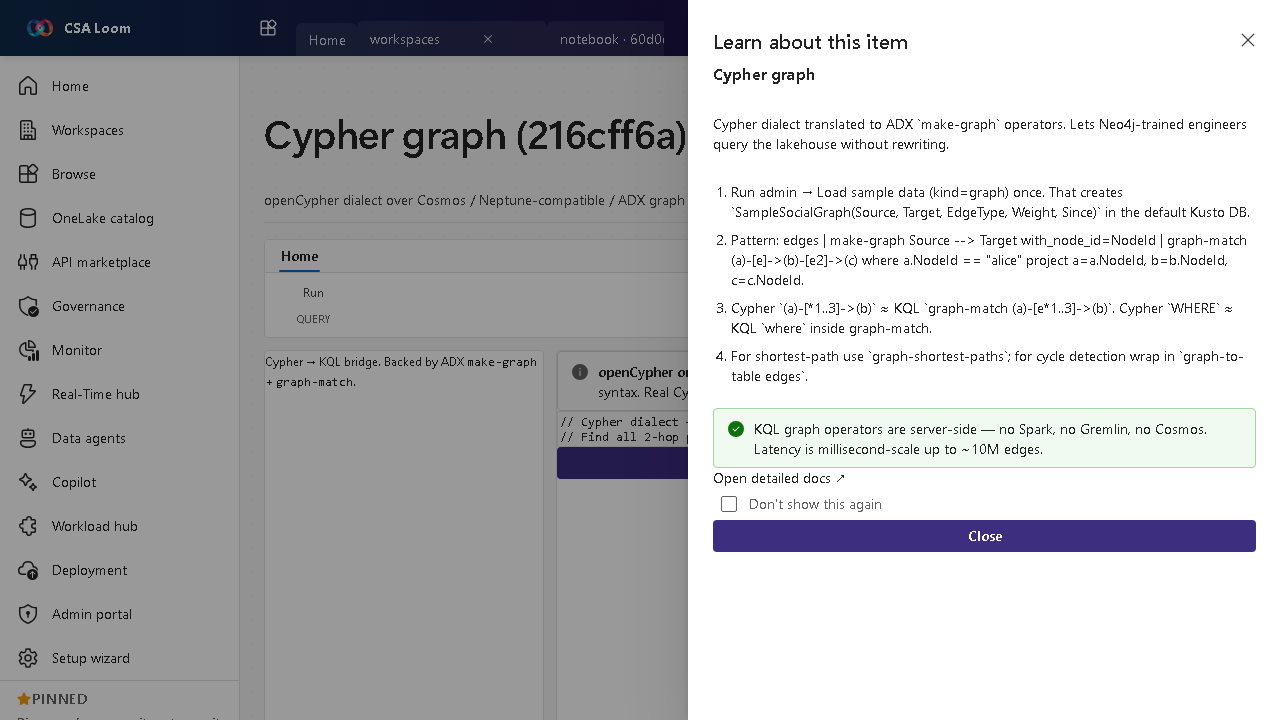
- The editor opens at
/items/cypher-graph/<id>:
What this editor does
A Cypher graph lets Neo4j-trained engineers use the openCypher dialect; in Loom it is translated to ADX make-graph/graph-match operators and dispatched via the KQL database query route — server-side, no Spark or Gremlin, millisecond-scale up to ~10M edges.
Getting started
- Load sample data — Run admin Load sample data (kind=graph) once to create SampleSocialGraph in the default Kusto DB.
- Write Cypher — Author Cypher patterns; (a)-[1..3]->(b) maps to KQL graph-match (a)-[e1..3]->(b).
- Run via KQL backend — The translator emits make-graph + graph-match and dispatches to the KQL database query route.
- Use path operators — For shortest path use graph-shortest-paths; results render in the graph view.
Learn more
- Microsoft Learn reference: https://learn.microsoft.com/azure/data-explorer/kusto/query/graph-operators
Verified by the UAT harness
- Tested at:
2026-05-26T13:56:43.549Z - Verdict: A (renders cleanly, real backend responded)
- Test source:
apps/fiab-console/e2e/editors.uat.ts