
Tutorial: Vector store editor
CSA Loom
vector-storeeditor — verified working against a live console by the UAT harness on 2026-07-01.
Open the editor
- Sign in to your CSA Loom Console (for example
https://<your-console-host>). - Open or create a workspace from the Workspaces page.
- Click + New item and choose Vector store from the catalog.
- The editor opens at
/items/vector-store/<id>:
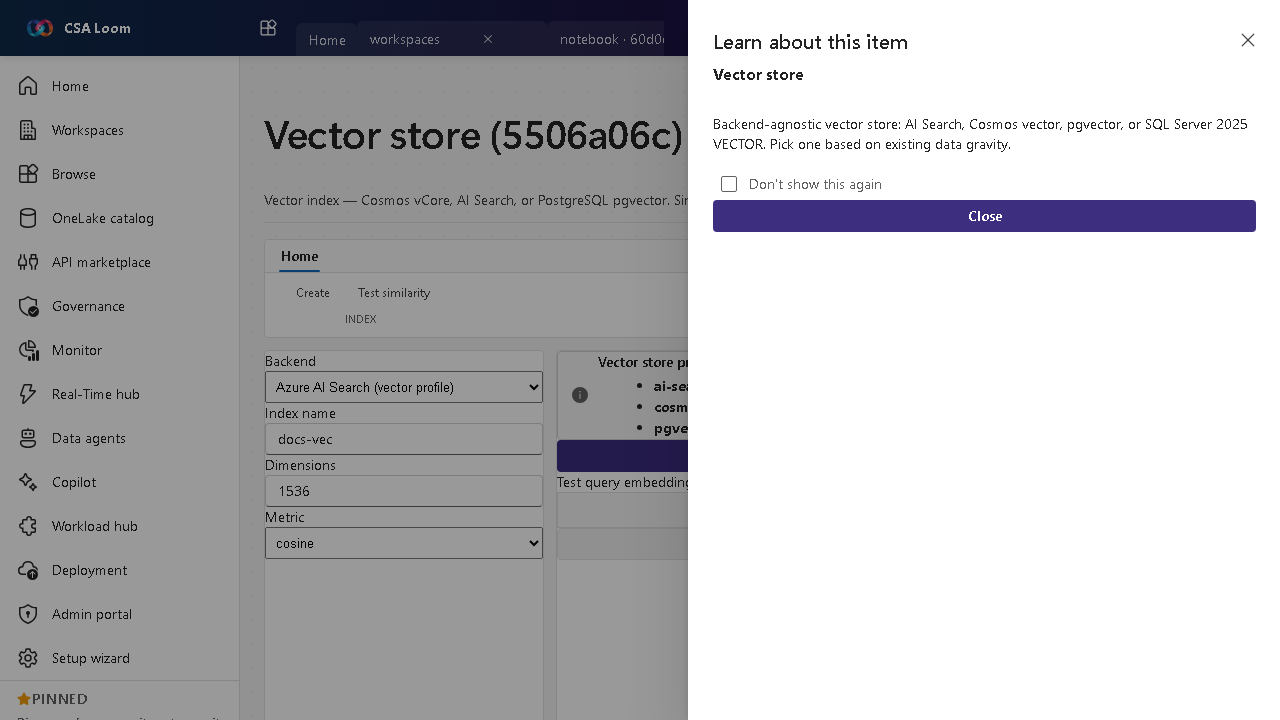
What this editor does
A Vector store is a backend-agnostic vector index — Cosmos vCore, AI Search, or PostgreSQL pgvector — for similarity search and RAG grounding. In Loom you pick a backend and define an index spec, which persists to item state; a live similarity test is deferred to v3.x.
Getting started
- Pick a backend — Choose Cosmos vCore, AI Search, or pgvector based on existing data gravity.
- Define the index — Set dimensions, distance metric, and fields in the create-index form.
- Save the spec — Save persists the index spec to item state; live similarity test is deferred to v3.x and disclosed.
- Ground RAG — Use the store for similarity search behind a prompt flow or data agent.
Learn more
- Microsoft Learn reference: https://learn.microsoft.com/azure/cosmos-db/vector-database
Verified by the UAT harness
- Tested at:
2026-05-26T13:56:51.508Z - Verdict: A (renders cleanly, real backend responded)
- Test source:
apps/fiab-console/e2e/editors.uat.ts