
Tutorial: Eventhouse editor
CSA Loom
eventhouseeditor — verified working against a live console by the UAT harness on 2026-07-01.
Open the editor
- Sign in to your CSA Loom Console (for example
https://<your-console-host>). - Open or create a workspace from the Workspaces page.
- Click + New item and choose Eventhouse from the catalog.
- The editor opens at
/items/eventhouse/<id>:
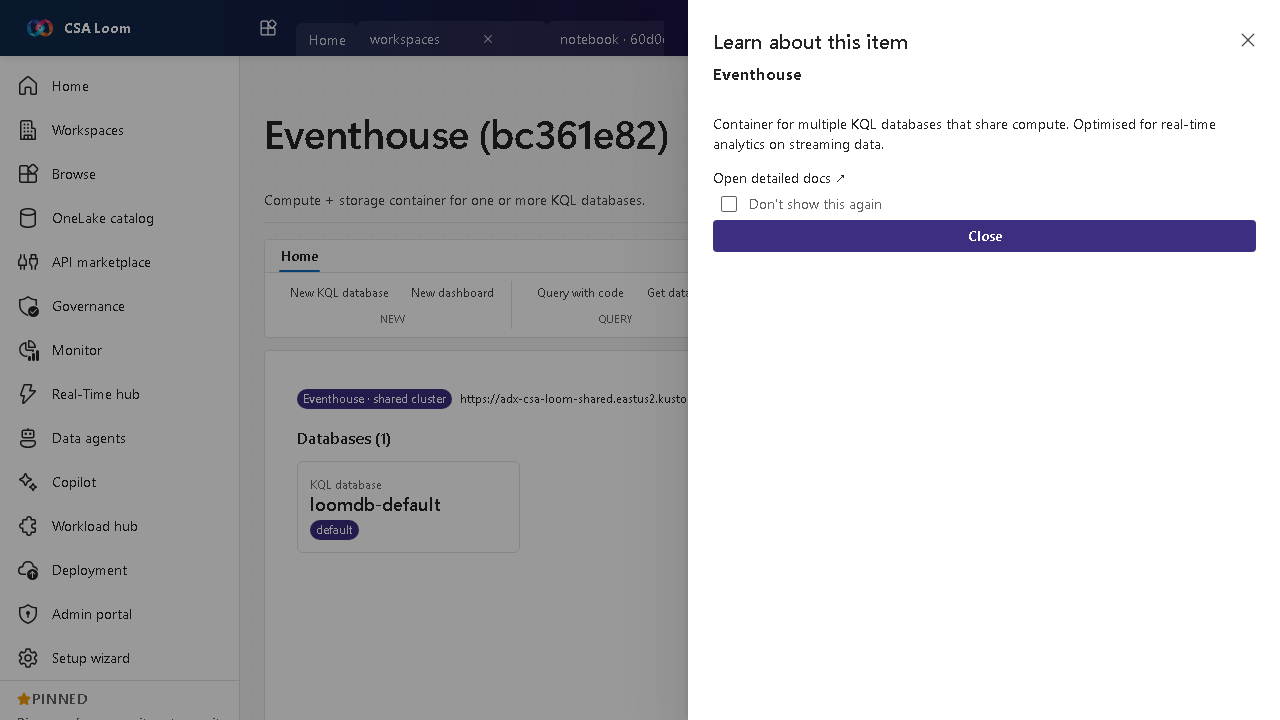
What this editor does
An Eventhouse is a compute-plus-storage container for one or more KQL databases that share compute. In Loom it is wired against the shared Loom ADX cluster. Use it as the home for real-time analytics on streaming telemetry.
Getting started
- Create KQL databases — Add one or more KQL databases under the eventhouse; they share the eventhouse compute.
- Ingest streaming data — Feed data in from an Eventstream, Event Hubs, or direct REST ingestion.
- Query with KQL — Open a KQL queryset to run interactive Kusto queries across the databases.
- Make data available as Delta — Configure ADX continuous export (or an external table) to land the KQL data as Delta in ADLS Gen2, so it's queryable alongside lakehouses — no Fabric or OneLake needed.
Learn more
- Microsoft Learn reference: https://learn.microsoft.com/fabric/real-time-intelligence/eventhouse
Verified by the UAT harness
- Tested at:
2026-05-26T13:51:20.484Z - Verdict: A (renders cleanly, real backend responded)
- Test source:
apps/fiab-console/e2e/editors.uat.ts