
Tutorial: Geo pipeline editor
CSA Loom
geo-pipelineeditor — verified working against a live console by the UAT harness on 2026-07-01.
Open the editor
- Sign in to your CSA Loom Console (for example
https://<your-console-host>). - Open or create a workspace from the Workspaces page.
- Click + New item and choose Geo pipeline from the catalog.
- The editor opens at
/items/geo-pipeline/<id>:
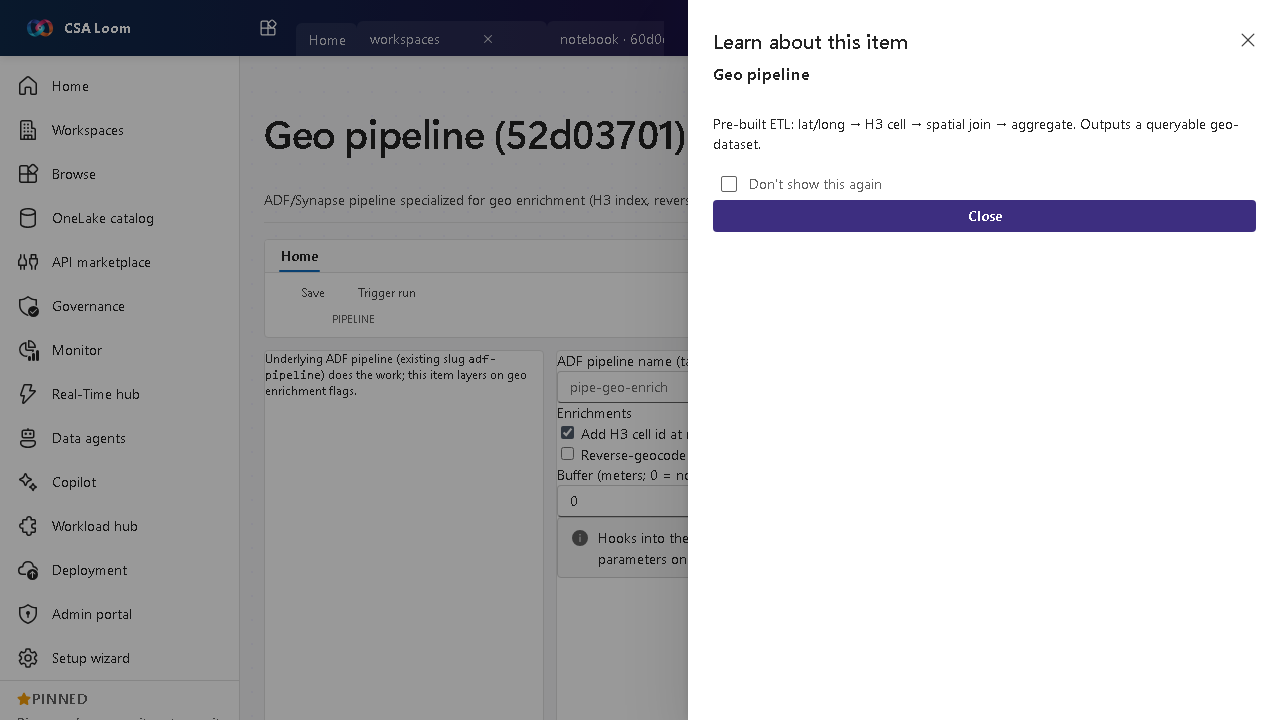
What this editor does
A Geo pipeline is a Data-pipeline TEMPLATE for geo enrichment. On instantiate it builds a REAL Azure Data Factory pipeline whose activities are already wired — H3 indexing, reverse geocode against Azure Maps, and buffer generation — with parameters (enrichH3, reverseGeocode, bufferMeters) you can tune; it runs as-is on the Azure-native ADF runtime, no empty seeded pipeline. Newly created geo pipelines instantiate the geo-enrich template into a Data pipeline (runtime ADF) and run via the unified run path; already-created geo items keep their existing route and run unchanged.
Getting started
- Tune the enrichment parameters — Set the template parameters: enrichH3 (add an H3 spatial index), reverseGeocode (resolve coordinates to addresses via Azure Maps), and bufferMeters (generate a buffer polygon).
- Instantiate the template — Creating a Geo pipeline materializes the geo-enrich template into a real Data pipeline (ADF runtime) with the H3, reverse-geocode, and buffer activities already wired — no empty seeded pipeline.
- Run it — Trigger run fires a real ADF createRun on the instantiated pipeline via the unified run path and returns a live run id; the wired enrichment activities execute against ADF + Azure Maps.
- Output a geo-dataset — The pipeline writes an enriched, queryable geo-dataset.
Learn more
- Microsoft Learn reference: https://learn.microsoft.com/azure/data-factory/concepts-pipelines-activities
Verified by the UAT harness
- Tested at:
2026-05-26T13:56:35.269Z - Verdict: A (renders cleanly, real backend responded)
- Test source:
apps/fiab-console/e2e/editors.uat.ts