Source:
examples/usda/README.md— this page is rendered live from that file.
CIPSEA awareness
The data in this example may be subject to CIPSEA (the Confidential Information Protection and Statistical Efficiency Act, 44 U.S.C. §§ 3561–3583) when collected from respondents under a pledge of confidentiality for exclusively statistical purposes.
Knowing and willful disclosure of identifiable CIPSEA data is a Class E felony (§ 3572) attaching to individual officers, employees, or designated agents — including cloud-operator personnel where applicable.
The architecture below is starting-point reference guidance only. Validate the specific compliance posture for your workload with your designating statistical agency and Confidentiality Officer before production use:
- CIPSEA control mapping & narrative (DRAFT — under validation)
- CIPSEA operational playbook for Azure (DRAFT — under validation)
USDA Agricultural Analytics Platform¶
Examples > USDA
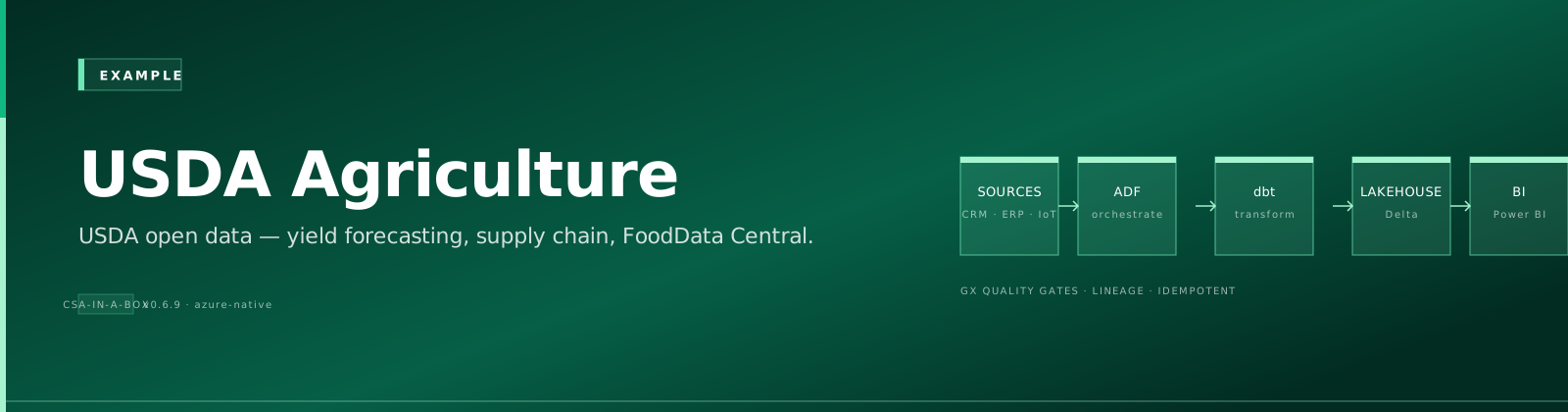
[!TIP] TL;DR — Agricultural analytics platform providing crop yield forecasting, SNAP enrollment analysis, and food safety risk scoring using official USDA data sources with NASS QuickStats API integration.
📋 Table of Contents¶
- Overview
- Key Features
- Data Sources
- Architecture Overview
- Prerequisites
- Azure Resources
- Tools Required
- API Access
- Quick Start
- 1. Environment Setup
- 2. Configure API Keys
- 3. Generate Sample Data
- 4. Deploy Infrastructure
- 5. Run dbt Models
- Sample Analytics Scenarios
- 1. Crop Yield Forecasting
- 2. SNAP Enrollment Analysis
- 3. Food Safety Risk Assessment
- 4. Agricultural Dashboard Summary
- Data Products
- Crop Yields
- SNAP Enrollment
- Food Safety Risk
- Configuration
- dbt Profiles
- Environment Variables
- Monitoring & Alerts
- Development
- Adding New Data Sources
- Testing
- Troubleshooting
- Common Issues
- Logs
- Contributing
- License
- Support
- Acknowledgments
A comprehensive agricultural analytics platform built on Azure Cloud Scale Analytics (CSA), providing insights into crop yields, food safety, nutrition assistance programs, and agricultural economic indicators using official USDA data sources.
📋 Overview¶
This platform ingests, processes, and analyzes data from multiple USDA agencies to provide actionable insights for agricultural decision-making, policy analysis, and research. The platform follows the medallion architecture (Bronze → Silver → Gold) and implements modern data engineering best practices.
✨ Key Features¶
- Real-time Agricultural Data: Automated ingestion from USDA NASS, FNS, FSIS, and FoodData Central
- Crop Yield Analytics: Historical trends, forecasting, and regional comparisons
- Food Safety Monitoring: FSIS inspection tracking with risk scoring
- SNAP Program Analytics: Enrollment trends and demographic analysis
- Interactive Dashboards: Executive dashboards with KPIs and drill-down capabilities
- API-First Architecture: RESTful APIs for all data products
🗄️ Data Sources¶
- NASS (National Agricultural Statistics Service): Crop yields, planted acres, production data
- FNS (Food and Nutrition Service): SNAP enrollment and benefits data
- FSIS (Food Safety and Inspection Service): Meat, poultry, and egg inspection records
- FoodData Central: Nutritional information and food composition data
🏗️ Architecture Overview¶
graph TD
    A[USDA APIs] --> B[Bronze Layer]
    B --> C[Silver Layer]
    C --> D[Gold Layer]
    D --> E[Analytics & Dashboards]

    subgraph "Data Sources"
        A1[NASS QuickStats API]
        A2[FNS SNAP Data]
        A3[FSIS Inspection Data]
        A4[FoodData Central API]
    end

    subgraph "Bronze Layer"
        B1[brz_crop_yields]
        B2[brz_snap_enrollment]
        B3[brz_food_inspections]
    end

    subgraph "Silver Layer"
        C1[slv_crop_yields]
        C2[slv_snap_enrollment]
        C3[slv_food_inspections]
    end

    subgraph "Gold Layer"
        D1[gld_crop_yield_forecast]
        D2[gld_snap_trends]
        D3[gld_food_safety_risk_score]
        D4[gld_agricultural_dashboard]
    end

    subgraph "Consumption"
        E1[Executive Dashboard]
        E2[Policy Analysis Reports]
        E3[Research Analytics]
        E4[Public APIs]
    end

    A1 --> B1
    A2 --> B2
    A3 --> B3
    A4 --> B1

    B1 --> C1
    B2 --> C2
    B3 --> C3

    C1 --> D1
    C2 --> D2
    C3 --> D3
    C1 --> D4
    C2 --> D4
    C3 --> D4

    D1 --> E1
    D2 --> E1
    D3 --> E1
    D4 --> E1
    D1 --> E2
    D2 --> E2
    D3 --> E2
    D1 --> E3
    D2 --> E3
    D3 --> E3
📎 Prerequisites¶
Azure Resources¶
- Azure subscription with contributor access
- Azure Data Factory or Synapse Analytics
- Azure Data Lake Storage Gen2
- Azure SQL Database or Synapse SQL Pool
- Azure Key Vault for API credentials
Tools Required¶
- Azure CLI (2.55.0 or later)
- dbt CLI (1.7.0 or later)
- Python 3.9+
- Git
API Access¶
- USDA NASS QuickStats API key (free registration at https://quickstats.nass.usda.gov/api)
- Data.gov API key (optional, for enhanced rate limits)
🚀 Quick Start¶
1. Environment Setup¶
# Clone the repository
git clone <repository-url>
cd csa-inabox/examples/usda

# Install Python dependencies
pip install -r requirements.txt

# Install dbt packages
cd domains/dbt
dbt deps
2. Configure API Keys¶
# Add to Azure Key Vault or local environment
export NASS_API_KEY="your-nass-api-key"
export DATAGOV_API_KEY="your-datagov-api-key"  # Optional
3. Generate Sample Data¶
# Generate sample data (fallback if APIs unavailable)
python data/generators/generate_usda_data.py --output-dir domains/dbt/seeds

# Or fetch real data from APIs
python data/open-data/fetch_nass.py --api-key $NASS_API_KEY --states "IA,IL,IN" --years "2020,2021,2022"
4. Deploy Infrastructure¶
# Configure parameters
cp deploy/params.dev.json deploy/params.local.json
# Edit params.local.json with your values

# Deploy using Azure CLI
az deployment group create \
  --resource-group rg-usda-analytics \
  --template-file ../../deploy/bicep/DLZ/main.bicep \
  --parameters @deploy/params.local.json
5. Run dbt Models¶
cd domains/dbt

# Test connections
dbt debug

# Load seed data
dbt seed

# Run models
dbt run

# Run tests
dbt test

# Generate documentation
dbt docs generate
dbt docs serve
💡 Sample Analytics Scenarios¶
1. Crop Yield Forecasting¶
-- Get corn yield trend for Iowa
SELECT
    year,
    commodity,
    state_code,
    yield_per_acre,
    yield_3yr_avg,
    yield_pct_change
FROM gold.gld_crop_yield_forecast
WHERE commodity = 'CORN'
    AND state_code = 'IA'
    AND year >= 2018
ORDER BY year DESC;
2. SNAP Enrollment Analysis¶
-- States with highest SNAP enrollment growth
SELECT
    state_code,
    latest_enrollment,
    enrollment_change_1yr,
    enrollment_pct_change_1yr
FROM gold.gld_snap_trends
WHERE year = 2023
ORDER BY enrollment_pct_change_1yr DESC
LIMIT 10;
3. Food Safety Risk Assessment¶
-- High-risk food establishments
SELECT
    establishment_id,
    establishment_name,
    risk_score,
    inspection_frequency,
    violation_rate,
    last_inspection_date
FROM gold.gld_food_safety_risk_score
WHERE risk_score >= 75
ORDER BY risk_score DESC;
4. Agricultural Dashboard Summary¶
-- Executive summary metrics
SELECT
    report_date,
    total_crop_production_value,
    snap_enrollment_total,
    food_safety_incidents,
    agricultural_employment
FROM gold.gld_agricultural_dashboard
WHERE report_date = CURRENT_DATE
ORDER BY report_date DESC;
✨ Data Products¶
Crop Yields (crop-yields)¶
- Description: Historical and forecasted crop yield data by commodity, state, and county
- Freshness: Daily updates
- Coverage: 2000-present, all major commodities
- API:
/api/v1/crop-yields
SNAP Enrollment (snap-enrollment)¶
- Description: Supplemental Nutrition Assistance Program enrollment and benefits data
- Freshness: Monthly updates
- Coverage: 2010-present, state and county level
- API:
/api/v1/snap-enrollment
Food Safety Risk (food-safety-risk)¶
- Description: FSIS inspection data with computed risk scores by establishment
- Freshness: Weekly updates
- Coverage: 2015-present, all inspected facilities
- API:
/api/v1/food-safety-risk
⚙️ Configuration¶
⚙️ dbt Profiles¶
Add to your ~/.dbt/profiles.yml:
usda_analytics:
  target: dev
  outputs:
    dev:
      type: databricks
      host: "{{ env_var('DBT_HOST') }}"
      http_path: "{{ env_var('DBT_HTTP_PATH') }}"
      token: "{{ env_var('DBT_TOKEN') }}"
      schema: usda_dev
      catalog: dev
    prod:
      type: databricks
      host: "{{ env_var('DBT_HOST_PROD') }}"
      http_path: "{{ env_var('DBT_HTTP_PATH_PROD') }}"
      token: "{{ env_var('DBT_TOKEN_PROD') }}"
      schema: usda
      catalog: prod
⚙️ Environment Variables¶
# Required for data fetching
NASS_API_KEY=your-nass-api-key
DATAGOV_API_KEY=your-datagov-api-key

# Required for dbt
DBT_HOST=your-databricks-host
DBT_HTTP_PATH=your-sql-warehouse-path
DBT_TOKEN=your-access-token

# Optional
USDA_LOG_LEVEL=INFO
USDA_BATCH_SIZE=1000
📊 Monitoring & Alerts¶
The platform includes built-in monitoring for:
- Data Freshness: Alerts when data sources haven't updated within SLA
- Data Quality: Automated tests on all models with Slack notifications
- API Performance: Response time and error rate monitoring
- Cost Management: Daily spend alerts and optimization recommendations
🚀 Development¶
🗄️ Adding New Data Sources¶
- Create Bronze model in
domains/dbt/models/bronze/ - Add data quality tests in
schema.yml - Create corresponding Silver model with transformations
- Add to Gold aggregations as needed
- Update data contracts in
contracts/
🧪 Testing¶
# Unit tests
pytest data/tests/

# dbt tests
dbt test

# Integration tests
pytest data/tests/integration/

# Load tests
python data/tests/load_test.py
🔧 Troubleshooting¶
🔧 Common Issues¶
-
API Rate Limits: NASS API has rate limits. Use the
--delayparameter in data generation scripts. -
Authentication Errors: Ensure API keys are properly configured in environment variables or Key Vault.
-
dbt Connection Issues: Verify Databricks credentials and network connectivity.
-
Large Data Volumes: Use incremental models and partitioning for historical data loads.
📊 Logs¶
- Application logs:
logs/usda-analytics.log - dbt logs:
domains/dbt/logs/dbt.log - Data pipeline logs: Azure Data Factory monitoring
🔗 Contributing¶
- Fork the repository
- Create a feature branch (
git checkout -b feature/new-data-source) - Make changes and add tests
- Run quality checks (
make lint test) - Submit a pull request
🔗 License¶
This project is licensed under the MIT License. See LICENSE file for details.
🔗 Support¶
- Documentation: https://csa-inabox.docs.microsoft.com/usda
- Issues: Use GitHub Issues for bug reports and feature requests
- Security: Report security issues to security@contoso.com
- Community: Join our Slack channel
#csa-usda-analytics
🔗 Acknowledgments¶
- USDA for providing comprehensive public agricultural data APIs
- Azure Cloud Scale Analytics team for the foundational platform
- Contributors and the open-source community
🔗 Related Documentation¶
- USDA Architecture — Detailed platform architecture and design decisions
- USDA Implementation Summary — Implementation details and file structure
- Examples Index — Overview of all CSA-in-a-Box example verticals
- Platform Architecture — Core CSA platform architecture
- Getting Started Guide — Platform setup and onboarding
- EPA Environmental Analytics — Related agriculture/environment vertical
- NOAA Climate Analytics — Related environmental data vertical
Prerequisites / Cost / Teardown¶
[!IMPORTANT] Cost-safety: this vertical deploys real Azure resources. Always run
teardown.shwhen you are done. A forgotten workshop environment can run $180-300/day.
Prerequisites¶
- Azure CLI 2.50+ logged in (
az login), subscription selected (az account set --subscription <id>) jqinstalled (used by teardown enumeration)- Bicep CLI 0.25+ (
az bicep version) - Contributor + User Access Administrator on target subscription (or a pre-created RG with equivalent RBAC)
bash scripts/deploy/validate-prerequisites.shpasses
Cost estimate (rough, East US 2)¶
- While running: ~$$180-300/day (services: Synapse, Databricks, ML, ADX, ADF, Cosmos DB, Storage, Key Vault)
- Idle overnight: roughly half if you stop compute (Databricks autostop + Synapse pause)
- Storage + Key Vault residual: <$5/month if you skip teardown
Numbers are indicative for a small demo dataset; production workloads vary significantly. Use az consumption usage list or Cost Management for live numbers.
Runtime¶
- Deploy: ~45-60 minutes (first run; cold Bicep)
- Teardown: ~15-20 minutes (async RG delete completes in the background)
Teardown¶
When finished, run the per-example teardown script. It enforces a typed DESTROY-usda confirmation, logs every step to reports/teardown/usda-<timestamp>.log, and deletes the resource group rg-usda-analytics along with any matching subscription-scope deployments.
# Interactive (recommended)
bash examples/usda/deploy/teardown.sh

# Dry run (enumerate only)
bash examples/usda/deploy/teardown.sh --dry-run

# From the repo root via Makefile
make teardown-example VERTICAL=usda
make teardown-example VERTICAL=usda DRYRUN=1

# CI automation (no prompt — only for ephemeral environments)
bash examples/usda/deploy/teardown.sh --yes
See docs/QUICKSTART.md#teardown for the platform-wide teardown flow.
Directory Structure¶
usda/
├── contracts/                # Data product contracts (schemas, SLOs, owners)
│   ├── crop-yields.yaml
│   ├── food-safety-risk.yaml
│   └── snap-enrollment.yaml
├── data/                     # Sample data + synthetic generators
│   ├── generators/
│   └── open-data/
├── deploy/                   # Deployment parameters / Bicep templates
│   ├── params.dev.json
│   ├── params.gov.json
│   └── teardown.sh
├── domains/                  # dbt models (bronze / silver / gold) and seeds
│   └── dbt/
├── notebooks/                # Synapse / Fabric / Databricks notebooks
│   ├── crop_yield_analysis.py
│   └── snap_demographics.py
├── reports/                  # Power BI report templates and pbix sources
│   └── usda_dashboard.kql
├── ARCHITECTURE.md           # Mermaid + prose architecture diagrams
├── IMPLEMENTATION_SUMMARY.md  # Build-out summary and status
└── README.md                 # This file
Expected Results¶
After running the medallion pipeline against the bundled seed data, the Gold layer should populate the following tables. Row counts vary with the seed-data generator parameters; the figures below are the approximate scale you should see on a default run.
| Gold Table | Approximate Rows | Notes |
|---|---|---|
gld_agricultural_dashboard | TODO: capture after first run | Populated from Silver via dbt --select tag:gold |
gld_crop_yield_forecast | TODO: capture after first run | Populated from Silver via dbt --select tag:gold |
gld_food_safety_risk_score | TODO: capture after first run | Populated from Silver via dbt --select tag:gold |
gld_snap_trends | TODO: capture after first run | Populated from Silver via dbt --select tag:gold |
TODO: capture exact counts after the next end-to-end seed run. These are bounded by the seed-data generator parameters in
data/generators/.