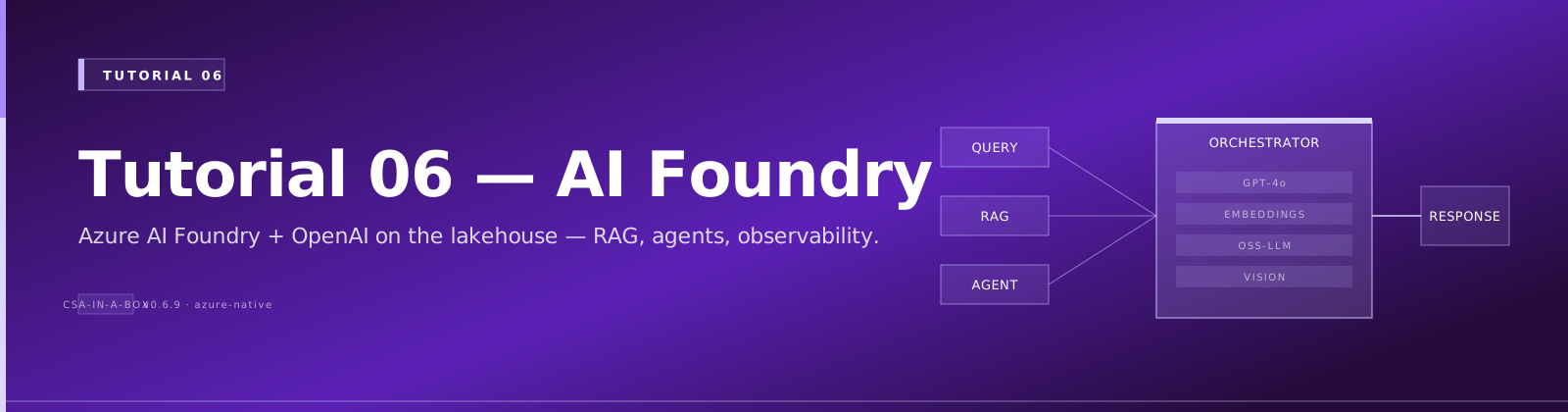
Tutorial 06: AI-First Analytics with Azure AI Foundry
Estimated Time: 75-90 minutes Difficulty: Intermediate-Advanced
Deploy Azure AI Foundry and Azure OpenAI on top of your CSA-in-a-Box foundation platform. By the end you will have a working AI chatbot that understands your data products, queries the Gold layer using natural language, and runs on Azure Container Apps.
Prerequisites
- Foundation Platform deployed (complete Tutorial 01 first)
- Azure OpenAI access approved -- Request access
- Azure CLI 2.60+ with
aiandcontainerappextensions - Python 3.11+
- Docker Desktop or Podman
az version --output table
az extension add --name ai --upgrade --yes
az extension add --name containerapp --upgrade --yes
python --version && docker --version
Architecture Diagram
graph TB
    subgraph DLZ["Data Landing Zone (existing)"]
        GOLD[Gold Layer - ADLS Gen2]
        DBX[Databricks]
    end
    subgraph AI["AI Analytics Layer"]
        AOAI[Azure OpenAI<br/>gpt-5.4 + embeddings]
        HUB[AI Foundry Hub]
        PROJ[AI Foundry Project]
        KV[Key Vault]
    end
    subgraph RT["Runtime"]
        ACA[Container Apps]
        ACR[Container Registry]
    end
    USER((User)) --> ACA --> AOAI
    ACA --> GOLD
    PROJ --> AOAI
    ACR --> ACA
    KV -. secrets .-> ACA
    style AI fill:#fff3e0,stroke:#e65100
    style DLZ fill:#e6ffe6,stroke:#107c10
    style RT fill:#e6f0ff,stroke:#0078d4
Environment Variables
export CSA_PREFIX="csa"
export CSA_ENV="dev"
export CSA_LOCATION="eastus"
export CSA_RG_DLZ="${CSA_PREFIX}-rg-dlz-${CSA_ENV}"
export CSA_RG_AI="${CSA_PREFIX}-rg-ai-${CSA_ENV}"
export CSA_AOAI_NAME="${CSA_PREFIX}-aoai-${CSA_ENV}"
export CSA_FOUNDRY_HUB="${CSA_PREFIX}-aifoundry-hub-${CSA_ENV}"
export CSA_FOUNDRY_PROJECT="${CSA_PREFIX}-aifoundry-proj-${CSA_ENV}"
export CSA_ACA_NAME="${CSA_PREFIX}-chatbot-${CSA_ENV}"
export CSA_ACA_ENV="${CSA_PREFIX}-aca-env-${CSA_ENV}"
export STORAGE_ACCT=$(az storage account list \
  --resource-group "$CSA_RG_DLZ" --query "[0].name" -o tsv)
Step 1: Create the AI Resource Group
Expected Output
Step 2: Deploy AI Infrastructure
cd deploy/bicep/dlz/modules

az deployment group create \
  --resource-group "$CSA_RG_AI" \
  --template-file ai-analytics.bicep \
  --parameters \
    prefix="$CSA_PREFIX" \
    environment="$CSA_ENV" \
    location="$CSA_LOCATION" \
    openAiName="$CSA_AOAI_NAME" \
    aiFoundryHubName="$CSA_FOUNDRY_HUB" \
  --name "ai-analytics-$(date +%Y%m%d%H%M)" \
  --verbose

cd ../../../..
Deployment takes 5-10 minutes. It provisions Azure OpenAI, AI Foundry Hub, Key Vault, and supporting resources.
Expected Output
Troubleshooting
| Symptom | Cause | Fix |
|---|---|---|
InvalidTemplateDeployment | Bicep file not found | Verify path deploy/bicep/dlz/modules/ai-analytics.bicep |
QuotaExceeded for OpenAI | Region capacity | Try eastus2, swedencentral, or canadaeast |
AuthorizationFailed | Permissions | Need Contributor role on the resource group |
Step 3: Configure Azure OpenAI Models
3a. Deploy gpt-5.4
az cognitiveservices account deployment create \
  --name "$CSA_AOAI_NAME" \
  --resource-group "$CSA_RG_AI" \
  --deployment-name "gpt-54" \
  --model-name "gpt-5.4" \
  --model-version "2026-03-01" \
  --model-format OpenAI \
  --sku-capacity 30 \
  --sku-name "Standard"
3b. Deploy text-embedding-3-large
az cognitiveservices account deployment create \
  --name "$CSA_AOAI_NAME" \
  --resource-group "$CSA_RG_AI" \
  --deployment-name "text-embedding-3-large" \
  --model-name "text-embedding-3-large" \
  --model-version "1" \
  --model-format OpenAI \
  --sku-capacity 30 \
  --sku-name "Standard"
3c. Retrieve Endpoint and Key
export AOAI_ENDPOINT=$(az cognitiveservices account show \
  --name "$CSA_AOAI_NAME" --resource-group "$CSA_RG_AI" \
  --query "properties.endpoint" -o tsv)

export AOAI_KEY=$(az cognitiveservices account keys list \
  --name "$CSA_AOAI_NAME" --resource-group "$CSA_RG_AI" \
  --query "key1" -o tsv)

echo "Endpoint: $AOAI_ENDPOINT"
Troubleshooting
| Symptom | Cause | Fix |
|---|---|---|
ModelNotAvailable | Region limitation | Check model availability |
InsufficientQuota | TPM exceeded | Reduce sku-capacity or request increase |
| Deployment > 10 min | Normal | Wait up to 15 minutes |
Step 4: Set Up Azure AI Foundry Hub and Project
4a. Create the Hub
az ml workspace create \
  --name "$CSA_FOUNDRY_HUB" \
  --resource-group "$CSA_RG_AI" \
  --kind hub \
  --location "$CSA_LOCATION"
4b. Create a Project
HUB_ID=$(az ml workspace show \
  --name "$CSA_FOUNDRY_HUB" --resource-group "$CSA_RG_AI" \
  --query "id" -o tsv)

az ml workspace create \
  --name "$CSA_FOUNDRY_PROJECT" \
  --resource-group "$CSA_RG_AI" \
  --kind project \
  --hub-id "$HUB_ID" \
  --location "$CSA_LOCATION"
4c. Add the OpenAI Connection
cat > /tmp/aoai-connection.yml << EOF
name: aoai-connection
type: azure_open_ai
azure_endpoint: $AOAI_ENDPOINT
api_key: $AOAI_KEY
api_version: "2025-04-01-preview"
EOF

az ml connection create \
  --file /tmp/aoai-connection.yml \
  --resource-group "$CSA_RG_AI" \
  --workspace-name "$CSA_FOUNDRY_PROJECT"
Expected Output
Troubleshooting
| Symptom | Cause | Fix |
|---|---|---|
WorkspaceNotFound | Hub missing | Run Step 4a first |
| Connection fails | Endpoint format | Include trailing / in URL |
HubIdInvalid | Wrong resource ID | Verify with az ml workspace show |
Step 5: Build a Simple Chatbot
5a. Install Dependencies
5b. Create the Chatbot
Create examples/ai-chatbot/chatbot.py:
import os
from openai import AzureOpenAI

client = AzureOpenAI(
    azure_endpoint=os.environ["AZURE_OPENAI_ENDPOINT"],
    api_key=os.environ["AZURE_OPENAI_API_KEY"],
    api_version="2025-04-01-preview",
)

SYSTEM_PROMPT = (
    "You are a data analytics assistant for the CSA-in-a-Box platform. "
    "Help users understand data products in the Gold layer."
)

def chat(user_message, history=None):
    messages = [{"role": "system", "content": SYSTEM_PROMPT}]
    messages.extend(history or [])
    messages.append({"role": "user", "content": user_message})
    resp = client.chat.completions.create(
        model="gpt-54", messages=messages, temperature=0.3, max_tokens=1024
    )
    return resp.choices[0].message.content

if __name__ == "__main__":
    print("CSA-in-a-Box AI Chatbot (type 'quit' to exit)")
    print("-" * 50)
    history = []
    while True:
        q = input("\nYou: ").strip()
        if q.lower() in ("quit", "exit"):
            break
        reply = chat(q, history)
        print(f"\nAssistant: {reply}")
        history += [
            {"role": "user", "content": q},
            {"role": "assistant", "content": reply},
        ]
5c. Test Locally
export AZURE_OPENAI_ENDPOINT="$AOAI_ENDPOINT"
export AZURE_OPENAI_API_KEY="$AOAI_KEY"
python examples/ai-chatbot/chatbot.py
Expected Output
Step 6: Add Data Product Awareness
Connect the chatbot to query Gold layer tables using natural language-to-SQL.
Create examples/ai-chatbot/data_chatbot.py:
import os
from openai import AzureOpenAI
from azure.identity import DefaultAzureCredential
from azure.storage.filedatalake import DataLakeServiceClient

client = AzureOpenAI(
    azure_endpoint=os.environ["AZURE_OPENAI_ENDPOINT"],
    api_key=os.environ["AZURE_OPENAI_API_KEY"],
    api_version="2025-04-01-preview",
)

def list_gold_tables():
    credential = DefaultAzureCredential()
    service = DataLakeServiceClient(
        account_url=f"https://{os.environ['STORAGE_ACCOUNT_NAME']}.dfs.core.windows.net",
        credential=credential,
    )
    fs = service.get_file_system_client("gold")
    return [p.name for p in fs.get_paths() if p.is_directory]

def chat_with_data(user_message, history=None):
    tables = list_gold_tables()
    system = (
        "You are a data analytics assistant. "
        f"Available Gold layer tables: {tables}. "
        "When asked about data, reference these tables and suggest SQL queries."
    )
    messages = [{"role": "system", "content": system}]
    messages.extend(history or [])
    messages.append({"role": "user", "content": user_message})
    resp = client.chat.completions.create(
        model="gpt-54", messages=messages, temperature=0.3, max_tokens=1024
    )
    return resp.choices[0].message.content

if __name__ == "__main__":
    print("Data-Aware Chatbot (type 'quit' to exit)")
    history = []
    while True:
        q = input("You: ").strip()
        if q.lower() in ("quit", "exit"):
            break
        reply = chat_with_data(q, history)
        print(f"Assistant: {reply}")
        history += [{"role": "user", "content": q}, {"role": "assistant", "content": reply}]
Test it:
Expected Output
You: What crop production data do we have?
Assistant: Based on the Gold layer, I can see the following tables:
- `fct_crop_production` -- Crop production facts by state and year
- `dim_commodity` -- Commodity reference data
You can query them with: SELECT * FROM usda_gold.fct_crop_production LIMIT 10;
Step 7: Deploy Chatbot to Container Apps
7a. Create a Dockerfile
Create examples/ai-chatbot/Dockerfile:
FROM python:3.11-slim
WORKDIR /app
COPY requirements.txt .
RUN pip install --no-cache-dir -r requirements.txt
COPY . .
EXPOSE 8000
CMD ["uvicorn", "api:app", "--host", "0.0.0.0", "--port", "8000"]
Create examples/ai-chatbot/requirements.txt:
Create examples/ai-chatbot/api.py:
import os
from fastapi import FastAPI
from pydantic import BaseModel
from openai import AzureOpenAI

app = FastAPI(title="CSA AI Chatbot")
client = AzureOpenAI(
    azure_endpoint=os.environ["AZURE_OPENAI_ENDPOINT"],
    api_key=os.environ["AZURE_OPENAI_API_KEY"],
    api_version="2025-04-01-preview",
)

class ChatRequest(BaseModel):
    message: str
    history: list[dict] = []

class ChatResponse(BaseModel):
    reply: str

@app.post("/chat", response_model=ChatResponse)
def chat(req: ChatRequest):
    messages = [{"role": "system", "content": "You are a data analytics assistant."}]
    messages.extend(req.history)
    messages.append({"role": "user", "content": req.message})
    resp = client.chat.completions.create(
        model="gpt-54", messages=messages, temperature=0.3, max_tokens=1024
    )
    return ChatResponse(reply=resp.choices[0].message.content)

@app.get("/health")
def health():
    return {"status": "healthy"}
7b. Build and Push the Image
ACR_NAME=$(az acr list --resource-group "$CSA_RG_AI" --query "[0].name" -o tsv)

az acr build \
  --registry "$ACR_NAME" \
  --image csa-chatbot:v1 \
  --file examples/ai-chatbot/Dockerfile \
  examples/ai-chatbot/
7c. Deploy to Container Apps
az containerapp env create \
  --name "$CSA_ACA_ENV" \
  --resource-group "$CSA_RG_AI" \
  --location "$CSA_LOCATION"

az containerapp create \
  --name "$CSA_ACA_NAME" \
  --resource-group "$CSA_RG_AI" \
  --environment "$CSA_ACA_ENV" \
  --image "${ACR_NAME}.azurecr.io/csa-chatbot:v1" \
  --target-port 8000 \
  --ingress external \
  --min-replicas 1 \
  --max-replicas 3 \
  --env-vars \
    AZURE_OPENAI_ENDPOINT="$AOAI_ENDPOINT" \
    AZURE_OPENAI_API_KEY=secretref:aoai-key \
  --secrets aoai-key="$AOAI_KEY" \
  --registry-server "${ACR_NAME}.azurecr.io"
Expected Output
Step 8: Test End-to-End
8a. Get the Chatbot URL
CHATBOT_URL=$(az containerapp show \
  --name "$CSA_ACA_NAME" \
  --resource-group "$CSA_RG_AI" \
  --query "properties.configuration.ingress.fqdn" -o tsv)

echo "Chatbot URL: https://$CHATBOT_URL"
8b. Send a Test Request
curl -X POST "https://$CHATBOT_URL/chat" \
  -H "Content-Type: application/json" \
  -d '{"message": "What crop data is in the Gold layer?"}'
8c. Health Check
Validation
Verify the complete deployment:
echo "=== AI Infrastructure ==="
az cognitiveservices account show --name "$CSA_AOAI_NAME" \
  --resource-group "$CSA_RG_AI" --query "properties.provisioningState" -o tsv

echo "=== Model Deployments ==="
az cognitiveservices account deployment list --name "$CSA_AOAI_NAME" \
  --resource-group "$CSA_RG_AI" --query "[].{name:name,status:properties.provisioningState}" -o table

echo "=== AI Foundry Project ==="
az ml workspace show --name "$CSA_FOUNDRY_PROJECT" \
  --resource-group "$CSA_RG_AI" --query "provisioningState" -o tsv

echo "=== Container App ==="
az containerapp show --name "$CSA_ACA_NAME" \
  --resource-group "$CSA_RG_AI" --query "properties.provisioningState" -o tsv
Expected Output
Completion Checklist
- AI resource group created
- Azure OpenAI deployed with gpt-5.4 and text-embedding-3-large
- AI Foundry Hub and Project created
- OpenAI connection registered in AI Foundry
- Basic chatbot tested locally
- Data-aware chatbot queries Gold layer tables
- Chatbot containerized and deployed to Container Apps
- End-to-end test passes via curl
- Health check endpoint returns healthy
Troubleshooting (Summary)
| Symptom | Cause | Fix |
|---|---|---|
QuotaExceeded on OpenAI | Region TPM limits | Change region or reduce sku-capacity |
| Container App returns 502 | App crash on startup | Check logs: az containerapp logs show --name $CSA_ACA_NAME --resource-group $CSA_RG_AI |
AuthenticationError from OpenAI | Wrong key or endpoint | Verify env vars match az cognitiveservices account show output |
| AI Foundry project not visible | Wrong subscription context | Run az account set --subscription <id> |
| ACR image pull fails | Registry auth | Enable admin user or configure managed identity |
| Slow first response | Cold start | Set --min-replicas 1 to keep one instance warm |
What's Next
Your AI analytics layer is live. Continue with:
- Tutorial 07: Building AI Agents with Semantic Kernel -- Build multi-agent teams that automate data governance tasks
- Tutorial 08: RAG with Azure AI Search -- Add retrieval-augmented generation over your data catalog
- Tutorial 09: GraphRAG Knowledge Graphs -- Build knowledge graphs for advanced data lineage analysis
See the Tutorial Index for all available paths.
Clean Up (Optional)
Warning: This permanently deletes all AI resources. Container Apps, OpenAI deployments, and AI Foundry projects will be removed.