Source:
examples/noaa/README.md— this page is rendered live from that file.
CIPSEA awareness
The data in this example may be subject to CIPSEA (the Confidential Information Protection and Statistical Efficiency Act, 44 U.S.C. §§ 3561–3583) when collected from respondents under a pledge of confidentiality for exclusively statistical purposes.
Knowing and willful disclosure of identifiable CIPSEA data is a Class E felony (§ 3572) attaching to individual officers, employees, or designated agents — including cloud-operator personnel where applicable.
The architecture below is starting-point reference guidance only. Validate the specific compliance posture for your workload with your designating statistical agency and Confidentiality Officer before production use:
- CIPSEA control mapping & narrative (DRAFT — under validation)
- CIPSEA operational playbook for Azure (DRAFT — under validation)
NOAA Climate & Environmental Analytics Platform¶
Examples > NOAA
[!TIP] TL;DR — Climate and environmental analytics with real-time weather station streaming, 100K+ GHCN stations, ocean buoy telemetry, and storm event correlation. Provides multi-decadal climate trend analysis and severe weather early warning.
📋 Table of Contents¶
- Overview
- Key Features
- Data Sources
- Architecture Overview
- Real-Time Streaming Architecture
- Streaming Quick Start
- Sample KQL — Real-Time Weather
- Prerequisites
- Azure Resources
- Tools Required
- API Access
- Quick Start
- 1. Environment Setup
- 2. Configure API Keys
- 3. Generate Sample Data
- 4. Deploy Infrastructure
- 5. Run dbt Models
- Sample Analytics Scenarios
- 1. Severe Weather Early Warning
- 2. Climate Trend Dashboard
- 3. Marine Ecosystem Health Index
- Data Products
- Climate Trends
- Severe Weather Risk
- Marine Ecosystem Health
- Configuration
- dbt Profiles
- Environment Variables
- Azure Government Notes
- Monitoring & Alerts
- Troubleshooting
- Common Issues
- Contributing
- License
- Acknowledgments
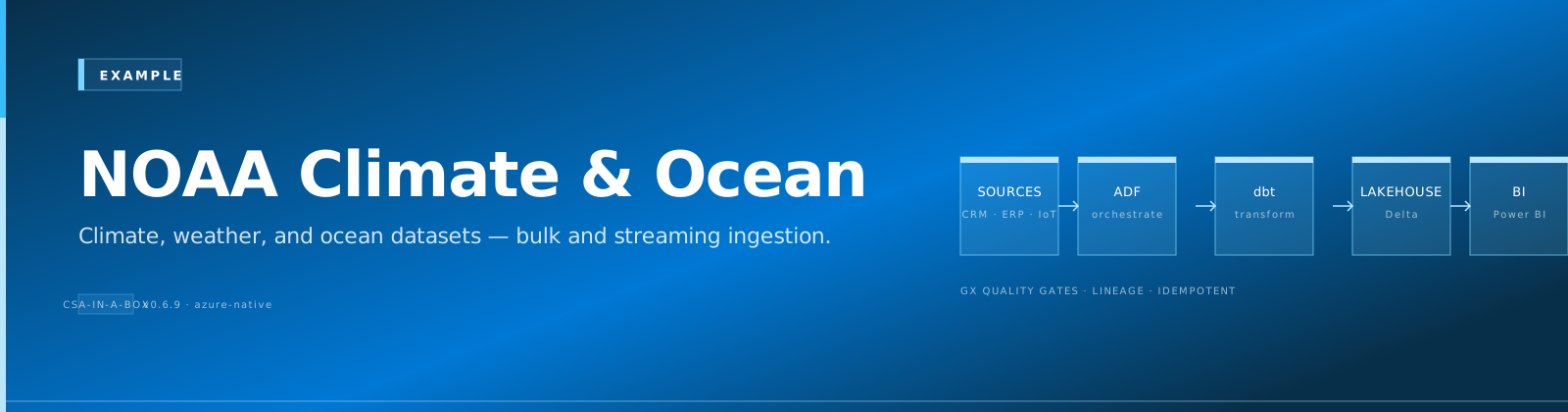
A comprehensive climate and environmental analytics platform built on Azure Cloud Scale Analytics (CSA), providing insights into weather patterns, climate trends, marine ecosystems, and natural hazards using official NOAA data sources — including real-time streaming from weather stations and ocean buoys.
📋 Overview¶
NOAA operates the world's largest environmental monitoring network: 11,000+ weather stations, 100+ ocean buoys, a constellation of weather satellites, and decades of climate records. This platform ingests both batch and real-time streaming data from NOAA's observation networks to enable severe weather early warning, climate trend analysis, and marine ecosystem health monitoring. The streaming pipeline demonstrates real-time sensor data flowing through Azure Event Hub into Azure Data Explorer (ADX) for sub-second analytics.
✨ Key Features¶
- Real-Time Weather Monitoring: Live station data via Event Hub with ADX for hot analytics
- Climate Trend Dashboards: Multi-decadal temperature, precipitation, and sea-level analysis
- Severe Weather Early Warning: Storm event correlation with NWS alert integration
- Marine Ecosystem Health: Ocean temperature, salinity, and fisheries stock indicators
- Satellite Imagery Processing: GOES-16/17 and JPSS derived product ingestion
- Tides & Currents: Coastal water level monitoring with flood risk scoring
🗄️ Data Sources¶
| Source | Description | URL |
|---|---|---|
| GHCN-Daily | Global Historical Climatology Network — 100K+ stations worldwide | https://www.ncei.noaa.gov/products/land-based-station/global-historical-climatology-network-daily |
| Climate Data Online (CDO) | NCEI climate data API — historical observations | https://www.ncdc.noaa.gov/cdo-web/webservices/v2 |
| CO-OPS API | Tides, currents, water levels — 200+ coastal stations | https://api.tidesandcurrents.noaa.gov/api/prod/ |
| NDBC | National Data Buoy Center — ocean buoy observations | https://www.ndbc.noaa.gov/data/ |
| Storm Events Database | Severe weather events with damage estimates | https://www.ncdc.noaa.gov/stormevents/ |
| ERDDAP | Oceanographic and fisheries gridded data server | https://coastwatch.pfeg.noaa.gov/erddap/index.html |
| ISD | Integrated Surface Database — hourly surface weather | https://www.ncei.noaa.gov/products/land-based-station/integrated-surface-database |
🏗️ Architecture Overview¶
graph TD
    subgraph "Data Sources"
        A1[GHCN-Daily<br/>Climate Stations]
        A2[CDO API<br/>Historical Climate]
        A3[CO-OPS API<br/>Tides & Water Levels]
        A4[NDBC Buoys<br/>Ocean Observations]
        A5[Storm Events DB<br/>Severe Weather]
        A6[ERDDAP<br/>Oceanographic Grids]
    end

    subgraph "Streaming Pipeline"
        ST1[Weather Station<br/>Sensors]
        ST2[Ocean Buoy<br/>Telemetry]
        EH[Azure Event Hub<br/>Real-Time Ingest]
        ADX[Azure Data Explorer<br/>Hot Analytics]
        RT[Real-Time<br/>Dashboards]
    end

    subgraph "Batch Ingestion"
        I1[ADF Pipeline<br/>Scheduled Loads]
        I2[REST Connectors<br/>API Polling]
    end

    subgraph "Bronze Layer — Raw"
        B1[brz_ghcn_observations]
        B2[brz_storm_events]
        B3[brz_buoy_readings]
        B4[brz_tide_levels]
        B5[brz_ocean_temperature]
        B6[brz_fisheries_catch]
    end

    subgraph "Silver Layer — Cleansed"
        S1[slv_weather_observations]
        S2[slv_severe_weather]
        S3[slv_ocean_conditions]
        S4[slv_coastal_water_levels]
    end

    subgraph "Gold Layer — Analytics"
        G1[gld_climate_trends]
        G2[gld_severe_weather_risk]
        G3[gld_marine_ecosystem_health]
        G4[gld_flood_risk_index]
        G5[gld_environmental_dashboard]
    end

    subgraph "Consumption"
        C1[Climate Dashboard]
        C2[Storm Warning System]
        C3[Marine Health Reports]
        C4[Research APIs]
    end

    ST1 --> EH
    ST2 --> EH
    EH --> ADX
    ADX --> RT

    A1 --> I1
    A2 --> I2
    A3 --> I2
    A4 --> I1
    A5 --> I1
    A6 --> I2

    I1 --> B1
    I1 --> B2
    I1 --> B3
    I2 --> B4
    I2 --> B5
    I2 --> B6

    B1 --> S1
    B2 --> S2
    B3 --> S3
    B4 --> S4
    B5 --> S3
    B6 --> S3

    S1 --> G1
    S2 --> G2
    S3 --> G3
    S4 --> G4
    S1 --> G5
    S2 --> G5
    S3 --> G5

    G1 --> C1
    G2 --> C2
    G3 --> C3
    G5 --> C4
⚡ Real-Time Streaming Architecture¶
This example includes a streaming pipeline for near-real-time weather and ocean buoy data:
graph LR
    subgraph "Edge / Sensors"
        W1[ASOS Weather<br/>Station]
        W2[NDBC Buoy<br/>41001]
        W3[CO-OPS Tide<br/>Gauge]
    end

    subgraph "Ingestion"
        SIM[Sensor Simulator<br/>Python Script]
        EH[Azure Event Hub<br/>noaa-sensor-events]
    end

    subgraph "Hot Path"
        ADX[Azure Data Explorer]
        KQL[KQL Real-Time<br/>Queries]
        DASH[Grafana / PBI<br/>Real-Time Dashboard]
    end

    subgraph "Warm Path"
        SA[Stream Analytics<br/>Tumbling Windows]
        ADLS[ADLS Gen2<br/>Bronze Parquet]
    end

    W1 --> SIM
    W2 --> SIM
    W3 --> SIM
    SIM --> EH
    EH --> ADX
    ADX --> KQL
    KQL --> DASH
    EH --> SA
    SA --> ADLS
🚀 Streaming Quick Start¶
# Start the NOAA sensor simulator (generates realistic weather station data)
python streaming/noaa_sensor_simulator.py \
  --event-hub-connection "$EVENTHUB_CONNECTION_STRING" \
  --stations "KORD,KJFK,KLAX,KDEN" \
  --interval-seconds 30

# Deploy ADX table and ingestion mapping
az kusto script create \
  --cluster-name noaa-adx \
  --database-name weather \
  --resource-group rg-noaa-analytics \
  --script-content @streaming/adx/create_tables.kql
Sample KQL — Real-Time Weather¶
// Temperature anomalies in the last hour
WeatherStationEvents
| where ingestion_time() > ago(1h)
| summarize avg_temp = avg(temperature_celsius),
            max_temp = max(temperature_celsius),
            min_temp = min(temperature_celsius)
    by station_id, bin(event_time, 5m)
| extend temp_spread = max_temp - min_temp
| where temp_spread > 10
| order by event_time desc
📎 Prerequisites¶
Azure Resources¶
- Azure subscription with contributor access
- Azure Data Factory or Synapse Analytics
- Azure Data Lake Storage Gen2
- Azure Data Explorer cluster (for streaming)
- Azure Event Hub namespace (for streaming)
- Azure Key Vault for API credentials
Tools Required¶
- Azure CLI (2.55.0 or later)
- dbt CLI (1.7.0 or later)
- Python 3.9+
- Git
API Access¶
- NCEI CDO API token (free at https://www.ncdc.noaa.gov/cdo-web/token)
- CO-OPS API (no key required — open access)
- ERDDAP (no key required — open access)
🚀 Quick Start¶
1. Environment Setup¶
# Clone the repository
git clone <repository-url>
cd csa-inabox/examples/noaa

# Install Python dependencies
pip install -r requirements.txt

# Install dbt packages
cd domains/dbt
dbt deps
2. Configure API Keys¶
# Add to Azure Key Vault or local environment
export NCEI_CDO_TOKEN="your-cdo-api-token"
export EVENTHUB_CONNECTION_STRING="your-eventhub-connection"  # For streaming
3. Generate Sample Data¶
# Generate synthetic weather and ocean data
python data/generators/generate_noaa_data.py --output-dir domains/dbt/seeds

# Or fetch real data from APIs
python data/open-data/fetch_ghcn.py --stations "USW00094846,USW00023174" --years "2020,2021,2022"
python data/open-data/fetch_tides.py --station 8518750 --begin-date 20230101 --end-date 20231231
python data/open-data/fetch_buoy.py --station 41001 --year 2023
4. Deploy Infrastructure¶
# Configure parameters
cp deploy/params.dev.json deploy/params.local.json
# Edit params.local.json with your values

# Deploy using Azure CLI
az deployment group create \
  --resource-group rg-noaa-analytics \
  --template-file ../../deploy/bicep/DLZ/main.bicep \
  --parameters @deploy/params.local.json
5. Run dbt Models¶
cd domains/dbt

# Test connections
dbt debug

# Load seed data
dbt seed

# Run models
dbt run

# Run tests
dbt test

# Generate documentation
dbt docs generate
dbt docs serve
💡 Sample Analytics Scenarios¶
1. Severe Weather Early Warning¶
Correlate storm events with observation data to build risk models that improve warning lead times.
-- Recent severe weather with impact assessment
SELECT
    event_date,
    state,
    event_type,
    magnitude,
    injuries_direct,
    deaths_direct,
    damage_property_usd,
    damage_crops_usd,
    warning_lead_time_minutes,
    population_exposed
FROM gold.gld_severe_weather_risk
WHERE event_date >= '2023-01-01'
    AND damage_property_usd > 1000000
ORDER BY damage_property_usd DESC
LIMIT 25;
2. Climate Trend Dashboard¶
Analyze multi-decadal temperature and precipitation trends to identify statistically significant shifts by region.
-- Temperature trend by decade and climate region
SELECT
    climate_region,
    decade,
    avg_annual_temp_celsius,
    temp_anomaly_vs_baseline,
    avg_annual_precip_mm,
    precip_anomaly_vs_baseline,
    trend_slope_per_decade,
    trend_p_value
FROM gold.gld_climate_trends
WHERE decade >= '1970s'
ORDER BY climate_region, decade;
3. Marine Ecosystem Health Index¶
Combine ocean temperature, salinity, chlorophyll, and fisheries data to assess ecosystem health by marine region.
-- Marine ecosystem health scores
SELECT
    marine_region,
    assessment_year,
    sea_surface_temp_anomaly_c,
    salinity_index,
    chlorophyll_concentration,
    fish_stock_health_index,
    coral_bleaching_risk,
    composite_health_score
FROM gold.gld_marine_ecosystem_health
WHERE assessment_year = 2023
ORDER BY composite_health_score ASC;
✨ Data Products¶
Climate Trends (climate-trends)¶
- Description: Multi-decadal temperature and precipitation trends by climate region
- Freshness: Monthly updates with annual recalibration
- Coverage: CONUS + Alaska + Hawaii, 1895–present
- API:
/api/v1/climate-trends
Severe Weather Risk (severe-weather-risk)¶
- Description: Storm event records with damage, casualties, and warning effectiveness
- Freshness: Monthly (prelim) / Annual (final QC'd)
- Coverage: All U.S. states and territories, 1950–present
- API:
/api/v1/severe-weather-risk
Marine Ecosystem Health (marine-health)¶
- Description: Composite ocean health index from buoy, satellite, and fisheries data
- Freshness: Quarterly assessments
- Coverage: All U.S. EEZ marine regions
- API:
/api/v1/marine-health
⚙️ Configuration¶
⚙️ dbt Profiles¶
Add to your ~/.dbt/profiles.yml:
noaa_analytics:
  target: dev
  outputs:
    dev:
      type: databricks
      host: "{{ env_var('DBT_HOST') }}"
      http_path: "{{ env_var('DBT_HTTP_PATH') }}"
      token: "{{ env_var('DBT_TOKEN') }}"
      schema: noaa_dev
      catalog: dev
    prod:
      type: databricks
      host: "{{ env_var('DBT_HOST_PROD') }}"
      http_path: "{{ env_var('DBT_HTTP_PATH_PROD') }}"
      token: "{{ env_var('DBT_TOKEN_PROD') }}"
      schema: noaa
      catalog: prod
⚙️ Environment Variables¶
# Required for data fetching
NCEI_CDO_TOKEN=your-cdo-api-token
EVENTHUB_CONNECTION_STRING=your-eventhub-connection

# Required for dbt
DBT_HOST=your-databricks-host
DBT_HTTP_PATH=your-sql-warehouse-path
DBT_TOKEN=your-access-token

# Optional
NOAA_LOG_LEVEL=INFO
NOAA_BATCH_SIZE=10000
ADX_CLUSTER_URI=https://noaa-adx.region.kusto.windows.net
🔒 Azure Government Notes¶
This example is compatible with Azure Government (US) regions. When deploying to Azure Government:
- Use
usgovvirginiaorusgovarizonaas your Azure region - Update ARM/Bicep endpoint references to
.usgovcloudapi.net - ADX is available in Azure Government — use the
.kusto.usgovcloudapi.netendpoint - Event Hub is available in Azure Government regions
- All NOAA data is publicly accessible from government networks
- NOAA satellite downlink data may have additional access requirements — contact NESDIS
📊 Monitoring & Alerts¶
- Streaming Health: Event Hub throughput, consumer lag, ADX ingestion latency
- Data Freshness: Alerts when GHCN daily files or buoy feeds go stale
- Data Quality: Automated tests for observation range validation and completeness
- Cost Management: ADX cluster auto-scaling with cost guardrails
🔧 Troubleshooting¶
🔧 Common Issues¶
- CDO API Rate Limits: Limited to 5 requests/second and 10,000 results per request. Use pagination with
--offsetand--limitparameters. - GHCN Data Gaps: Historical station records contain gaps. Silver layer models apply interpolation flagging.
- Buoy Offline Periods: NDBC buoys go offline for maintenance. Check
data/schemas/buoy_status.jsonfor known outage windows. - Event Hub Partitioning: For high-throughput scenarios, increase partition count before deployment. Default is 4 partitions.
- Large Satellite Files: GOES-16 full-disk images are ~2 GB each. Use the
--product-filterflag for specific bands.
🔗 Contributing¶
- Fork the repository
- Create a feature branch (
git checkout -b feature/new-data-source) - Make changes and add tests
- Run quality checks (
make lint test) - Submit a pull request
🔗 License¶
This project is licensed under the MIT License. See LICENSE file for details.
🔗 Acknowledgments¶
- NOAA for maintaining the world's most comprehensive environmental observation network
- NCEI, NWS, NDBC, and CO-OPS for open data access and APIs
- Azure Cloud Scale Analytics team for the foundational platform
- Contributors and the open-source community
🔗 Related Documentation¶
- NOAA Architecture - Detailed platform architecture and design decisions
- Examples Index - Overview of all CSA-in-a-Box example verticals
- Platform Architecture - Core CSA platform architecture
- Getting Started Guide - Platform setup and onboarding
- EPA Environmental Analytics - Related environmental/climate vertical
- USDA Agricultural Analytics - Related agriculture/environment vertical
Prerequisites / Cost / Teardown¶
[!IMPORTANT] Cost-safety: this vertical deploys real Azure resources. Always run
teardown.shwhen you are done. A forgotten workshop environment can run $150-250/day.
Prerequisites¶
- Azure CLI 2.50+ logged in (
az login), subscription selected (az account set --subscription <id>) jqinstalled (used by teardown enumeration)- Bicep CLI 0.25+ (
az bicep version) - Contributor + User Access Administrator on target subscription (or a pre-created RG with equivalent RBAC)
bash scripts/deploy/validate-prerequisites.shpasses
Cost estimate (rough, East US 2)¶
- While running: ~$$150-250/day (services: Synapse, Databricks, Event Hub, ADX, Storage, Key Vault)
- Idle overnight: roughly half if you stop compute (Databricks autostop + Synapse pause)
- Storage + Key Vault residual: <$5/month if you skip teardown
Numbers are indicative for a small demo dataset; production workloads vary significantly. Use az consumption usage list or Cost Management for live numbers.
Runtime¶
- Deploy: ~35-50 minutes (first run; cold Bicep)
- Teardown: ~10-15 minutes (async RG delete completes in the background)
Teardown¶
When finished, run the per-example teardown script. It enforces a typed DESTROY-noaa confirmation, logs every step to reports/teardown/noaa-<timestamp>.log, and deletes the resource group rg-noaa-analytics along with any matching subscription-scope deployments.
# Interactive (recommended)
bash examples/noaa/deploy/teardown.sh

# Dry run (enumerate only)
bash examples/noaa/deploy/teardown.sh --dry-run

# From the repo root via Makefile
make teardown-example VERTICAL=noaa
make teardown-example VERTICAL=noaa DRYRUN=1

# CI automation (no prompt — only for ephemeral environments)
bash examples/noaa/deploy/teardown.sh --yes
See docs/QUICKSTART.md#teardown for the platform-wide teardown flow.
Directory Structure¶
noaa/
├── contracts/                # Data product contracts (schemas, SLOs, owners)
│   ├── climate-trends.yaml
│   ├── ocean-buoys.yaml
│   ├── ocean-monitoring.yaml
│   └── storm-events.yaml
├── data/                     # Sample data + synthetic generators
│   ├── generators/
│   └── open-data/
├── deploy/                   # Deployment parameters / Bicep templates
│   ├── params.dev.json
│   ├── params.gov.json
│   └── teardown.sh
├── domains/                  # dbt models (bronze / silver / gold) and seeds
│   └── dbt/
├── notebooks/                # Synapse / Fabric / Databricks notebooks
│   ├── climate_trend_analysis.py
│   └── severe_weather_prediction.py
├── reports/                  # Power BI report templates and pbix sources
├── ARCHITECTURE.md           # Mermaid + prose architecture diagrams
└── README.md                 # This file
Expected Results¶
After running the medallion pipeline against the bundled seed data, the Gold layer should populate the following tables. Row counts vary with the seed-data generator parameters; the figures below are the approximate scale you should see on a default run.
| Gold Table | Approximate Rows | Notes |
|---|---|---|
gld_climate_trends | TODO: capture after first run | Populated from Silver via dbt --select tag:gold |
gld_marine_ecosystem_health | TODO: capture after first run | Populated from Silver via dbt --select tag:gold |
gld_severe_weather_risk | TODO: capture after first run | Populated from Silver via dbt --select tag:gold |
TODO: capture exact counts after the next end-to-end seed run. These are bounded by the seed-data generator parameters in
data/generators/.