
Tutorial: Data agent editor
CSA Loom
data-agenteditor — verified working against a live console by the UAT harness on 2026-07-01.
Open the editor
- Sign in to your CSA Loom Console (for example
https://<your-console-host>). - Open or create a workspace from the Workspaces page.
- Click + New item and choose Data agent from the catalog.
- The editor opens at
/items/data-agent/<id>:
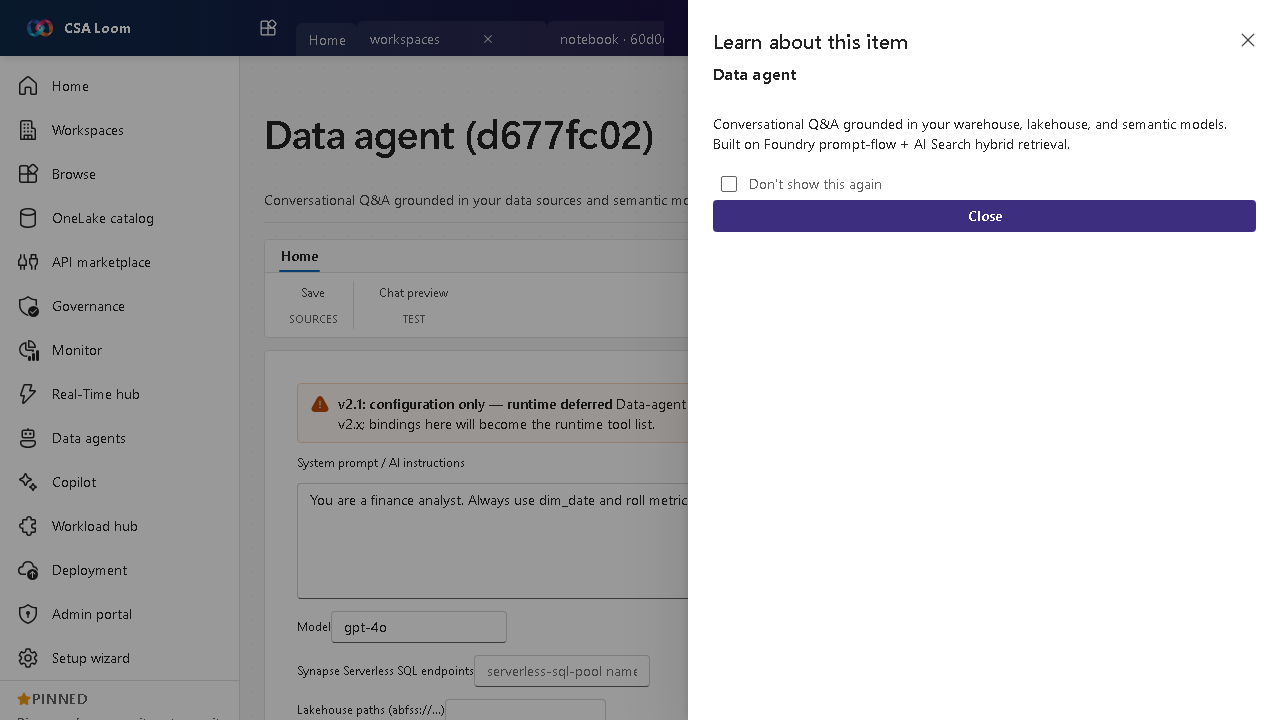
What this editor does
A Data agent is conversational Q&A grounded in your data sources — warehouse, lakehouse, KQL, AI Search, graph, and semantic models. In Loom the Build tab binds up to 5 sources, each scoped with a real schema tree; Config Copilot, Test chat, Evaluate, Publish, Consume, Run inspector, and Monitoring round out the lifecycle. Azure-native — no Microsoft Fabric required.
Getting started
- Pick data sources — On the Build tab bind up to 5 sources — warehouse, lakehouse, KQL / Eventhouse, AI Search, graph, or semantic model — and give each instructions and example questions.
- Scope the schema — Expand each source's schema tree — real Tables / Views / Functions / Fields read live from the backend (Synapse INFORMATION_SCHEMA, ADX
.show tables, AI Search index) — and check exactly which objects the agent may query. No freeform table strings. - Draft with Config Copilot — The Config Copilot tab drafts instructions and source descriptions from your bound schema so grounding starts strong.
- Test questions — Use Test chat to ask sample business questions and verify the agent queries the right sources; the Run inspector shows each tool call and query.
- Evaluate and publish — Score the agent against a question set on Evaluate, then Publish and share the Consume endpoint; Monitoring tracks usage over time.
Learn more
- Microsoft Learn reference: https://learn.microsoft.com/fabric/fundamentals/fabric-iq
Verified by the UAT harness
- Tested at:
2026-05-26T13:52:55.447Z - Verdict: A (renders cleanly, real backend responded)
- Test source:
apps/fiab-console/e2e/editors.uat.ts