
Tutorial: Mirrored database editor
CSA Loom
mirrored-databaseeditor — verified working against a live console by the UAT harness on 2026-07-01.
Open the editor
- Sign in to your CSA Loom Console (for example
https://<your-console-host>). - Open or create a workspace from the Workspaces page.
- Click + New item and choose Mirrored database from the catalog.
- The editor opens at
/items/mirrored-database/<id>:
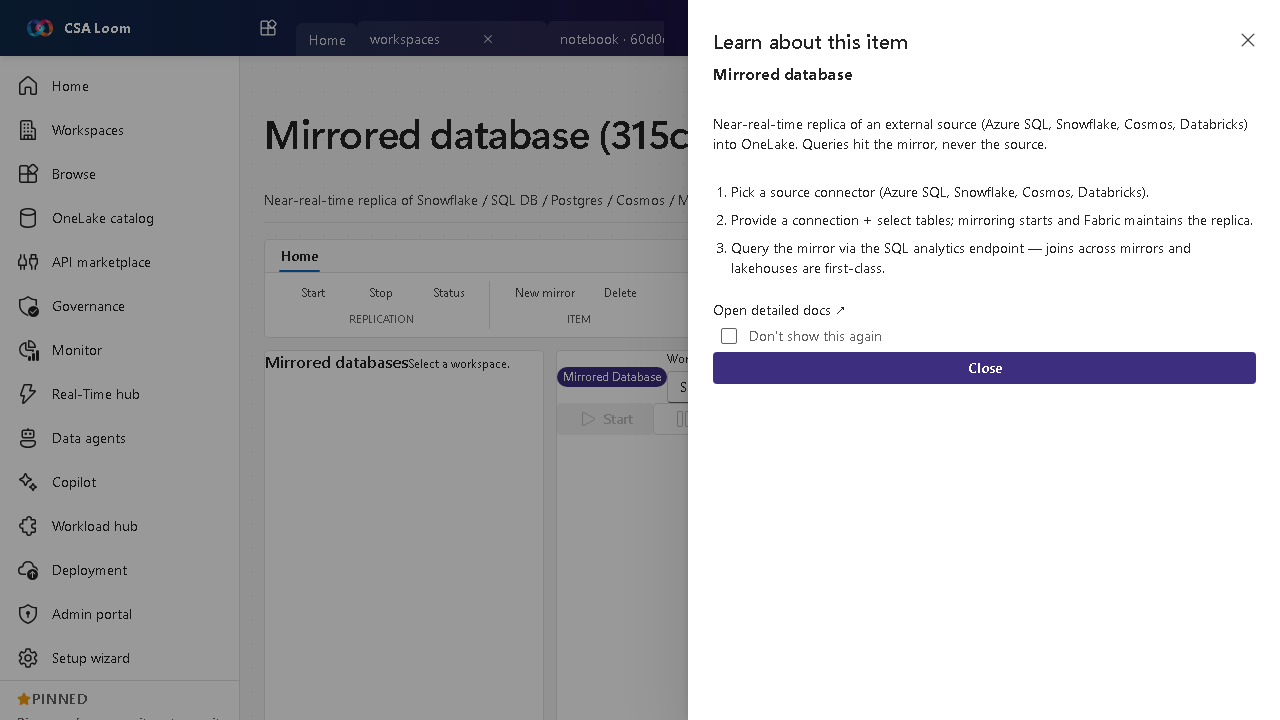
What this editor does
A Mirrored database is a near-real-time replica of an external source (Azure SQL, Snowflake, Cosmos, Databricks, Postgres) into ADLS Bronze as Delta — Azure-native CDC (ADF / Synapse Link), no Fabric or OneLake required. Queries hit the mirror, never the source. Use it to join external data with lakehouses without re-ingesting.
Getting started
- Pick a source connector — Choose Azure SQL, Snowflake, Cosmos, or Databricks as the replication source.
- Connect and select tables — Provide a connection and pick tables; Loom's ADF CDC / Synapse Link replicator starts and maintains the replica into ADLS Bronze Delta automatically.
- Query the mirror — Read via the SQL analytics endpoint — joins across mirrors and lakehouses are first-class.
- Monitor replication — Watch mirror status to confirm the replica is keeping pace with the source.
Learn more
- Microsoft Learn reference: https://learn.microsoft.com/fabric/database/mirrored-database/overview
Verified by the UAT harness
- Tested at:
2026-05-26T13:50:53.361Z - Verdict: A (renders cleanly, real backend responded)
- Test source:
apps/fiab-console/e2e/editors.uat.ts