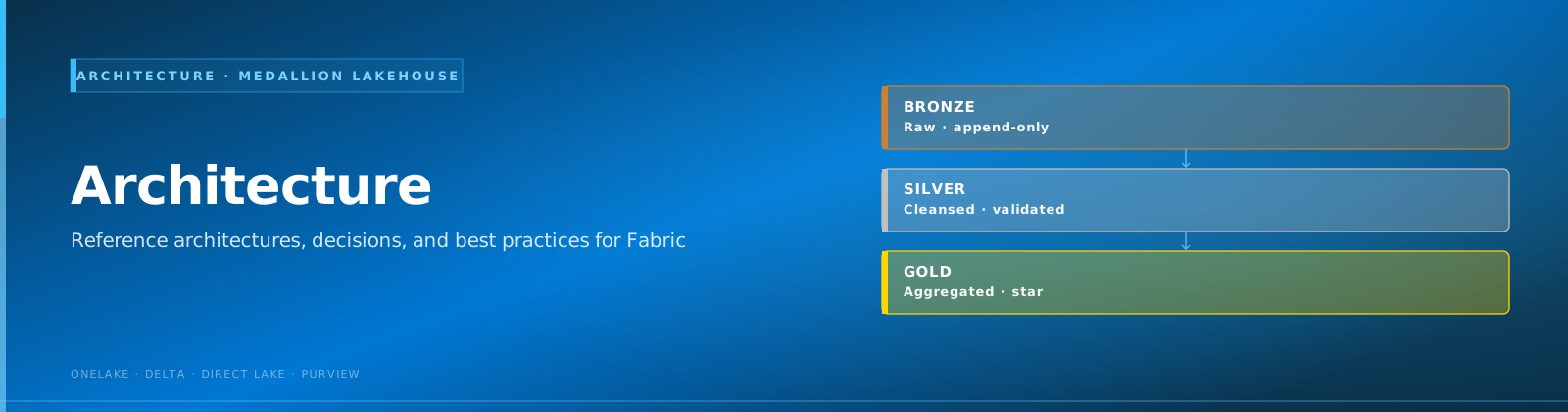
🏗️ Architecture Overview Diagram
Last Updated: 2026-04-15 | Version: 2.0 Status: ✅ Final | Maintainer: Documentation Team



🏛️ High-Level Architecture
This diagram shows the complete data flow from source systems through the medallion architecture to analytics.
flowchart TB
    subgraph Sources["🎰 Data Sources"]
        SAS["🎰 Slot Machines<br/>SAS Protocol"]
        TG["🃏 Table Games<br/>RFID/Terminals"]
        LMS["👤 Loyalty System"]
        CAGE["💰 Cage Operations"]
        SEC["🔒 Security/Surveillance"]
        COMP["📋 Compliance Systems"]
    end

    subgraph Ingestion["📥 Ingestion Layer"]
        ES["⚡ Eventstreams<br/>Real-Time"]
        DF["📊 Dataflows Gen2<br/>Batch"]
        PIPE["🔧 Data Pipelines"]
    end

    subgraph Fabric["☁️ Microsoft Fabric"]
        subgraph Bronze["🥉 Bronze Layer"]
            B_SLOT[bronze_slot_telemetry]
            B_TABLE[bronze_table_games]
            B_PLAYER[bronze_player_profile]
            B_FIN[bronze_financial_txn]
            B_SEC[bronze_security_events]
            B_COMP[bronze_compliance]
        end

        subgraph Silver["🥈 Silver Layer"]
            S_SLOT[silver_slot_cleansed]
            S_TABLE[silver_table_enriched]
            S_PLAYER[silver_player_master]
            S_FIN[silver_financial_reconciled]
            S_SEC[silver_security_enriched]
            S_COMP[silver_compliance_validated]
        end

        subgraph Gold["🥇 Gold Layer"]
            G_SLOT[gold_slot_performance]
            G_TABLE[gold_table_analytics]
            G_PLAYER[gold_player_360]
            G_FIN[gold_financial_summary]
            G_SEC[gold_security_dashboard]
            G_COMP[gold_compliance_reporting]
        end

        subgraph Analytics["📈 Analytics"]
            DL["🔗 Direct Lake<br/>Semantic Model"]
            PBI["📊 Power BI<br/>Reports"]
            RTD["⏱️ Real-Time<br/>Dashboards"]
        end
    end

    subgraph Governance["🛡️ Governance"]
        PV["Microsoft Purview"]
    end

    Sources --> Ingestion
    Ingestion --> Bronze
    Bronze --> Silver
    Silver --> Gold
    Gold --> Analytics
    Fabric --> Governance

    style Bronze fill:#CD7F32,color:#000
    style Silver fill:#C0C0C0,color:#000
    style Gold fill:#FFD700,color:#000
ℹ️ Note: The medallion architecture (Bronze > Silver > Gold) provides progressive data refinement with clear separation of concerns.
🎰 Data Flow - Slot Telemetry
This diagram illustrates the complete journey of slot machine data through all layers.
flowchart LR
    subgraph Source["🎰 Slot Machine"]
        SM["SAS Protocol<br/>Events"]
    end

    subgraph Bronze["🥉 Bronze Layer"]
        B1["📥 Raw Events"]
        B2["🏷️ Add Metadata"]
        B3[("bronze_slot_telemetry")]
    end

    subgraph Silver["🥈 Silver Layer"]
        S1["✅ Schema Validation"]
        S2["🔍 Data Quality"]
        S3["🔄 Deduplication"]
        S4[("silver_slot_cleansed")]
    end

    subgraph Gold["🥇 Gold Layer"]
        G1["📊 Daily Aggregation"]
        G2["📈 KPI Calculation"]
        G3[("gold_slot_performance")]
    end

    subgraph BI["📊 Analytics"]
        PBI["Power BI Dashboard"]
    end

    SM --> B1 --> B2 --> B3
    B3 --> S1 --> S2 --> S3 --> S4
    S4 --> G1 --> G2 --> G3
    G3 --> PBI

    style Bronze fill:#CD7F32,color:#000
    style Silver fill:#C0C0C0,color:#000
    style Gold fill:#FFD700,color:#000
Transformation Summary
| Layer | Transformations | Output |
|---|---|---|
| 🥉 Bronze | Add metadata (_ingested_at, _source_file) | Raw events preserved |
| 🥈 Silver | Validate schema, deduplicate, quality checks | Cleansed records |
| 🥇 Gold | Aggregate to machine/day, calculate KPIs | Performance metrics |
⚡ Real-Time Architecture
This diagram shows the real-time data ingestion and processing flow for live floor monitoring.
flowchart TB
    subgraph Sources["📡 Real-Time Sources"]
        SLOT["🎰 Slot Machines"]
        CAGE["💰 Cage Terminals"]
        SEC["🔒 Security Cameras"]
    end

    subgraph Streaming["⚡ Streaming Ingestion"]
        EH["Event Hub"]
        ES["Eventstream"]
    end

    subgraph RealTime["📊 Real-Time Intelligence"]
        EH_DB[("Eventhouse<br/>KQL Database")]
        KQL["KQL Queries"]
        ALERT["🔔 Alerts"]
    end

    subgraph Dashboard["📺 Dashboards"]
        RT_DASH["Real-Time<br/>Dashboard"]
        FLOOR["🖥️ Floor Monitor"]
    end

    Sources --> Streaming
    Streaming --> RealTime
    RealTime --> Dashboard

    ALERT -->|"🎰 Jackpot > $10K"| FLOOR
    ALERT -->|"⚠️ Machine Down"| FLOOR
    ALERT -->|"🚨 Security Alert"| FLOOR
Alert Configuration
| Alert Type | Condition | Action |
|---|---|---|
| 🎰 Jackpot Alert | Amount >= $10,000 | Notify floor manager |
| ⚠️ Machine Down | No events > 5 min | Create maintenance ticket |
| 🚨 Security Alert | Anomaly detected | Alert security team |
📋 Compliance Data Flow
This diagram shows how financial transactions are monitored for regulatory compliance.
flowchart LR
    subgraph Transactions["💰 Financial Transactions"]
        TXN["Cage Transaction"]
    end

    subgraph Detection["🔍 Detection Logic"]
        CTR{"Amount >= $10K?"}
        STRUCT{"Structuring<br/>Pattern?"}
        JACK{"Jackpot >= $1,200?"}
    end

    subgraph Filings["📄 Compliance Filings"]
        CTR_FILE["📄 CTR Filing"]
        SAR_FILE["🚨 SAR Filing"]
        W2G_FILE["📋 W-2G Filing"]
    end

    subgraph Reporting["🏛️ Reporting"]
        FINCEN["FinCEN"]
        IRS["IRS"]
    end

    TXN --> CTR
    TXN --> STRUCT
    TXN --> JACK

    CTR -->|"Yes"| CTR_FILE
    STRUCT -->|"Yes"| SAR_FILE
    JACK -->|"Yes"| W2G_FILE

    CTR_FILE --> FINCEN
    SAR_FILE --> FINCEN
    W2G_FILE --> IRS
Regulatory Thresholds
| Report | Threshold | Deadline | Regulatory Body |
|---|---|---|---|
| 📄 CTR | $10,000+ cash | 15 days | FinCEN |
| 🚨 SAR | Suspicious pattern | 30 days | FinCEN |
| 📋 W-2G | $1,200+ (slots), $600+ (keno) | At payout | IRS |
⚠️ Warning: Failure to file required reports can result in significant penalties. Ensure automated detection is validated regularly.
🔐 Security & Governance
This diagram illustrates the security and governance framework.
flowchart TB
    subgraph Access["🔑 Access Control"]
        AAD["Entra ID"]
        RBAC["Role-Based Access"]
        RLS["Row-Level Security"]
    end

    subgraph Data["🔒 Data Protection"]
        ENC["🔐 Encryption"]
        MASK["🎭 Data Masking"]
        AUDIT["📝 Audit Logging"]
    end

    subgraph Governance["🛡️ Data Governance"]
        PV["Microsoft Purview"]
        CAT["📚 Data Catalog"]
        LIN["🔗 Data Lineage"]
        CLASS["🏷️ Classifications"]
    end

    subgraph Compliance["📋 Compliance"]
        NIGC["🎰 NIGC MICS"]
        BSA["💰 BSA/AML"]
        PCI["💳 PCI-DSS"]
    end

    AAD --> RBAC --> RLS
    Data --> Governance
    Governance --> Compliance
Security Controls Matrix
| Layer | Controls | Tools |
|---|---|---|
| 🔑 Identity | SSO, MFA, Conditional Access | Microsoft Entra ID |
| 🔒 Data | Encryption, Masking, Tokenization | Key Vault, Purview |
| 📝 Audit | Activity logs, Access logs | Log Analytics |
| 📋 Compliance | Policy enforcement, Reporting | Purview, Custom |
🚀 Deployment Architecture
This diagram shows the CI/CD pipeline and infrastructure deployment flow.
flowchart TB
    subgraph GitHub["🐙 GitHub Repository"]
        CODE["📝 Source Code"]
        BICEP["🔧 Bicep IaC"]
        ACTIONS["⚙️ GitHub Actions"]
    end

    subgraph Azure["☁️ Azure"]
        subgraph Resources["📦 Azure Resources"]
            FAB["🟣 Fabric Capacity<br/>F64"]
            PV["🛡️ Purview"]
            ADLS["💾 ADLS Gen2"]
            KV["🔑 Key Vault"]
            LOG["📊 Log Analytics"]
        end

        subgraph Network["🌐 Networking"]
            VNET["Virtual Network"]
            PE["Private Endpoints"]
        end
    end

    CODE --> ACTIONS
    BICEP --> ACTIONS
    ACTIONS -->|"🚀 Deploy"| Resources
    Resources --> Network
Deployment Environments
| Environment | SKU | Auto-pause | Private Endpoints |
|---|---|---|---|
| 🔧 Development | F2/F4 | Yes | Optional |
| 🧪 Staging | F16/F32 | Yes | Recommended |
| 🏭 Production | F64+ | No | Required |
🤖 Machine Learning Pipeline
This diagram shows the ML workflow for player analytics and predictions.
flowchart LR
    subgraph Data["📊 Data Preparation"]
        GOLD["🥇 Gold Layer"]
        FEAT["🔧 Feature Engineering"]
    end

    subgraph Training["🎯 Model Training"]
        SPLIT["📊 Train/Test Split"]
        TRAIN["🤖 Model Training"]
        EVAL["📈 Evaluation"]
    end

    subgraph MLOps["⚙️ MLOps"]
        MLFLOW["📦 MLflow Registry"]
        VERSION["🏷️ Model Versioning"]
    end

    subgraph Inference["🔮 Inference"]
        BATCH["📥 Batch Scoring"]
        SCORES["📊 Predictions"]
    end

    GOLD --> FEAT --> SPLIT
    SPLIT --> TRAIN --> EVAL
    EVAL --> MLFLOW --> VERSION
    VERSION --> BATCH --> SCORES
ML Use Cases
| Use Case | Model Type | Input Features | Output |
|---|---|---|---|
| 🎯 Player Churn | Classification | Activity, spend, tenure | Churn probability |
| 💰 LTV Prediction | Regression | Historical spend, frequency | Lifetime value |
| 🎁 Offer Response | Classification | Player profile, history | Response likelihood |
| 🚨 Fraud Detection | Anomaly | Transaction patterns | Risk score |
🛠️ How to Use These Diagrams
In Documentation
Copy Mermaid code blocks into any markdown renderer that supports Mermaid:
- GitHub (native support)
- GitLab (native support)
- VS Code (with Mermaid extension)
- Notion (with code blocks)
In Power BI
- Export diagrams as PNG/SVG from Mermaid Live Editor
- Embed images in Power BI reports
- Use for documentation pages
In Presentations
- Open Mermaid Live Editor
- Paste diagram code
- Export as PNG or SVG
- Import into PowerPoint/Google Slides
In Purview
Reference these diagrams for lineage documentation in Microsoft Purview data catalog.
🔧 Diagram Tools
| Tool | Description | Link |
|---|---|---|
| Mermaid Live Editor | Online editor and export | mermaid.live |
| VS Code Extension | Preview in editor | Marketplace |
| GitHub | Native rendering | Blog Post |
🔗 Related Documents
| Document | Description |
|---|---|
| Architecture | Full architecture documentation |
| Deployment Guide | Infrastructure deployment |
| Security Guide | Security controls |
| Cost Breakdown | Cost analysis diagrams |
| Data Dictionary | Table schemas and field definitions |