
Home > Best Practices > Spark & Notebooks
⚡ Spark & Notebooks Best Practices¶ Deep Dive
Last Updated: 2026-04-15 | Version: 2.0 Status: ✅ Final | Maintainer: Documentation Team



📋 Overview
Apache Spark in Microsoft Fabric provides powerful distributed computing for data engineering and data science workloads. This guide covers Spark optimization, notebook best practices, library management, and performance tuning.
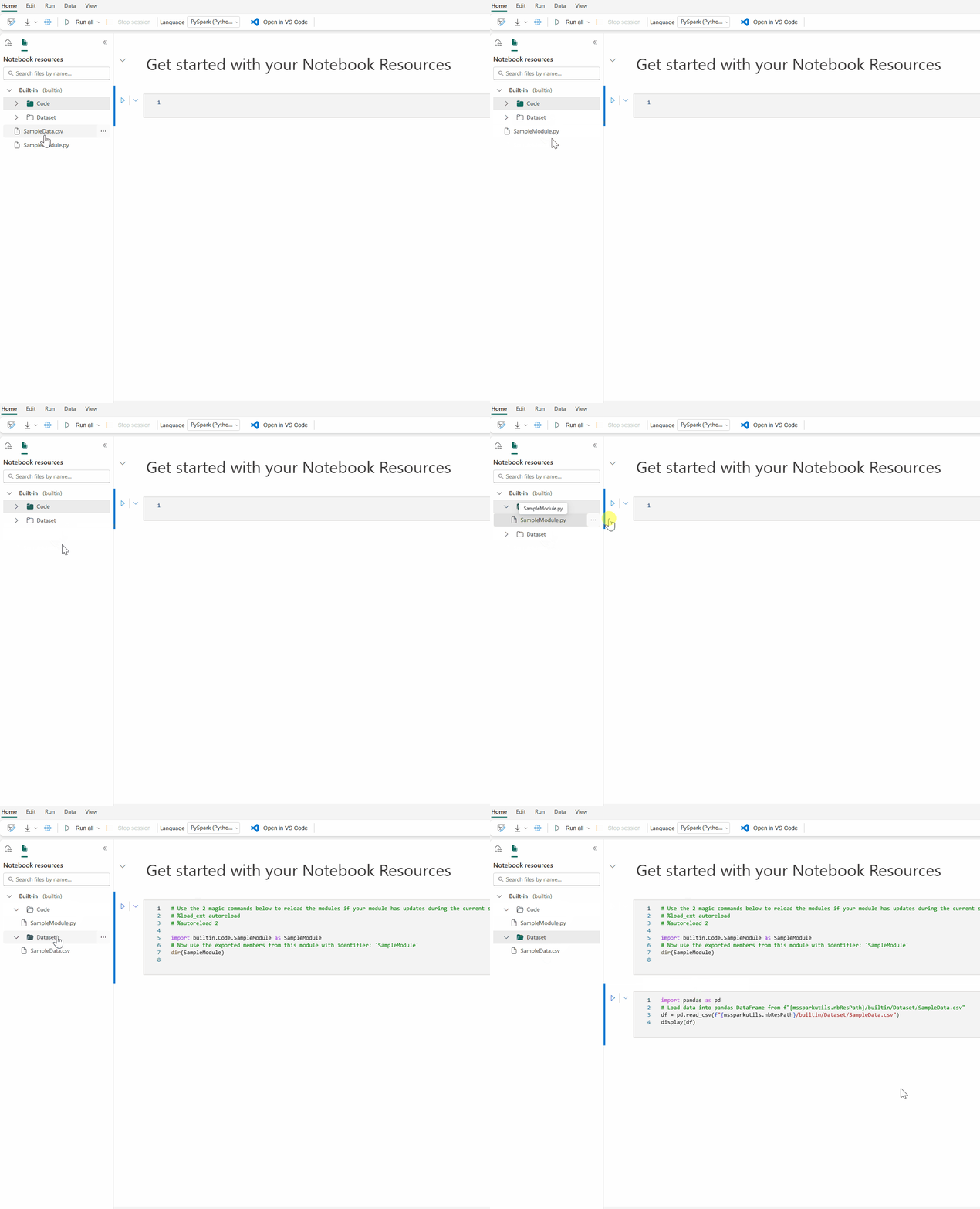
Source: Microsoft Learn - How to Use Notebooks
🖥️ Spark Capacity and Cluster Planning
Starter Pool vs Custom Pool
| Pool Type | Use Case | Startup Time | Best For |
|---|---|---|---|
| Starter Pool | Development, testing | 5-10 seconds | Fast iteration, no custom libraries |
| Custom Pool | Production, security | Minutes | MPE, Private Link, custom configs |
Recommendation: Use Starter Pools for development to maximize productivity. Switch to Custom Pools when you need Managed Private Endpoints or Private Links.
Compute Configuration Guidelines
| Scenario | Node Size | Configuration |
|---|---|---|
| Transform-heavy jobs (shuffles, joins) | 16-64 cores | Larger nodes |
| Bursty/unpredictable jobs | Small-Medium | Autoscale + Dynamic Allocate |
| Many small parallel jobs | Small-Medium | Minimum nodes to avoid cold-start |
| Development work | Small-Medium | Single node mode |
| Large jobs with known partitioning | Match data volume | Manual presizing |
| ML/distributed training | Medium-Large | Maximize parallelism |
| Just Python code | Any | Python Kernel |
🚀 Native Execution Engine (NEE)
Enabling NEE
The Native Execution Engine provides 2x-5x performance improvements for many workloads.
Enable at Environment Level:
Enable at Session Level (PySpark):
Enable at Session Level (SQL):
Performance Impact: - Vectorized execution for Spark operations - Optimized memory management - Reduced serialization overhead - Best improvements on analytical queries
⚙️ Session Configuration
%%configure Magic Command
Configure Spark sessions at the beginning of notebooks:
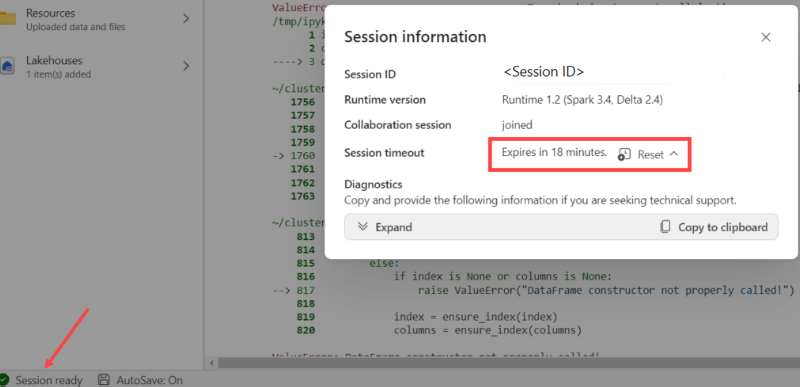
Source: Microsoft Learn - Author and Execute Notebooks
%%configure
{
    "driverMemory": "28g",
    "driverCores": 4,
    "executorMemory": "28g",
    "executorCores": 4,
    "numExecutors": 2,
    "conf": {
        "spark.sql.shuffle.partitions": "200",
        "spark.sql.files.maxPartitionBytes": "134217728",
        "spark.databricks.delta.autoCompact.enabled": "true"
    }
}
Important Notes: - Run %%configure in the first code cell - Set same values for driverMemory and executorMemory - Set same values for driverCores and executorCores - Cannot restart session mid-pipeline if %%configure isn't first
Key Spark Configurations
| Configuration | Default | Purpose |
|---|---|---|
spark.sql.shuffle.partitions | 200 | Partitions during shuffle operations |
spark.sql.files.maxPartitionBytes | 128MB | Max bytes per partition when reading |
spark.task.cpus | 1 | CPU cores per task |
spark.databricks.delta.autoCompact.enabled | false | Auto compact small files |
📖 Read Optimization
Partition Tuning
# Adjust based on data volume
spark.conf.set("spark.sql.files.maxPartitionBytes", "256mb")  # Larger files = fewer partitions

# For small files, reduce partition size
spark.conf.set("spark.sql.files.maxPartitionBytes", "64mb")
Predicate Pushdown
# Good: Filter pushed to source
df = spark.read.format("delta").load("/path") \
    .filter(col("event_date") >= "2024-01-01")

# Bad: Filter applied after full scan
df = spark.read.format("delta").load("/path")
filtered_df = df.filter(col("event_date") >= "2024-01-01")  # Same result but explicit
Column Pruning
# Good: Only read needed columns
df = spark.read.format("delta").load("/path") \
    .select("col1", "col2", "col3")

# Bad: Read all columns
df = spark.read.format("delta").load("/path")
✍️ Write Optimization
Auto Compaction
Enable for pipelines with frequent small writes:
# At session level
spark.conf.set("spark.databricks.delta.autoCompact.enabled", True)

# At table level
spark.sql("""
    ALTER TABLE my_table
    SET TBLPROPERTIES ('delta.autoOptimize.autoCompact' = 'true')
""")
Optimize Write
# Enable optimized writes for better file sizes
spark.conf.set("spark.databricks.delta.optimizeWrite.enabled", True)
V-Order for Fabric
V-Order optimization improves read performance across all Fabric engines:
# Write with V-Order
df.write.format("delta") \
    .option("vorder", "true") \
    .mode("overwrite") \
    .save("/path/to/table")
🔀 Shuffle Optimization
Tuning Shuffle Partitions
# Default is 200 - adjust based on data size
# Rule of thumb: target 100-200MB per partition after shuffle

# For small datasets
spark.conf.set("spark.sql.shuffle.partitions", "50")

# For large datasets
spark.conf.set("spark.sql.shuffle.partitions", "400")
Adaptive Query Execution (AQE)
AQE automatically optimizes queries at runtime:
# Usually enabled by default
spark.conf.set("spark.sql.adaptive.enabled", "true")
spark.conf.set("spark.sql.adaptive.coalescePartitions.enabled", "true")
spark.conf.set("spark.sql.adaptive.skewJoin.enabled", "true")
🔗 High Concurrency Mode
Benefits
- Share Spark sessions across multiple notebooks
- Instant session attachment (no cold start)
- Better resource utilization
Session Sharing Requirements
Notebooks can share a session if they: 1. Are run by the same user 2. Have the same default lakehouse 3. Have the same Spark configurations 4. Have the same library packages
Enable High Concurrency
📓 Parallel Notebook Execution
Using runMultiple()
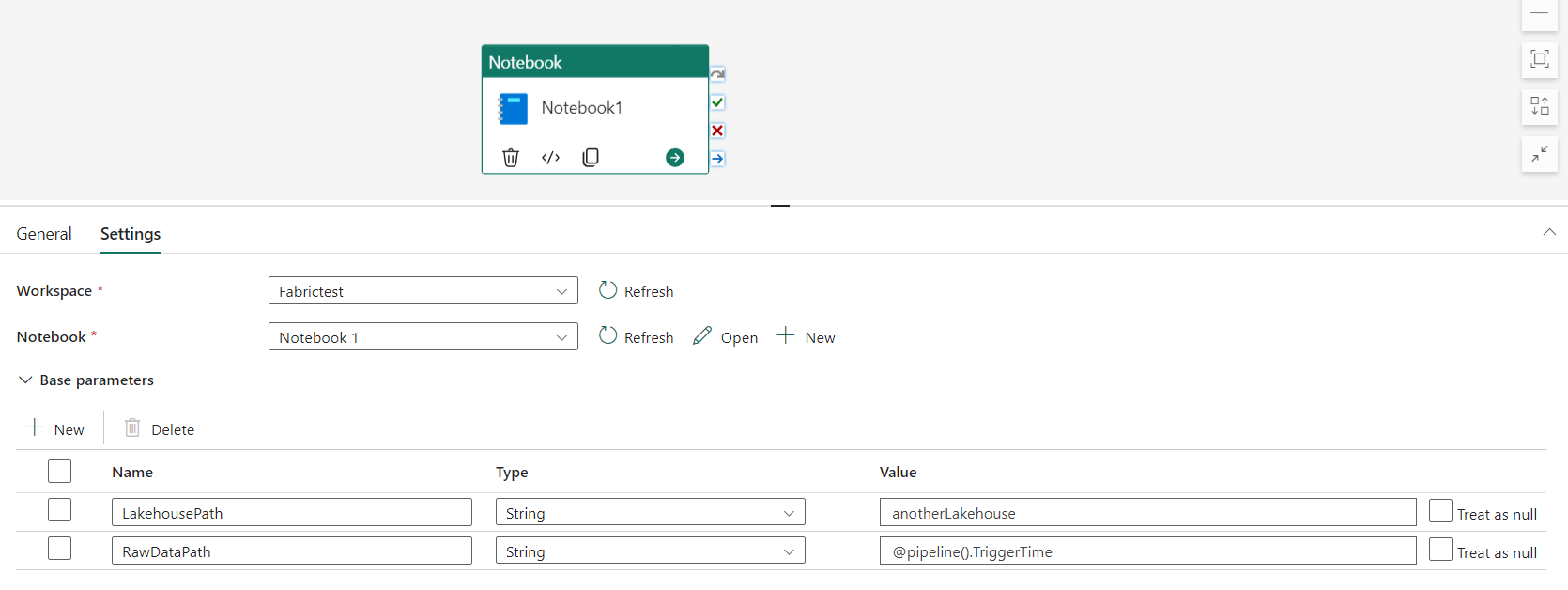
Source: Microsoft Learn - Author and Execute Notebooks
# Run notebooks in parallel
mssparkutils.notebook.runMultiple(["NotebookA", "NotebookB", "NotebookC"])

# With DAG structure for dependencies
dag = {
    "activities": [
        {"name": "NotebookA", "path": "NotebookA"},
        {"name": "NotebookB", "path": "NotebookB", "dependencies": ["NotebookA"]},
        {"name": "NotebookC", "path": "NotebookC", "dependencies": ["NotebookA"]}
    ],
    "concurrency": 50,
    "timeoutInSeconds": 43200
}
mssparkutils.notebook.runMultiple(dag)
Concurrency Limits
| Driver Node Size | Max Concurrent Notebooks |
|---|---|
| Small (4 cores) | 4 |
| Medium (8 cores) | 8 |
| Large (16 cores) | 16 |
📦 Library Management
Best Practices by Scenario
| Scenario | Approach |
|---|---|
| Workspace default libraries | Environment attached to workspace |
| Common libraries across items | Environment attached to notebooks |
| One-time use in interactive | Inline installation (%pip) |
| Production pipelines | Environment (not inline) |
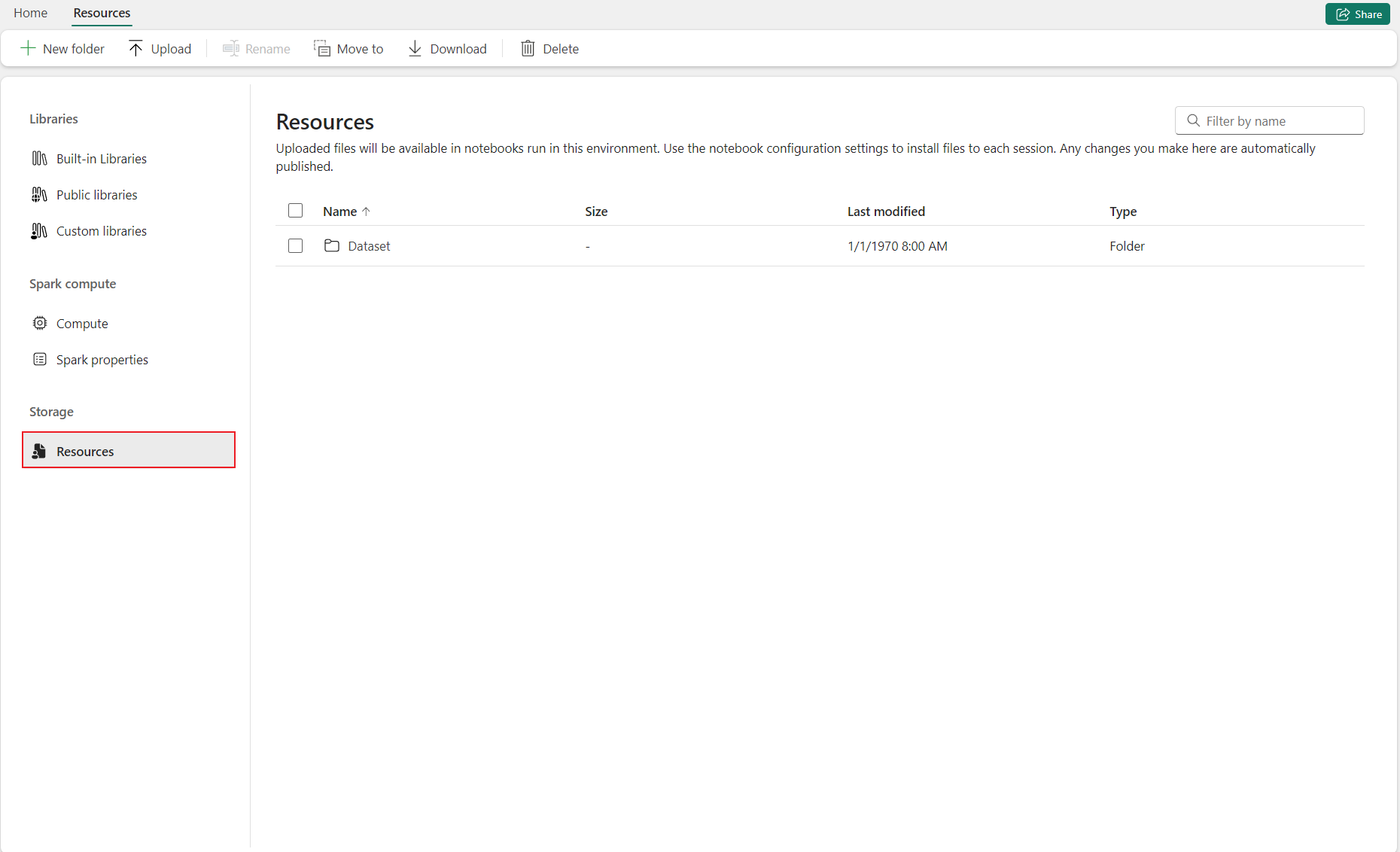
Source: Microsoft Learn - How to Use Notebooks
Environment Libraries
- Create environment in workspace
- Install required libraries
- Attach environment to workspace or specific items
Inline Installation (Development Only)
# Install packages in current session
%pip install pandas==2.0.0
%pip install great-expectations

# After installation, restart Python interpreter
# (but not Spark session)
Warning: Inline installation is disabled by default in pipelines. Not recommended for production.
📊 Resource Profiles
Pre-defined Profiles
| Profile | Use Case |
|---|---|
| Default | General workloads |
| HighConcurrency | Many small jobs |
| LargeData | Big data processing |
| ML | Machine learning workloads |
🔍 Monitoring and Profiling
Spark History Server
Access detailed execution information: - Stage-level details - Task-level metrics - Skew detection - Logical and physical plans
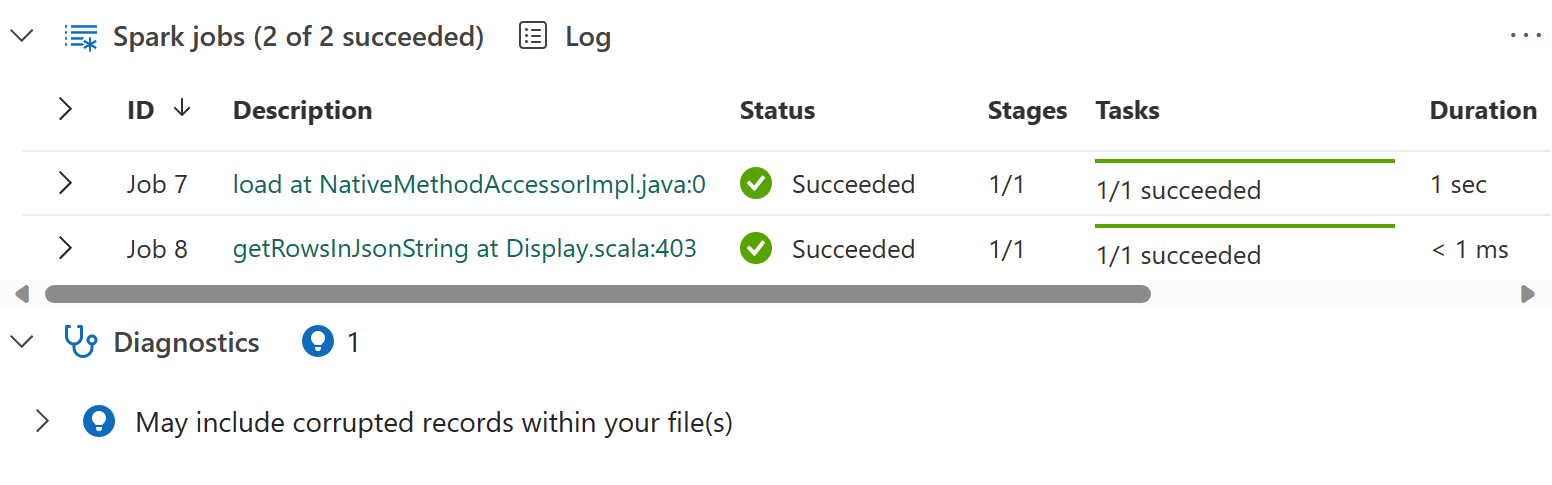
Source: Microsoft Learn - Author and Execute Notebooks
Resource Usage UI
Monitor: - Executor utilization - Executor scale-up/down patterns - Memory usage per stage
Monitoring Hub
30-day metrics for: - Notebook execution times - Spark Job Definition details - Pipeline execution status
🏗️ Delta Lake Best Practices
Table Configuration
# Create table with optimization settings
spark.sql("""
    CREATE TABLE silver_transactions (
        transaction_id STRING,
        amount DECIMAL(18,2),
        event_date DATE
    )
    USING DELTA
    PARTITIONED BY (event_date)
    TBLPROPERTIES (
        'delta.autoOptimize.optimizeWrite' = 'true',
        'delta.autoOptimize.autoCompact' = 'true'
    )
""")
MERGE Operations
from delta.tables import DeltaTable

delta_table = DeltaTable.forPath(spark, "/path/to/table")

delta_table.alias("target").merge(
    source_df.alias("source"),
    "target.id = source.id"
).whenMatchedUpdate(
    set={"value": "source.value", "updated_at": "current_timestamp()"}
).whenNotMatchedInsert(
    values={"id": "source.id", "value": "source.value", "created_at": "current_timestamp()"}
).execute()
Z-ORDER Clustering
-- Optimize with Z-ORDER for common filter columns
OPTIMIZE my_table ZORDER BY (customer_id, event_date);
📂 Notebook Organization
Recommended Structure
notebooks/
├── _shared/
│   ├── common_functions.py
│   └── config.py
├── bronze/
│   ├── nb_bronze_01_ingest_slot_telemetry.ipynb
│   └── nb_bronze_02_ingest_player_data.ipynb
├── silver/
│   ├── nb_silver_01_cleanse_slot_telemetry.ipynb
│   └── nb_silver_02_cleanse_player_data.ipynb
├── gold/
│   └── nb_gold_01_build_kpis.ipynb
└── ml/
    └── nb_ml_01_churn_prediction.ipynb
Notebook Naming Convention
nb_{layer}_{sequence}_{description}

Examples:
  nb_bronze_01_ingest_slot_telemetry
  nb_silver_02_cleanse_player_data
  nb_gold_03_aggregate_daily_kpis
✅ Performance Checklist
Before Production
- Enable Native Execution Engine (NEE)
- Configure appropriate shuffle partitions
- Enable auto-compaction for write-heavy tables
- Use V-Order for Fabric-optimized reads
- Profile notebooks using Spark History Server
- Test with production-scale data
- Configure appropriate executor sizing
Ongoing Optimization
- Monitor executor utilization
- Check for data skew in shuffle stages
- Run OPTIMIZE on frequently queried tables
- Update statistics for query planning
- Review and clean up unused notebooks
- Keep library versions current
🔗 Related Documents
| Document | Description |
|---|---|
| Lakehouse Setup & Organization | Delta Lake configuration and table maintenance |
| Pipelines & Data Movement | Pipeline optimization for data movement |
| Decision Guide | When to use Spark vs other tools |
| Testing Strategies | Unit and integration testing patterns |
| Monitoring & Observability | Spark monitoring and performance tracking |