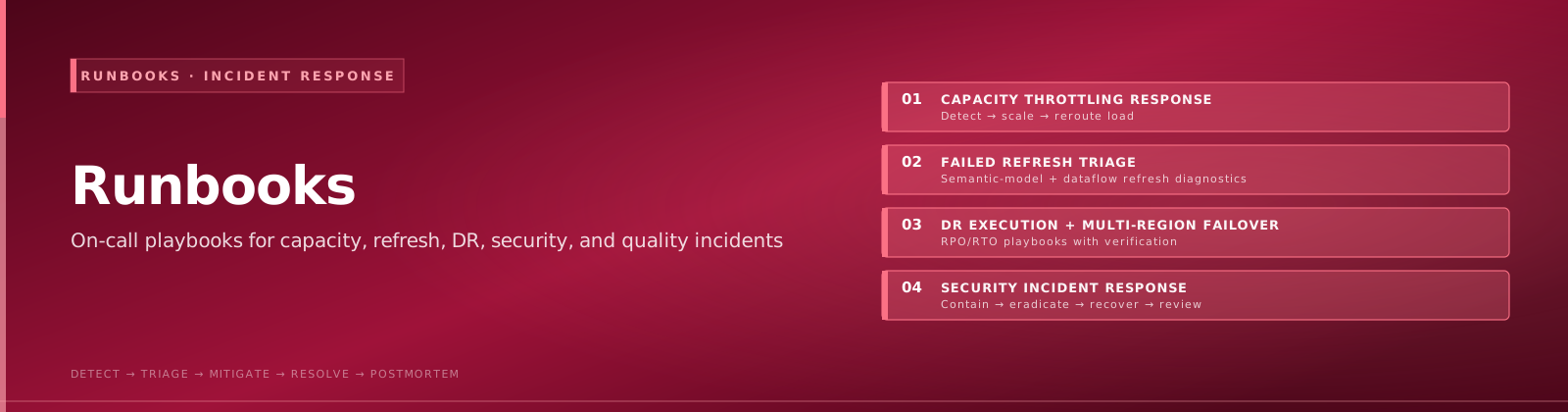
🔄 Disaster Recovery & Business Continuity¶ Runbook
Last Updated: 2026-04-15 | Version: 2.0 Status: ✅ Final | Maintainer: Documentation Team



🎯 Overview
This document outlines the disaster recovery (DR) and business continuity (BC) strategy for the Microsoft Fabric Casino Analytics platform. Gaming operations require high availability and rapid recovery to meet regulatory requirements and minimize business impact.
⏱️ Recovery Objectives
Recovery Time Objective (RTO)
| System Component | RTO | Priority |
|---|---|---|
| Real-Time Analytics (Eventhouse) | 15 minutes | Critical |
| Gold Layer (BI Reports) | 1 hour | High |
| Silver Layer (Cleansed Data) | 4 hours | Medium |
| Bronze Layer (Raw Data) | 8 hours | Medium |
| Historical Analytics | 24 hours | Low |
Recovery Point Objective (RPO)
| Data Type | RPO | Backup Frequency |
|---|---|---|
| Slot Telemetry | 5 minutes | Continuous replication |
| Financial Transactions | 0 minutes | Synchronous |
| Player Profiles | 1 hour | Hourly snapshots |
| Aggregated Metrics | 4 hours | Incremental |
| Reference Data | 24 hours | Daily |
🏗️ Architecture: Multi-Region Deployment
flowchart LR
    subgraph Primary["🏢 Primary Region — East US 2"]
        direction TB
        PCap["Fabric Capacity<br/>F64"]
        subgraph POL["📦 OneLake"]
            PB["🥉 Bronze"]
            PS["🥈 Silver"]
            PG["🥇 Gold"]
        end
        PEH["⚡ Eventhouse<br/>Real-Time"]
        PCap --- POL
        PCap --- PEH
    end

    subgraph DR["🛡️ DR Region — West US 2"]
        direction TB
        DCap["Fabric Capacity<br/>F16 (standby)"]
        subgraph DOL["📦 OneLake (replica)"]
            DB["🥉 Bronze"]
            DS["🥈 Silver"]
            DG["🥇 Gold"]
        end
        DEH["⚡ Eventhouse<br/>Standby"]
        DCap --- DOL
        DCap --- DEH
    end

    POL -->|Async replication<br/>5-min RPO| DOL
    PEH -->|Async replication| DEH

    style Primary fill:#E3F2FD,color:#000
    style DR fill:#FFF9C4,color:#000
    style PCap fill:#1976D2,color:#fff
    style DCap fill:#F9A825,color:#000
💾 Backup Strategy
OneLake Data Protection
Delta Lake Time Travel
Delta tables automatically maintain version history, enabling point-in-time recovery.
# Restore to specific version
spark.read.format("delta") \
    .option("versionAsOf", 42) \
    .table("bronze_slot_telemetry")

# Restore to timestamp
spark.read.format("delta") \
    .option("timestampAsOf", "2024-01-15 10:00:00") \
    .table("bronze_slot_telemetry")
Retention Settings:
-- Configure retention for each table
ALTER TABLE bronze_slot_telemetry
SET TBLPROPERTIES ('delta.logRetentionDuration' = '30 days');

ALTER TABLE bronze_slot_telemetry
SET TBLPROPERTIES ('delta.deletedFileRetentionDuration' = '7 days');
Cross-Region Replication
// Configure OneLake replication
resource replicationPolicy 'Microsoft.Fabric/replicationPolicies@2024-01-01' = {
  name: 'dr-replication-policy'
  properties: {
    sourceWorkspace: primaryWorkspaceId
    targetWorkspace: drWorkspaceId
    replicationType: 'Asynchronous'
    replicationFrequency: 'PT5M'  // 5-minute intervals
    includedItems: [
      'Lakehouse:lh_bronze',
      'Lakehouse:lh_silver',
      'Lakehouse:lh_gold'
    ]
  }
}
Eventhouse Backup
// Export critical tables to external storage
.export to csv (
    h@"https://drbackupstorage.blob.core.windows.net/eventhouse-backup"
)
<| SlotTelemetry
| where ingestion_time() > ago(24h)
Power BI Artifacts
# Export Power BI workspace to PBIP format
# Run weekly or after significant changes

$workspace = Get-PowerBIWorkspace -Name "Casino-Analytics-Prod"
$reports = Get-PowerBIReport -WorkspaceId $workspace.Id

foreach ($report in $reports) {
    Export-PowerBIReport -Id $report.Id -OutFile "backup/reports/$($report.Name).pbix"
}
🔀 Failover Procedures
Scenario 1: Primary Region Failure
Trigger Criteria: - Primary region unavailable > 10 minutes - Azure status confirms regional outage - Automated health check failures
Failover Steps:
sequenceDiagram
    participant Ops as Operations
    participant Monitor as Monitoring
    participant DR as DR System
    participant DNS as Traffic Manager

    Monitor->>Ops: Alert: Primary region down
    Ops->>DR: Initiate failover
    DR->>DR: Verify DR data currency
    DR->>DR: Scale DR capacity (F16→F64)
    DR->>DNS: Update traffic routing
    DNS->>Ops: Failover complete
    Ops->>Monitor: Verify DR operational
Detailed Steps:
-
Verify Outage (5 min)
-
Scale DR Capacity (10 min)
-
Verify Data Currency (5 min)
-
Update DNS/Routing (5 min)
# Update Traffic Manager endpoint priority az network traffic-manager endpoint update \ --resource-group rg-fabric-networking \ --profile-name tm-fabric-casino \ --name primary-endpoint \ --type azureEndpoints \ --priority 2 az network traffic-manager endpoint update \ --resource-group rg-fabric-networking \ --profile-name tm-fabric-casino \ --name dr-endpoint \ --type azureEndpoints \ --priority 1 -
Verify Operational (10 min)
- Confirm Power BI reports load
- Verify real-time dashboard data flow
- Test data pipeline execution
- Notify stakeholders
Scenario 2: Data Corruption
Trigger Criteria: - Data quality alerts fired - Invalid data in Gold layer - User-reported data issues
Recovery Steps:
-
Identify Corruption Scope
-
Restore from Delta History
-
Reprocess from Silver
Scenario 3: Capacity Failure
Recovery Steps:
-
Create New Capacity
az rest --method put \ --url "https://management.azure.com/subscriptions/{sub}/resourceGroups/{rg}/providers/Microsoft.Fabric/capacities/fabric-casino-recovery" \ --body '{ "location": "eastus2", "sku": {"name": "F64", "tier": "Fabric"}, "properties": {"administration": {"members": ["admin@contoso.com"]}} }' -
Reassign Workspaces
📡 Monitoring & Alerting
Health Check Queries
// Eventhouse health check
SlotTelemetry
| where ingestion_time() > ago(5m)
| summarize RecordCount = count(), LastRecord = max(EventTimestamp)
| extend IsHealthy = RecordCount > 0 and LastRecord > ago(5m)
Alert Configuration
{
  "alertRules": [
    {
      "name": "DataIngestionLag",
      "condition": "LastIngestion > 10 minutes ago",
      "severity": "Critical",
      "action": "PageOnCall"
    },
    {
      "name": "ReplicationLag",
      "condition": "DRLag > 15 minutes",
      "severity": "High",
      "action": "NotifyOps"
    },
    {
      "name": "CapacityUtilization",
      "condition": "CPUPercent > 90 for 5 minutes",
      "severity": "Warning",
      "action": "AutoScale"
    }
  ]
}
🧪 Testing Schedule
| Test Type | Frequency | Duration | Participants |
|---|---|---|---|
| Backup Verification | Weekly | 2 hours | Data Engineering |
| Delta Time Travel | Monthly | 4 hours | Data Engineering |
| DR Failover (Planned) | Quarterly | 8 hours | Full Team |
| DR Failover (Unplanned) | Annually | 4 hours | Full Team |
| Full Recovery | Annually | 24 hours | Full Team + Mgmt |
Test Checklist
## DR Test Checklist

### Pre-Test
- [ ] Notify stakeholders
- [ ] Verify DR capacity available
- [ ] Document current primary state
- [ ] Confirm test window

### During Test
- [ ] Execute failover procedure
- [ ] Verify data accessibility
- [ ] Test report generation
- [ ] Validate real-time ingestion
- [ ] Test data pipeline execution
- [ ] Measure actual RTO

### Post-Test
- [ ] Document findings
- [ ] Calculate actual RTO/RPO
- [ ] Failback to primary
- [ ] Verify primary operational
- [ ] Update procedures if needed
- [ ] Stakeholder debrief
📞 Contact Information
Escalation Path
| Level | Role | Contact | Response Time |
|---|---|---|---|
| L1 | On-Call Engineer | PagerDuty | 5 minutes |
| L2 | Platform Lead | Teams/Phone | 15 minutes |
| L3 | Architecture Team | Teams/Phone | 30 minutes |
| L4 | VP Engineering | Phone | 1 hour |
| Vendor | Microsoft Support | Premier Support | Per SLA |
Communication Templates
Initial Incident:
INCIDENT: [Brief description]
IMPACT: [User/business impact]
STATUS: [Investigating/Identified/Resolved]
NEXT UPDATE: [Time]
Resolution:
RESOLVED: [Brief description]
ROOT CAUSE: [What happened]
IMPACT DURATION: [Start - End]
DATA LOSS: [None/Describe]
FOLLOW-UP: [Actions]
📋 Regulatory Compliance
Gaming Commission Requirements
- Data Retention: 7 years minimum for all gaming data
- Audit Trail: Complete transaction history must be recoverable
- Recovery Demonstration: Quarterly DR test documentation required
- Notification: Regulators must be notified of any data loss > 24 hours
Compliance Checklist
- DR plan approved by compliance officer
- Quarterly DR tests documented
- Annual DR plan review
- Regulator notification procedures tested
- Audit trail recovery verified
📚 Related Documentation
| Document | Description |
|---|---|
| 🏗️ Architecture | System architecture and design |
| 🔐 Security Guide | Security controls and compliance |
| 🚀 Deployment Guide | Infrastructure deployment |
⬆️ Back to Top | 📚 Docs | 🏠 Home
📖 Documentation maintained by: Frank Garofalo 🔗 Repository: Suppercharge_Microsoft_Fabric